LED Indicators 24
Doc: HMSI-168-92 Rev: 3.00Netbiter EasyConnect Gateway User Manual
3.5 Netbiter EC350
WhenpowerisappliedalltheLEDindicatorswillbelitwhilethegatewayisstartingup.
Afterthestartupsequencehascompletedtheywillindicatesystemstatus.
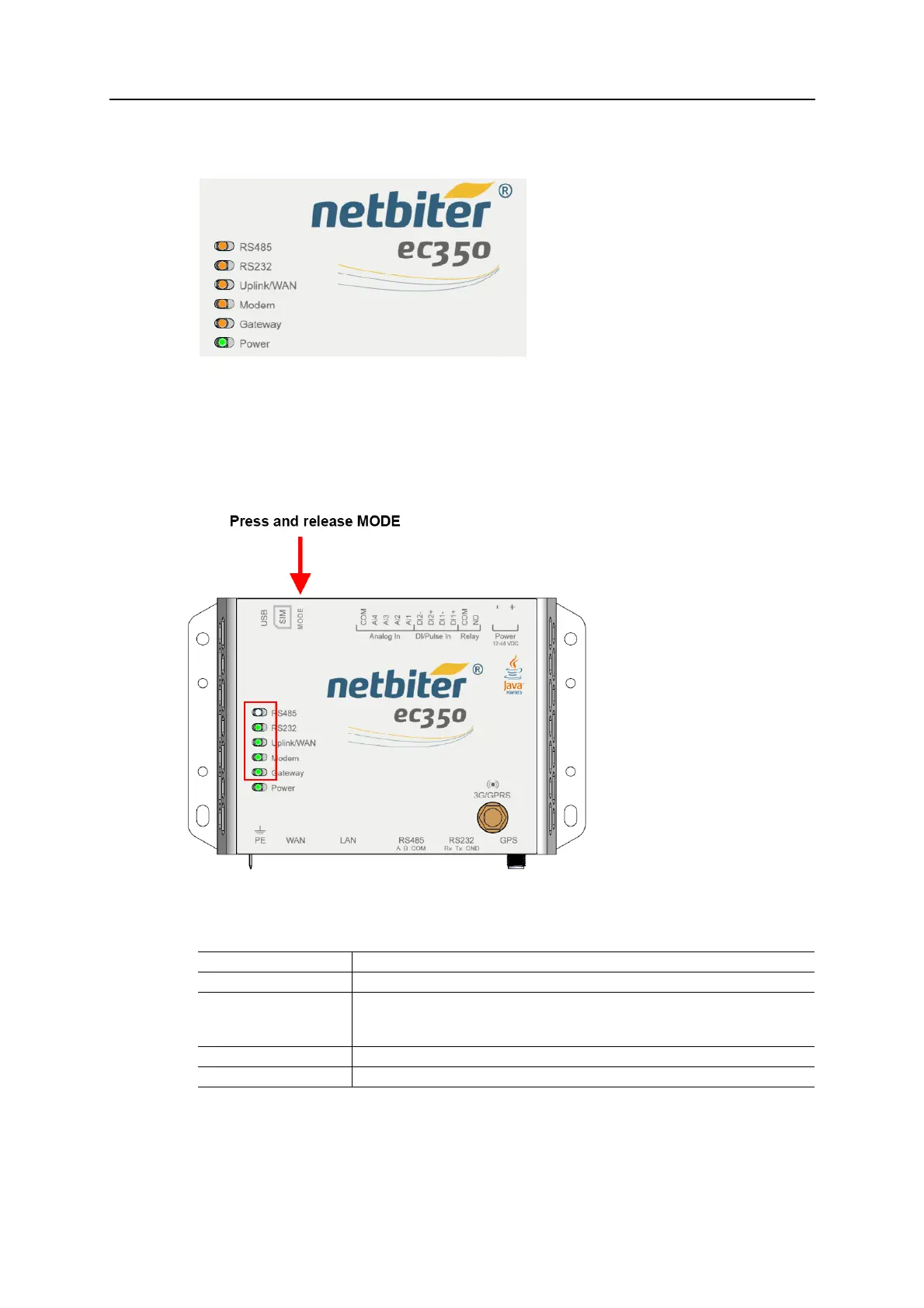
PressingtheMODEbuttonwilltemporarilychangethefunctionofthetop5LEDindicators
toshowthestrengthofthemobilenetwork
signal.After60secondstheLEDindicatorswill
reverttoindicatingsystemstatus.
3.5.1 Signal strength (press and release MODE button)
Indication Meaning
1 red LED (flashing) No signal, or unknown signal
1 orange LED (flashing) Poor mobile network signal
• Check that the antenna is correctly installed and pointing upwards.
• Use an external antenna. Try different antenna placements to get an optimal signal.
1 green LED (flashing) Acceptable mobile signal
2–5 green LEDs (flashing) Good to optimum mobile signal














 To Next Page