Doc: HMSI-168-92 Rev: 3.00Netbiter EasyConnect Gateway User Manual
Local Configuration 37
9. Local Configuration
! Localconfigurationisnormallynotrequiredandshouldonlybecarriedoutwhen
necessary.Pleasereadtheinstructionsbelowcarefully.
TheNetbiterEasyConnectgateways(exceptEC220)containabuilt‐inlocalwebserverthat
canbeusedforinitialconfigurationandtroubleshooting.
NetbiterArgosisthepreferredwayofconfiguratingthegatewayandshouldbeused
wheneverpossible.Theonlysettingsthatshouldbe
madefromthelocalwebpagesare:
•Proxysettings(ifrequired)
•Modem/Ethernetconnectionmode(EC250/EC350only)
•PINcodesettings–ifusingaPINcodefortheSIMcard(EC250only)
9.1 Ethernet Connection
ThePCusedtoaccessthelocalconfigurationmustbeonthe sameEthernetnetworksubnet
asthegateway.ThePCcanalsobeconnecteddirectlytothegatewaywithanEthernetca‐
ble.ThismayrequiretheIPaddressfortheEthernetinterfaceonthePCtobechanged.
Finding the IP address of the Netbiter gateway
Download
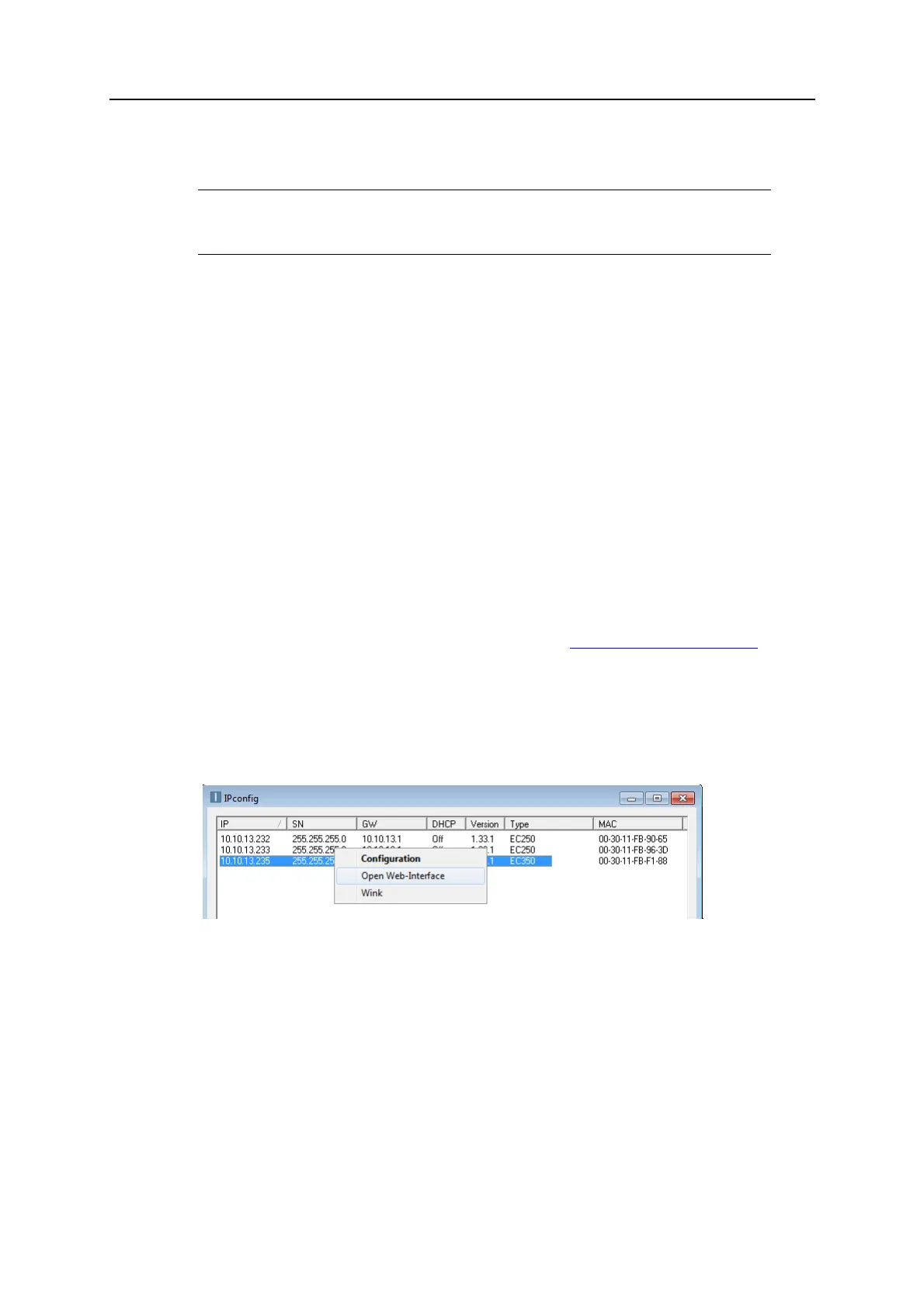
andusetheIPconfigutilityavailablefromwww.netbiter.com/support.The
utilityscansthelocalnetworkforNetbitergatewaysanddisplaystheirIPaddresses.
Right‐clickontheentryforagatewayinIPconfigandselectOpenWebInterfacetoopen
itslocalwebserverinyourdefaultbrowser.YoucanalsotypetheIPaddressdirectlyinto
theweb
browseraddressfield.
(MAC=SystemIDforthegateway)
WhenusingDHCP,youcanalsofindtheIPaddressofthegatewaybyloggingintothe
DHCPserveronyournetwork.Contactyournetworkadministratorifrequired.
9.2 USB Connection (EC310 / EC350)
NetbiterEC310andEC350alsohaveaUSBconnectorforaccessingthelocalwebserver.
See“NetbiterEC310/EC350”onpag e43.














 To Next Page