OPERATION OF THE SOFTWARE MENU
Imager Duo Operator’s Manual
4.7
Shut Down Server
Note
: Do not shut down the Server if IPCs and Review Scopes are actively con-
nected to it. Communication will be lost; data may be lost.
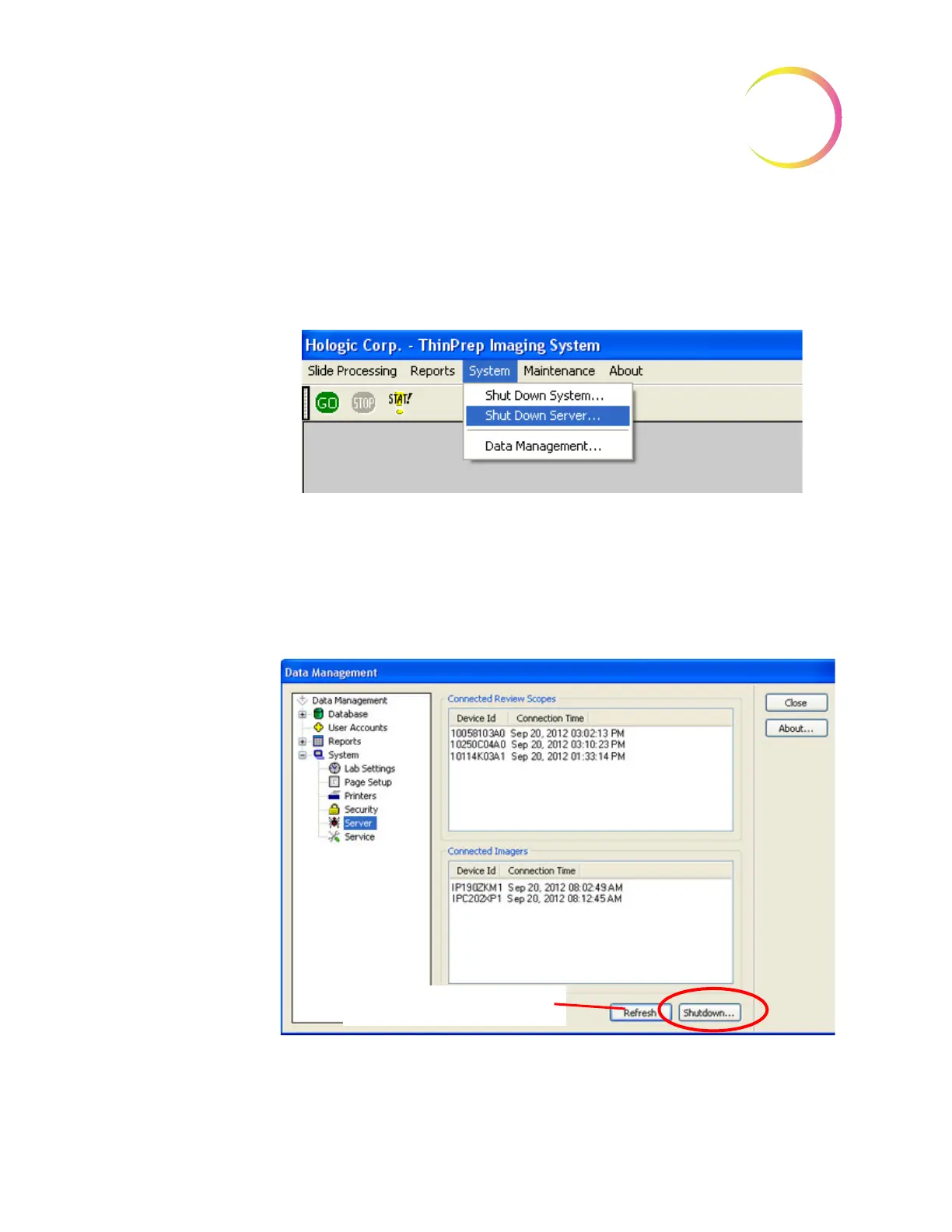
This function will power off the Server. From the System Menu, select
Shut
Down Server
.
Figure 4-9 Select Shut Down Server
The Data Management Server window will appear (Figure 4-10).
Note:
You can navigate to the Data Management menu and click on
System
to
expand the list of options. Clicking on
Server
will bring up the same
window.
Figure 4-10 Server Shut Down Window
To continue with shut down, click on
Shutdown
... and click
Yes
when
prompted if you are sure.
The Refresh button updates the
list of connected RSs and IPCs












 To Next Page