OPERATION OF THE SOFTWARE MENU
4.6
Imager Duo Operator’s Manual
SYSTEM MENU
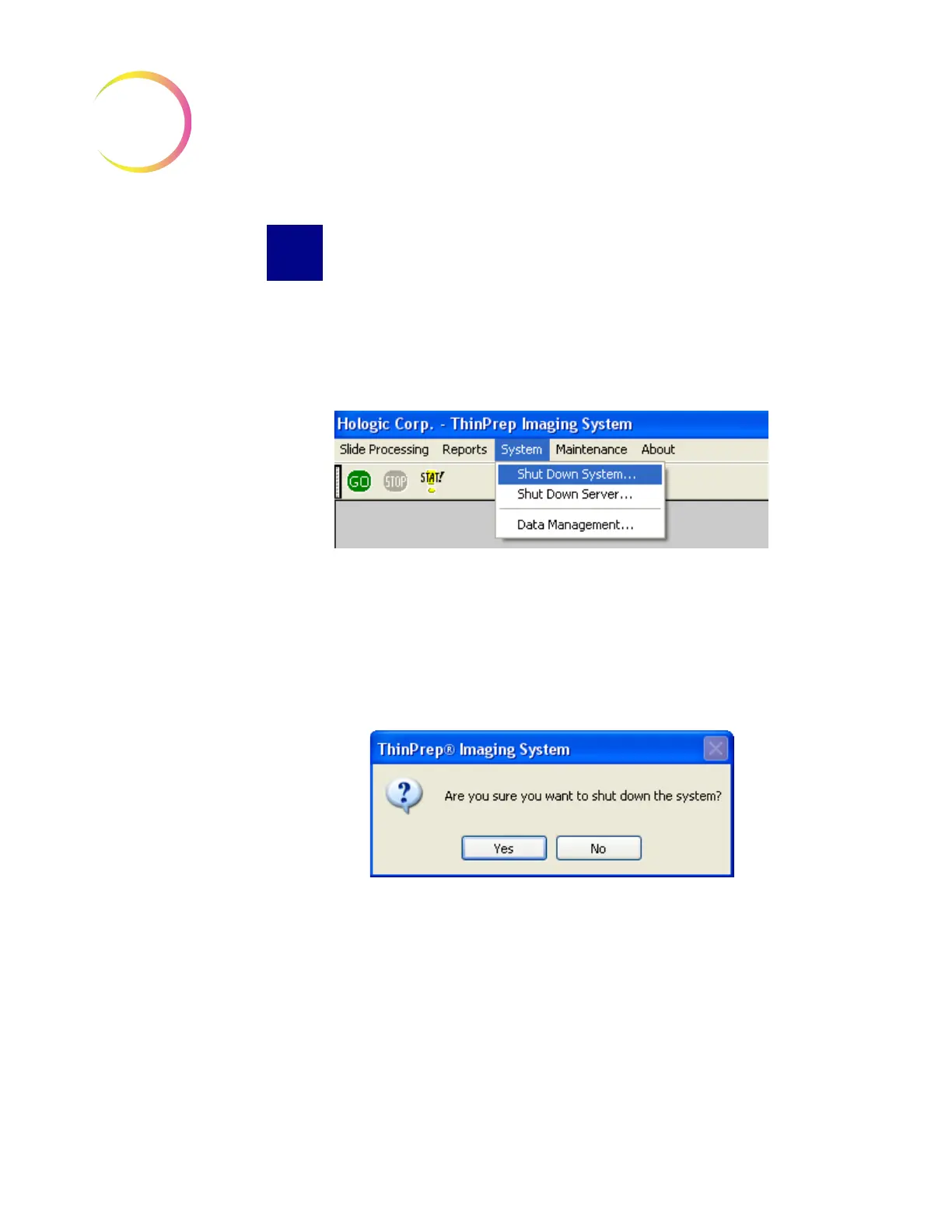
The System Menu contains options for shutting down the Image Processor (sys-
tem) and Server. Data Management submenu contains the database backup
function, reporting function and system setup and shut down capabilities.
(Refer to Figure 4-7.)
Figure 4-7 System Menu
Shut Down System
This selection will shut down the Image Processor Controller (IPC) and power
off the monitor, keyboard and mouse connected to it.
Click on the
Shut Down System
option. A confirmation window will appear.
(Figure 4-8.)
Figure 4-8 Confirm Shut Down
Click
Yes
to shut down the system. The application will quit and then Windows
will shut down. The power to the IPC, monitor, keyboard and mouse will shut
off.
Click
No
to return to the User Interface.
Once the IPC is shut down, the Imaging Station may be turned off by turning
the rocker switch on the rear of the unit to Off.
Note:
The Server continues running independently, if it has not already been
shut down. This would be used in configurations with multiple Image
Processors.












 To Next Page