IMAGER DUO MAINTENANCE
5.6
Imager Duo Operator’s Manual
REPLACING THE IMAGING STATION AIR FILTER
The Imaging Station air filter should be replaced yearly.
Refer to Ordering
Information for
replacement air
filters.
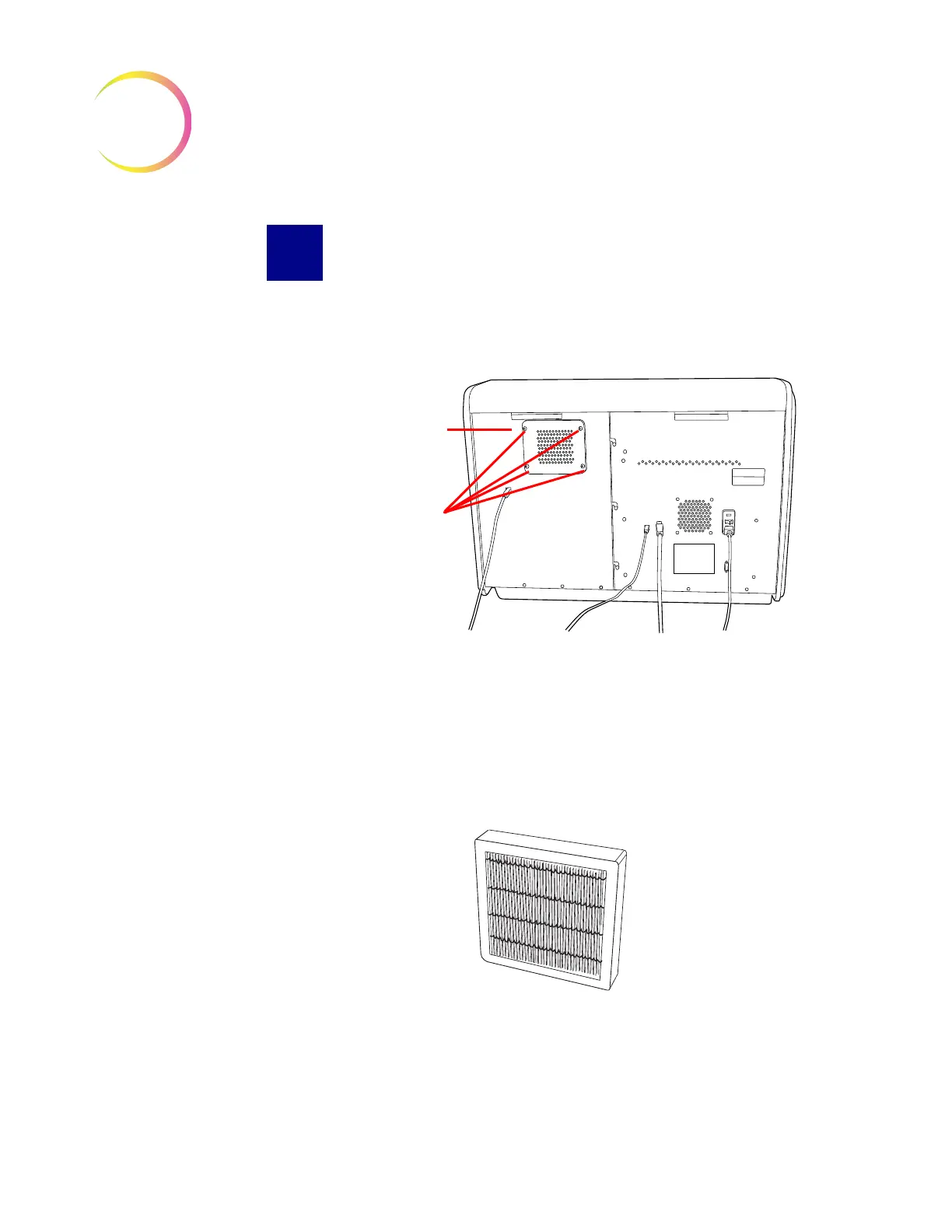
Figure 5-9 Air Filter Location
1. Turn off power to the Imaging Station (refer to Shutting Down the Image
Processor on page 3.29.)
2. Loosen the four thumb screws at each corner of the air filter cover panel.
(Figure 5-9.)
3. Lift off the cover panel and set it aside.
4. Remove the air filter cartridge. (Figure 5-10.)
Figure 5-10 Air Filter Cartridge
5. Install the replacement cartridge, replace the cover panel and tighten the
retaining screws.
Air Filter Cover
Panel
Thumb Screws












 To Next Page