OPERATION OF THE SOFTWARE MENU
4.8
Imager Duo Operator’s Manual
DATA MANAGEMENT MENU
The Data Management menu contains functions for backing up and maintain-
ing the database, maintaining Operator accounts, generating reports and setting
system printer, time, date and alarm options.
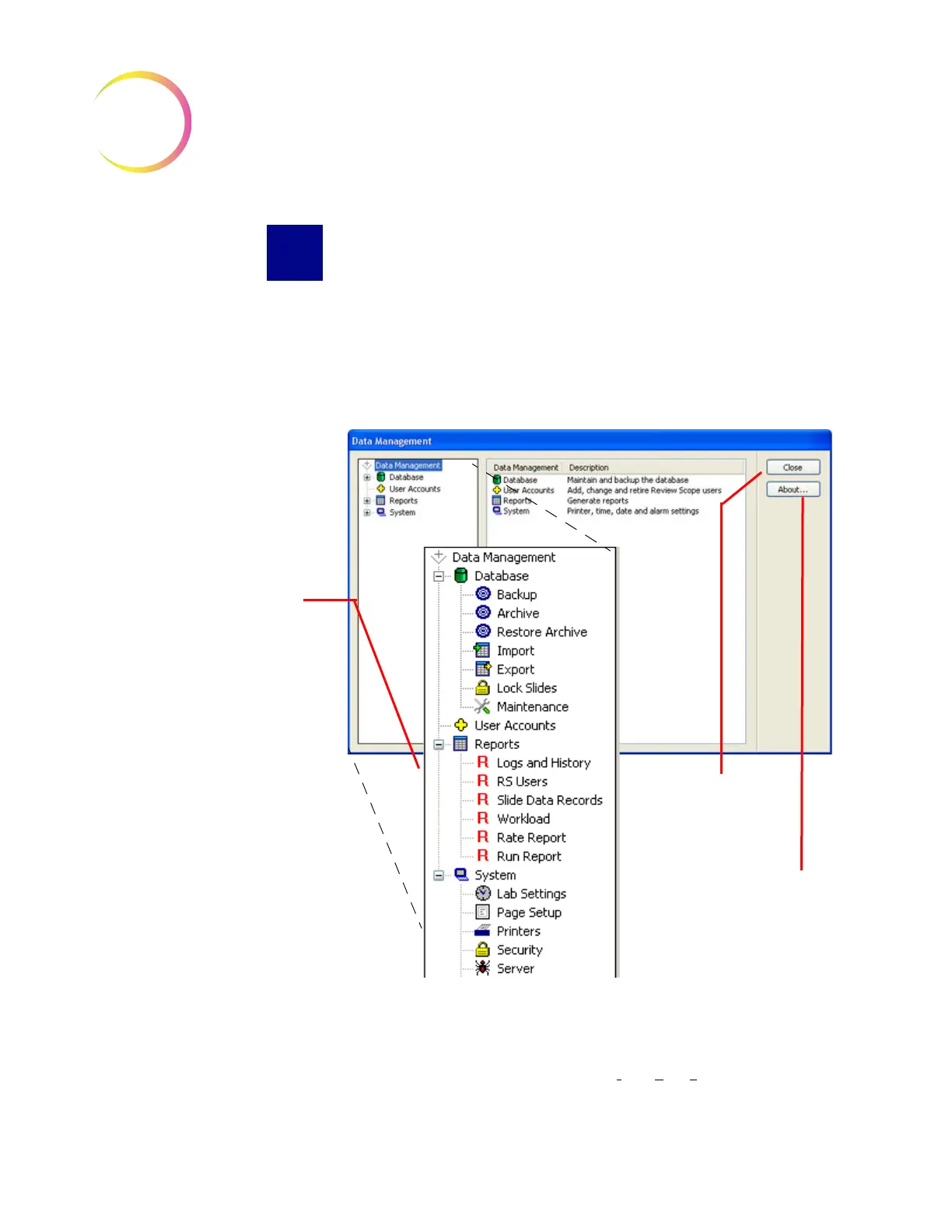
Clicking on System - Data Management... will bring up the Data Management
window (Figure 4-11).
Figure 4-11 Data Management Window
Database - Backup
The Backup function enables the operator to make back ups of the database
onto a CD/DVD, a USB drive or the NAS drive (l
ocal area storage if your sys-
tem is configured with H
net
). The backup media must be on the Server for
The window appears with all
submenu options collapsed.
Items with a + symbol indi-
cates there is more than
one item as a submenu.
Expanded Data Manage-
ment Menus
NOTE: Certain utilities are
only available on the
Server
version Data Management
window:
User Accounts
Workload
Lock Slides
Click on this button to
close the window and
return to the main
interface.
The About button
displays the soft-
ware version












 To Next Page