OPERATION OF THE SOFTWARE MENU
Imager Duo Operator’s Manual
4.9
backup to perform, even if you use the IPC Data Management interface to acti-
vate this function.
Click on the
Backup
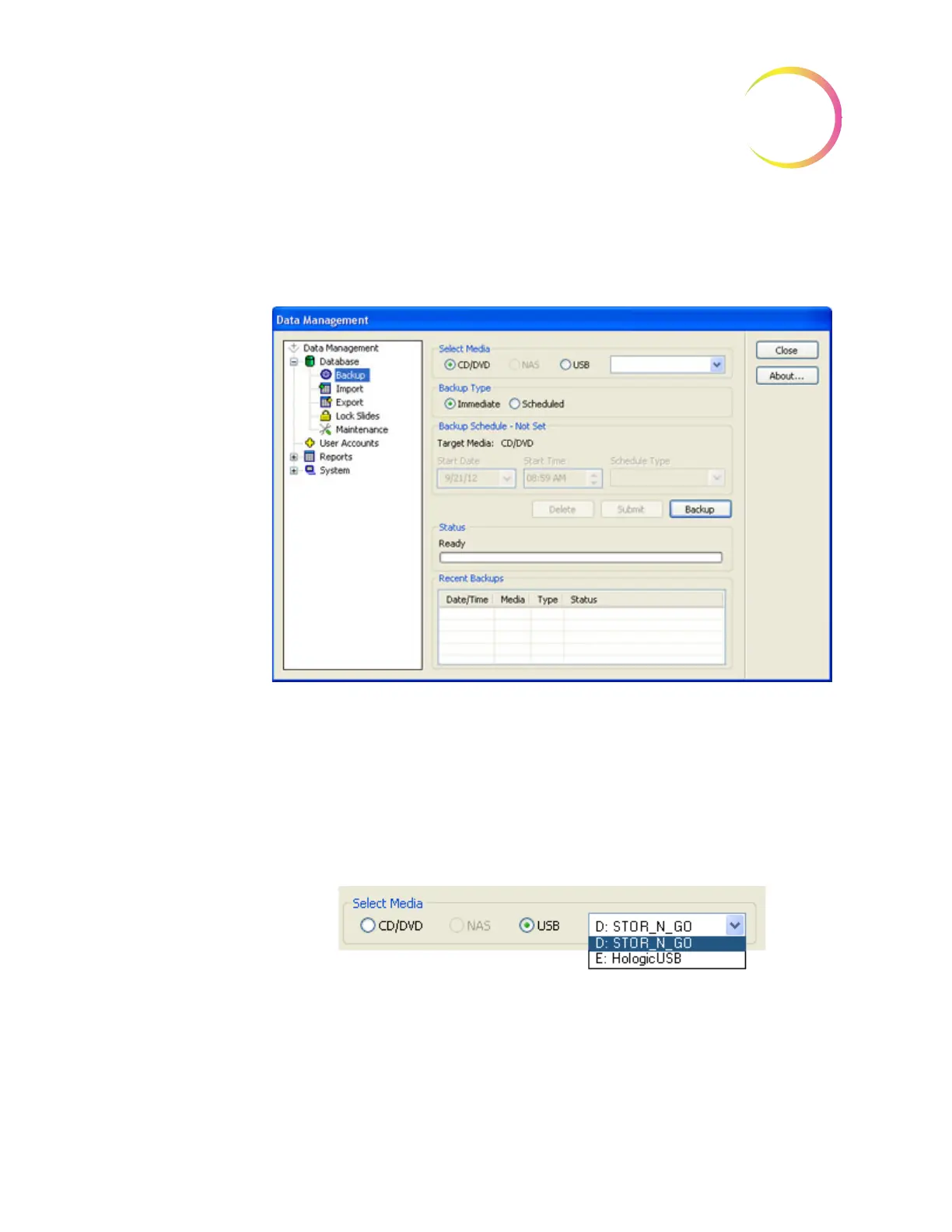
selection. The Backup window will appear (Figure 4-12.)
Figure 4-12 Backup Database
Select Media
Select what kind of backup media the system will write to by clicking the radio
button for that choice. In this example, it shows that if the system detects more
than one USB drive is present, a drop down box prompts the operator to select
which drive to write to. If CD or USB is not present, a message will prompt for a
device to be loaded. If a NAS is not configured in your system the selection will
be grayed out, as shown here.
Figure 4-13 Backup Media Selection
Backup Type - Immediate
Immediate backup is an operator initiated backup.
A backup can be performed while the system is idle or during batch processing.
It will not run if a scheduled backup is in progress. A backup is to store media












 To Next Page