TROUBLESHOOTING
Imager Duo Operator’s Manual
6.9
SLIDE PREPARATION AND QUALITY
Careful preparation of the microscope slides can prevent many types of slide
events or system errors. When a slide event or system error occurs, inspect the
slide that generated the event.
Correct Slide
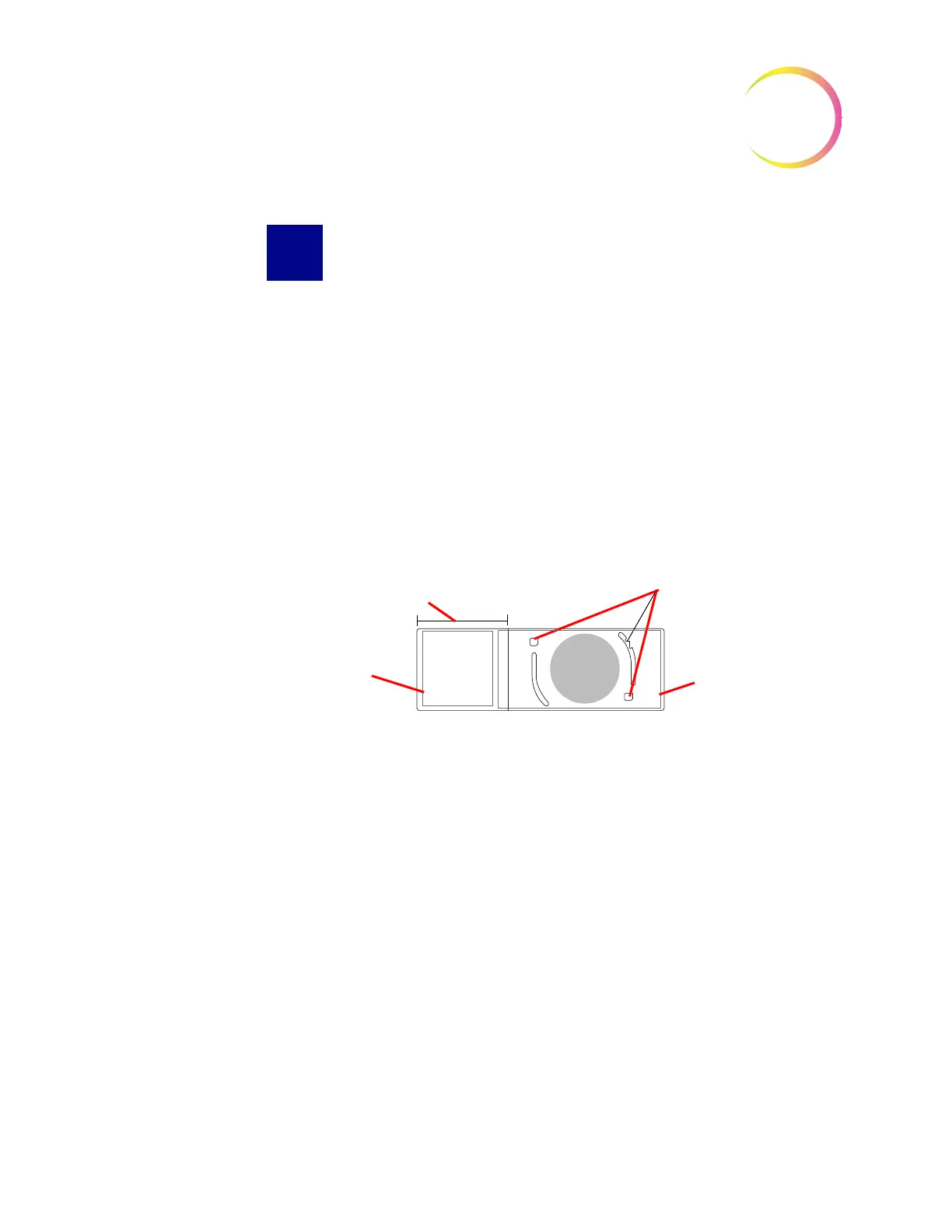
Always use a ThinPrep Imaging Microscope slide, with fiducial marks (see Figure
6-5.)
Make sure the slide is not damaged, fiducial marks are present and unmarred,
the slide is not scratched or chipped, the frosted area is unblemished.
Clean any dirt or stain using isopropyl alcohol and a lint free wipe. Be sure to
clean the edges of the slide.
Figure 6-5 ThinPrep Imaging Microscope Slide
Dry Mounting Media
The mounting media must be dry before loading slides into the cassettes and
imaging them. Wet or tacky mounting media could cause equipment malfunc-
tion.
Mounting media should not overhang the edge of the slide. Clean the edges of
the slide with xylene and a lint free wipe.
There should not be any bubbles present over the fiducial marks or the cell spot.
Coverslip Material and Placement
Refer to the ThinPrep Stain User’s Guide for recommended coverslipping and
mounting media.
The coverslip must be placed so that it does not overhang any part of the slide.
Ensure that the coverslip is present and undamaged.
Slide
ThinPrep
®
7706024
8000253
Fiducial Marks
Frosted Area
Label Area
Coverslip Area












 To Next Page