IMAGER DUO MAINTENANCE
Imager Duo Operator’s Manual
5.5
7. Remove the existing fuses and discard them.
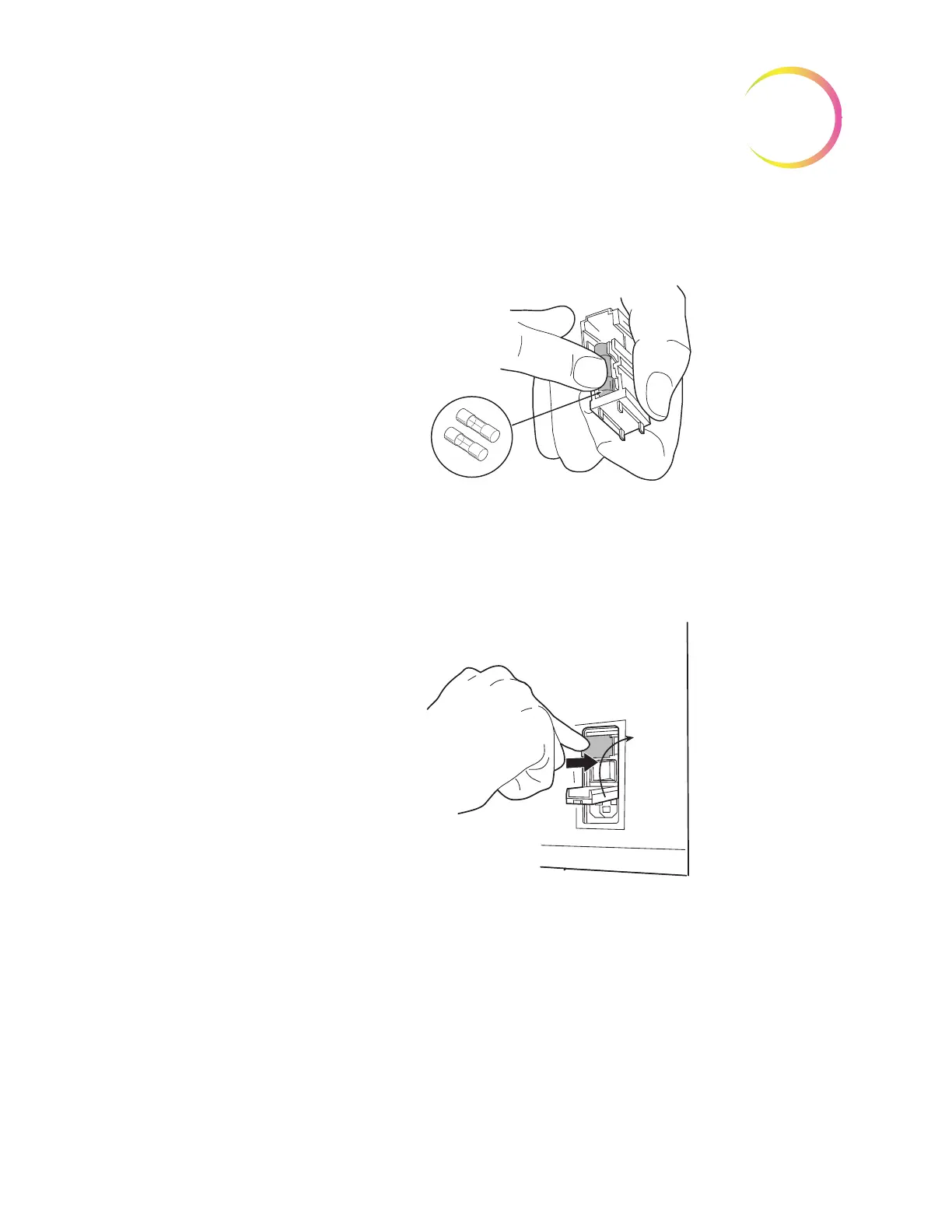
8. Insert two new fuses into the fuse holder as shown.
Figure 5-7 Install New Fuses
9. Insert the fuse holder back into the power entry module. The module can
only be installed in one orientation.
10. Close the access cover.
Figure 5-8 Install the Fuse Holder
11. Plug the power cord into the socket on the instrument.
12. Reattach the power cord to the uninterruptable power supply.
13. Turn on the instrument.
14. If the instrument still fails to operate, contact Hologic Technical Support.












 To Next Page