IMAGER DUO MAINTENANCE
5.4
Imager Duo Operator’s Manual
WARNING
Instrument Fusing
Only replace with
fuses of the
specified type and
current rating.
Refer to the
Ordering Information
for ordering fuses.
1. Turn off the instrument.
2. Remove the power cord from the uninterruptable power supply.
3. Remove the power cord from the receptacle on the instrument.
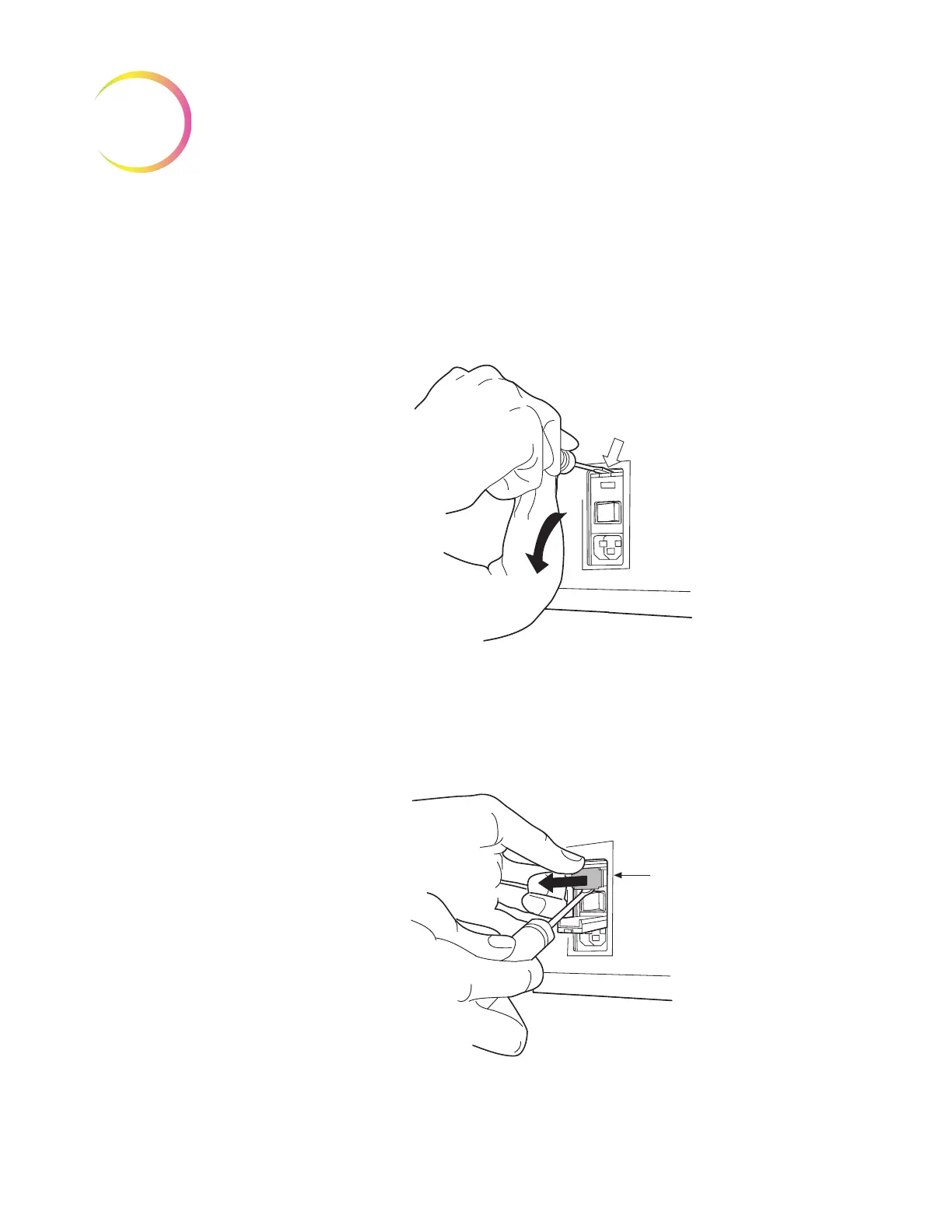
4. Using the small #1 slotted screwdriver provided with the system, carefully
pry open the cover of the power entry module (Figure 5-5).
Figure 5-5 Remove Fuse Access Cover
5. Gently pull down the cover. It is hinged at the bottom end.
6. Insert the screwdriver under the fuse holder to pull it out.
Figure 5-6 Remove the Fuse Holder












 To Next Page