OPERATION OF THE SOFTWARE MENU
Imager Duo Operator’s Manual
4.13
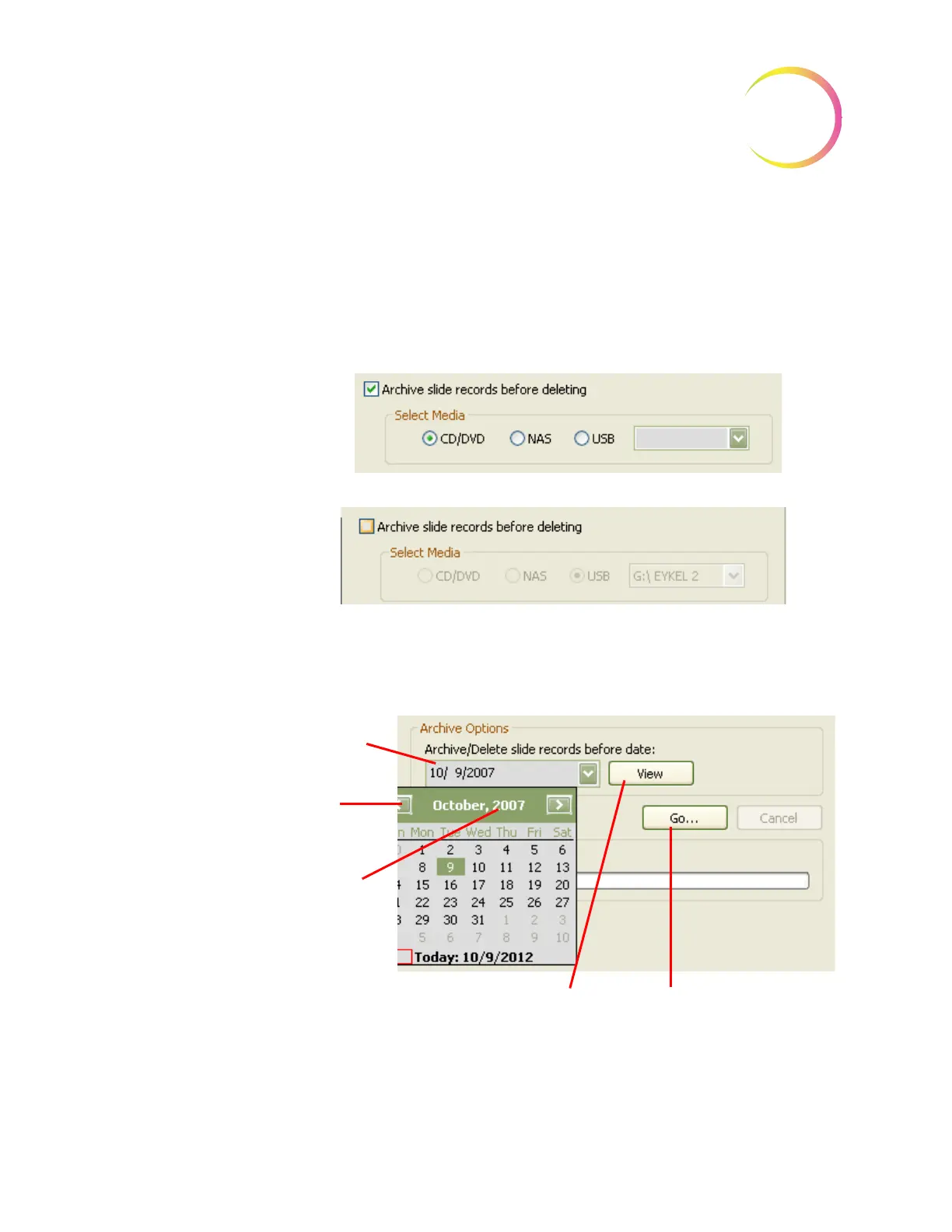
Use the checkbox to backup the database (the selected date range) before the
purge function begins. Select the desired storage media by clicking its radio
button. If a media type is not available a message will prompt for a device to be
loaded. If your system is not configured with NAS, that option will be grayed
out and cannot be selected.
To purge records without backing them up, deselect the checkbox.
Figure 4-18 Backup Records Before Purge Option
Select a date from which slide data records will be archived/deleted. Type a
date directly into the field, or click on it to bring up a calendar.
Figure 4-19 Select Archive Date Range
Type in a date,
or click on the
calendar
arrows to
change
months.
Click on the
calendar year
to change the
year.
View
button to view a
summary report of the
slide data records
Go..
button to proceed
with the Archive function












 To Next Page