OPERATION OF THE SOFTWARE MENU
Imager Duo Operator’s Manual
4.63
Note
: The password may be set, changed or disabled at the server or any
workstation on the network, however, the server must be turned on to
ensure the necessary network communication is active.
If you lose or
forget the security
password, contact
Hologic Technical
Support.
The password may be any alpha-numeric combination from 1 to 16 characters
long (a blank field is not allowed). The password is case sensitive.
Note:
If your password is lost or forgotten, a Hologic Service visit is required
to disable the security.
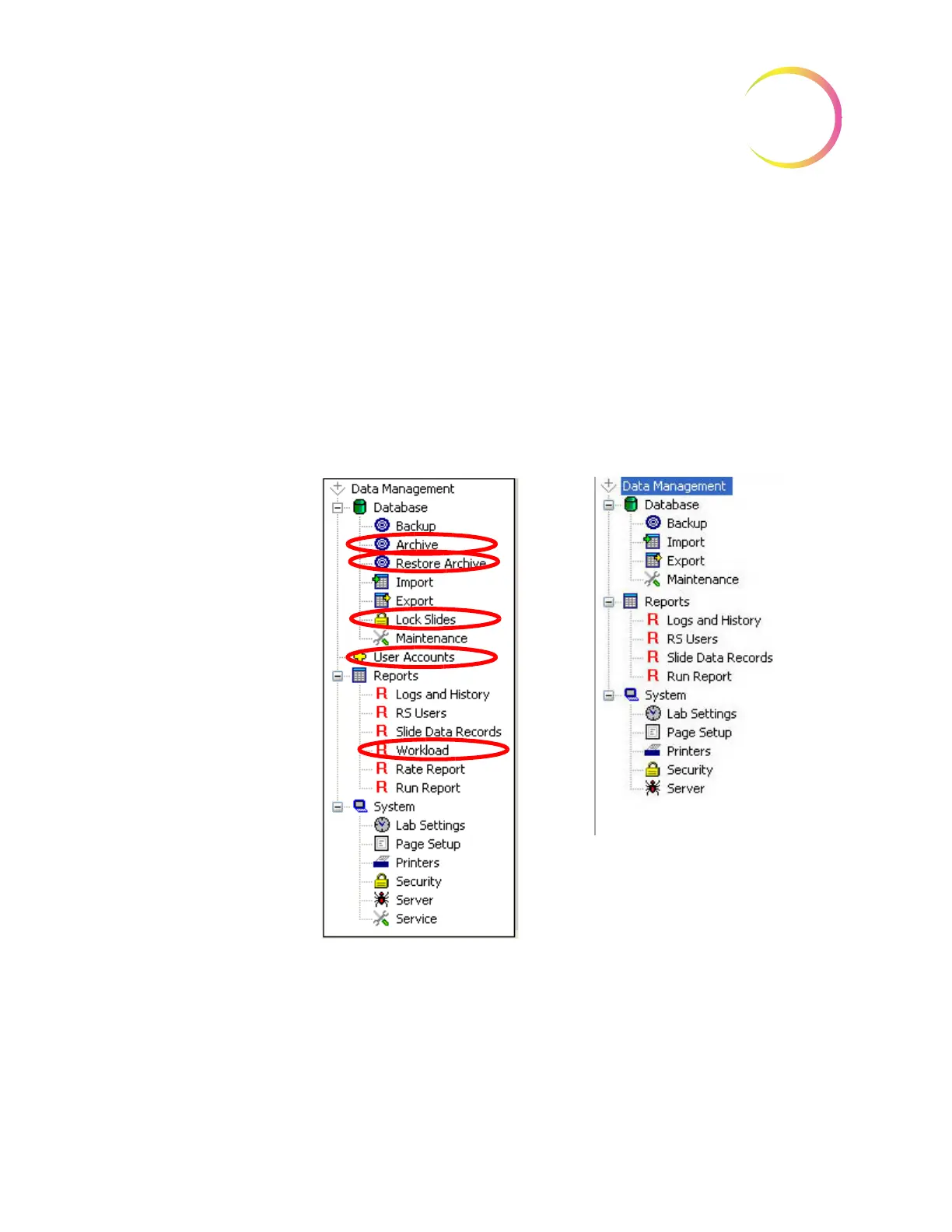
Restricted Data
When Data Management has security enabled, the User Accounts menu and the
Workload Report menu are not accessible without the administrative password.
Figure 4-81 Data Management Menu
When Data Management has security enabled, the Slide Data Record window
will not display the Review Scope serial number field or the Review Scope User
field (including Lab Name and User ID). See Figure 4-82.
Data Management Menu
Data Management with Security Enabled












 To Next Page