REMOTE SITE SERVER USER’S GUIDE
Imager Duo Operator’s Manual
10.7
CAUTION
If Review Scopes
are also connected
to the Imaging
System, work
schedules must be
coordinated so that
all operation is
concluded prior to
equipment shut
down.
Normal Shut Down
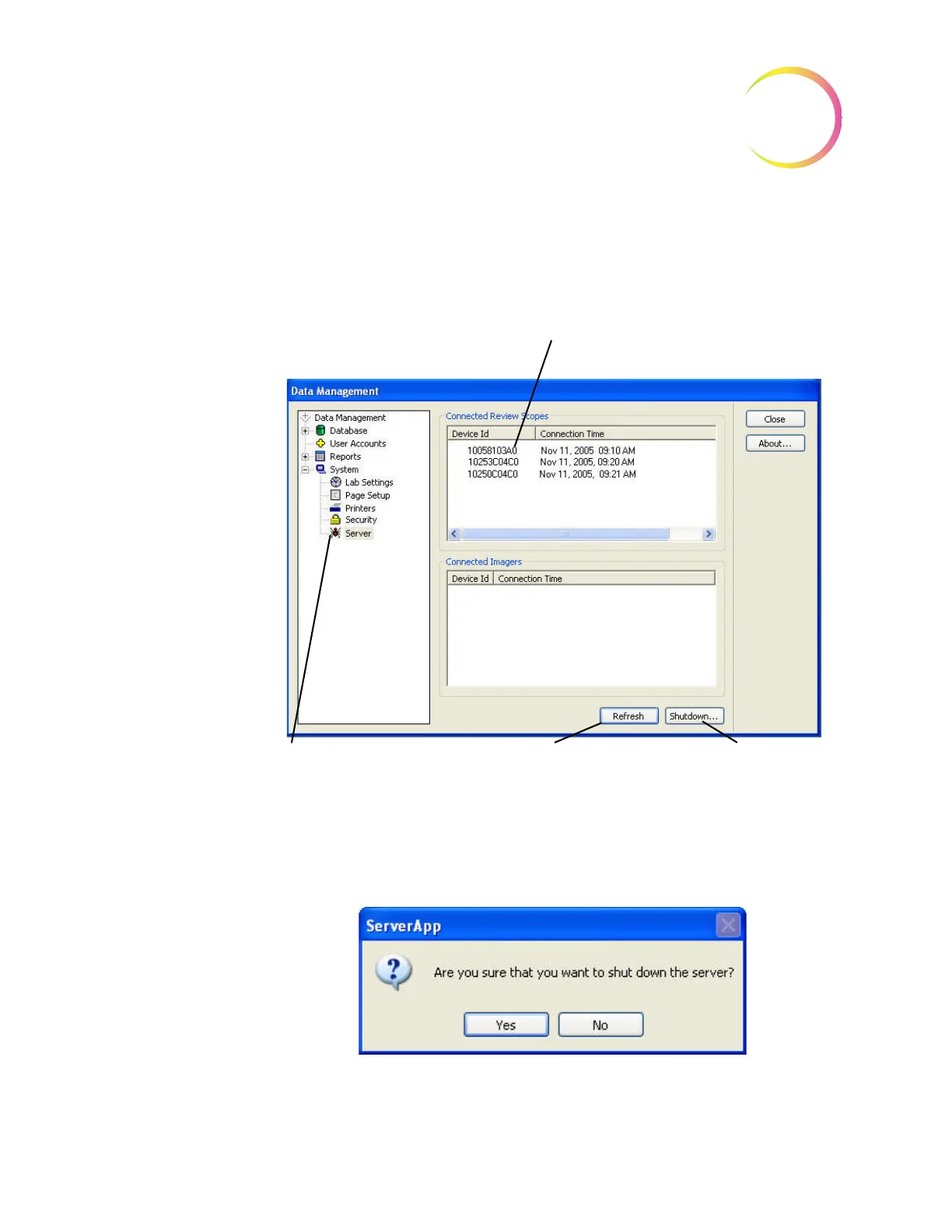
To shut down the Server, expand the System menu and click on
Server
.
Figure 10-6 Server Status and Shut Down Window
Click on the
Shutdown...
button. A dialog box appears, prompting confirma-
tion of shut down: “Are you sure that you want to shut down the server?”
Figure 10-7 Confirm Server Shut Down
If Review Scopes are still connected via
the network, they will be listed here.
Review sessions should be concluded
before shutting off the Server.
The Refresh button updates
the list of connected Review
Scopes
The Shutdown button
initiates Server shutdown.
Server
icon












 To Next Page