OPERATION OF THE IMAGER DUO
3.22
Imager Duo Operator’s Manual
“Return to Slide Processing”
Use this option to continue slide processing without interruption.
4. Click once on the OK button when a choice is selected. Or, click on the Can-
cel button to continue processing without interruption.
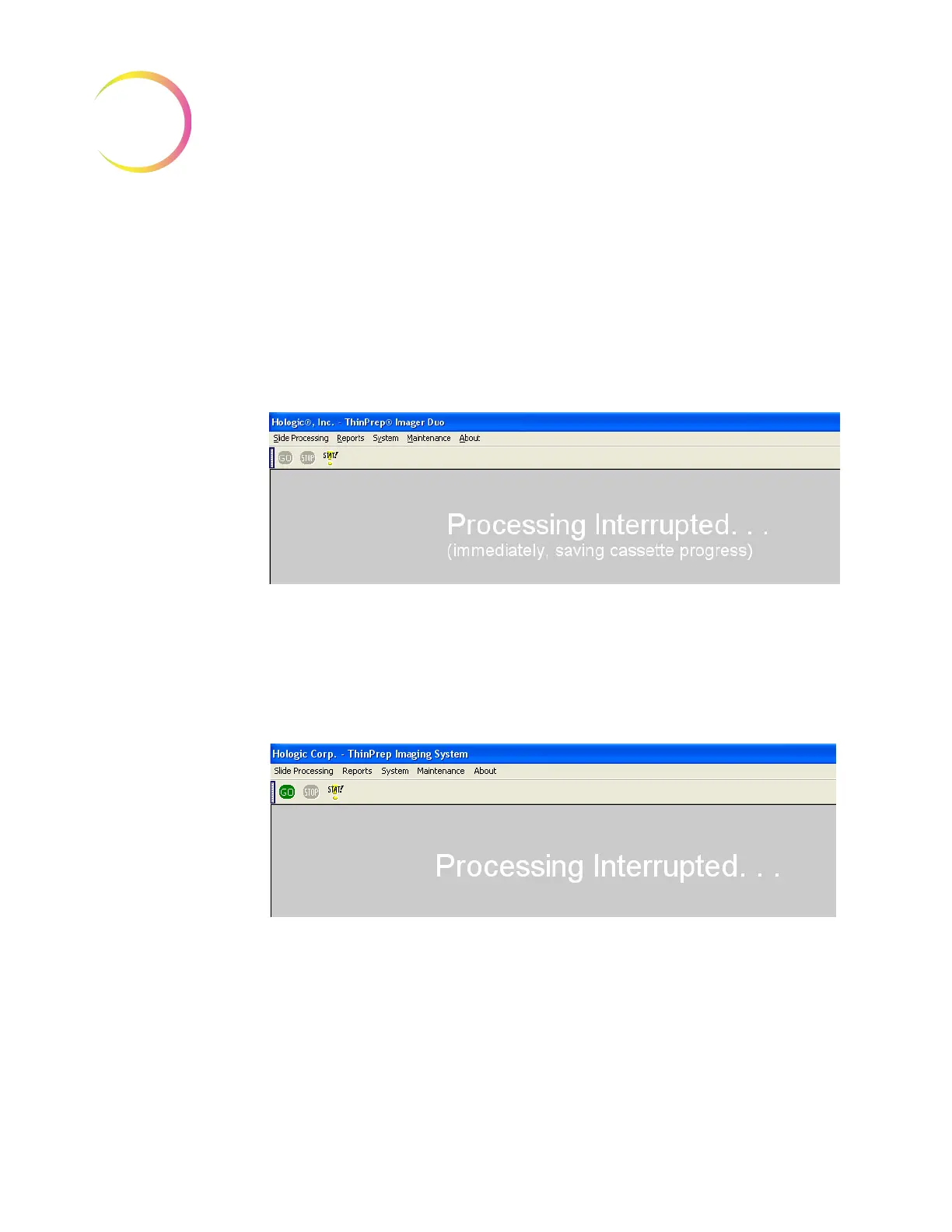
5. On the display, notice that the status of the batch changes to “Processing Inter-
rupted” and the GO and STOP buttons in the menu bar are inactive (not high-
lighted.) (Refer to Figure 3-23.)
Figure 3-23 Slide Processing Interrupted
Note:
The duration of the interruption cycle is dependent on where in the pro-
cessing operation components are. It may take several minutes or up to
100 minutes (to complete an entire cassette, for example)
6. The Interruption process is complete when the GO button is available again.
The doors will unlock. (Refer to Figure 3-24.)
Figure 3-24 Slide Interruption Complete
7. When the doors unlock, the Imaging Station doors may be safely opened.
a Completed cassettes may be removed and replaced with unprocessed
slide cassettes or the slots may be left empty.












 To Next Page