MAN1032-10-EN_EXL6_UserManual
March 12, 2020 110 | 191
CHAPTER 12: CAN Communications
NOTE: For additional CAN information, refer to the CAN Networks manual (MAN0799) on the
Horner website.
12.1 Overview
All EXL6 OCS models provide A CAN network port, which is implemented with 5-pin
connectors. The CAN port allows the EXL6 OCS to exchange global data with other OCS/RCS
controllers and to access remote Network I/O devices (SmartStix, Smart Blocks and Smart
Rail Modules). Th port also supports pass-through communications for programming multiple
OCS controllers over the CsCAN network. Also, the CAN port supports CsCAN, CANopen,
J1939, and DeviceNet Master (layer 3 as a selectable option).
12.2 Port Description
The EXL6 OCS CAN ports implement the ISO 11898-2 physical layer and the CAN 2.0A data link
layer standards. Also, since the CAN ports are powered by an internal isolated power supply,
external CAN power is not required.
NOTE: The CAN port does not supply power to the network.
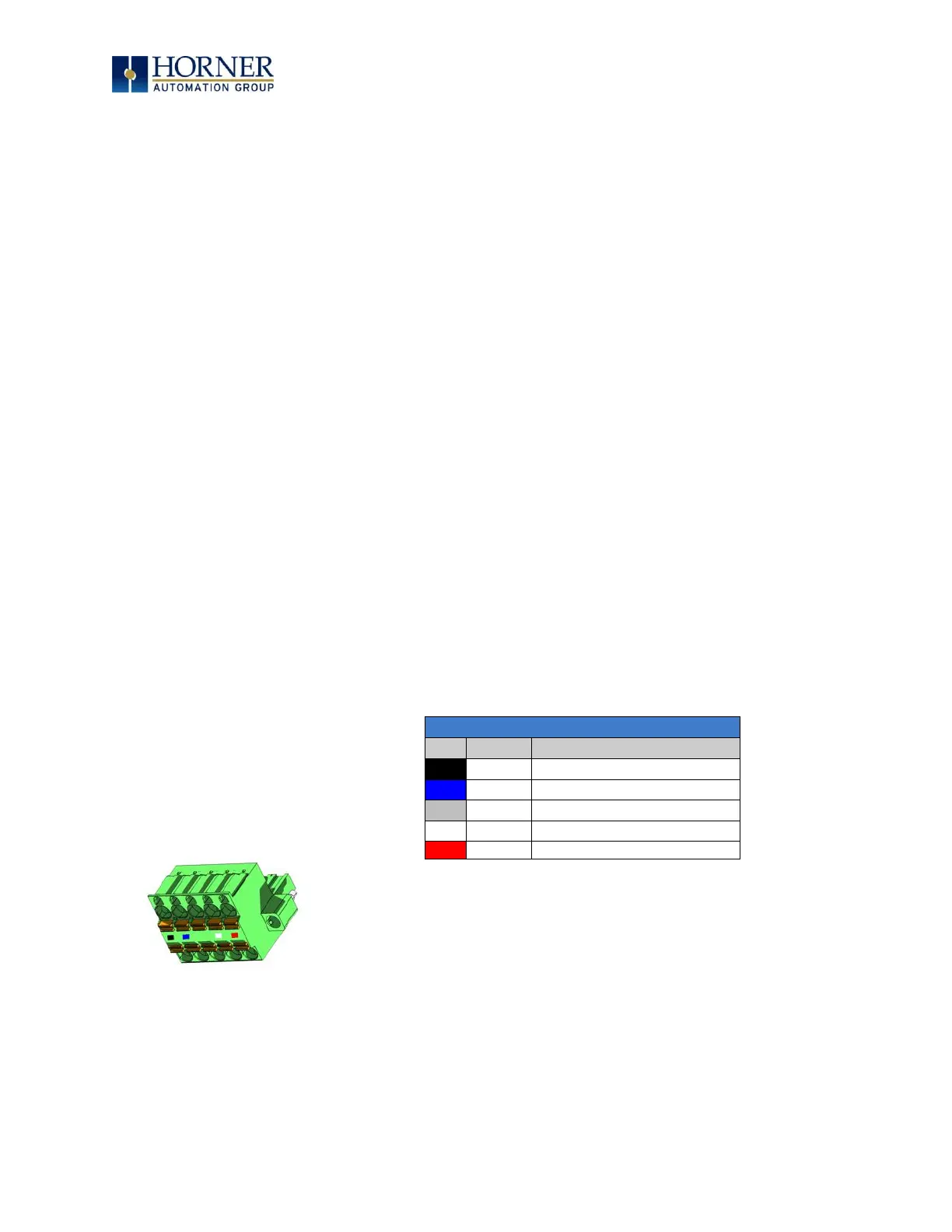
12.3 CAN Port Wiring
Figure 12.1 – CAN Connector
CAN Connector
Use the CAN Connector when using
CsCAN or another CAN network.
Torque rating 4.5 – 7 in-lbs
(0.50 – 0.78 N-m)


 To Next Page