MAN1032-10-EN_EXL6_UserManual
March 12, 2020 142 | 191
16.2 Opening Video Object in Cscape
NOTE: Video Object requires Firmware 14.03 or newer to use with the EXL6 devices.
In Cscape, select the EXL6 and model number by selecting Controller → Hardware
Configuration from the toolbar.
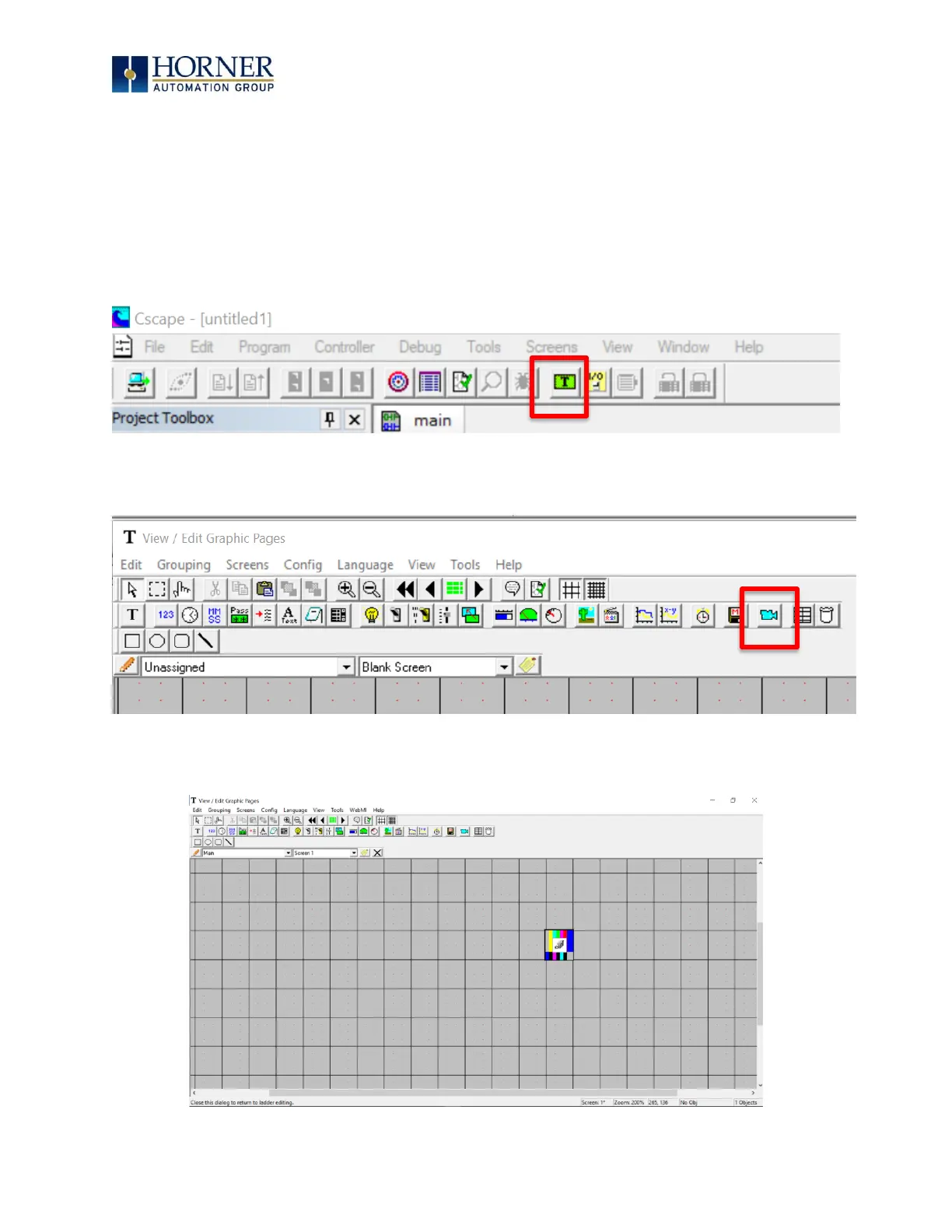
1. Open the Graphics Editor by selecting the “T” button from the toolbar.
2. In Graphic Editor, select the video button from the toolbar.
3. Then click on the grid.


 To Next Page