MAN1032-10-EN_EXL6_UserManual
March 12, 2020 145 | 191
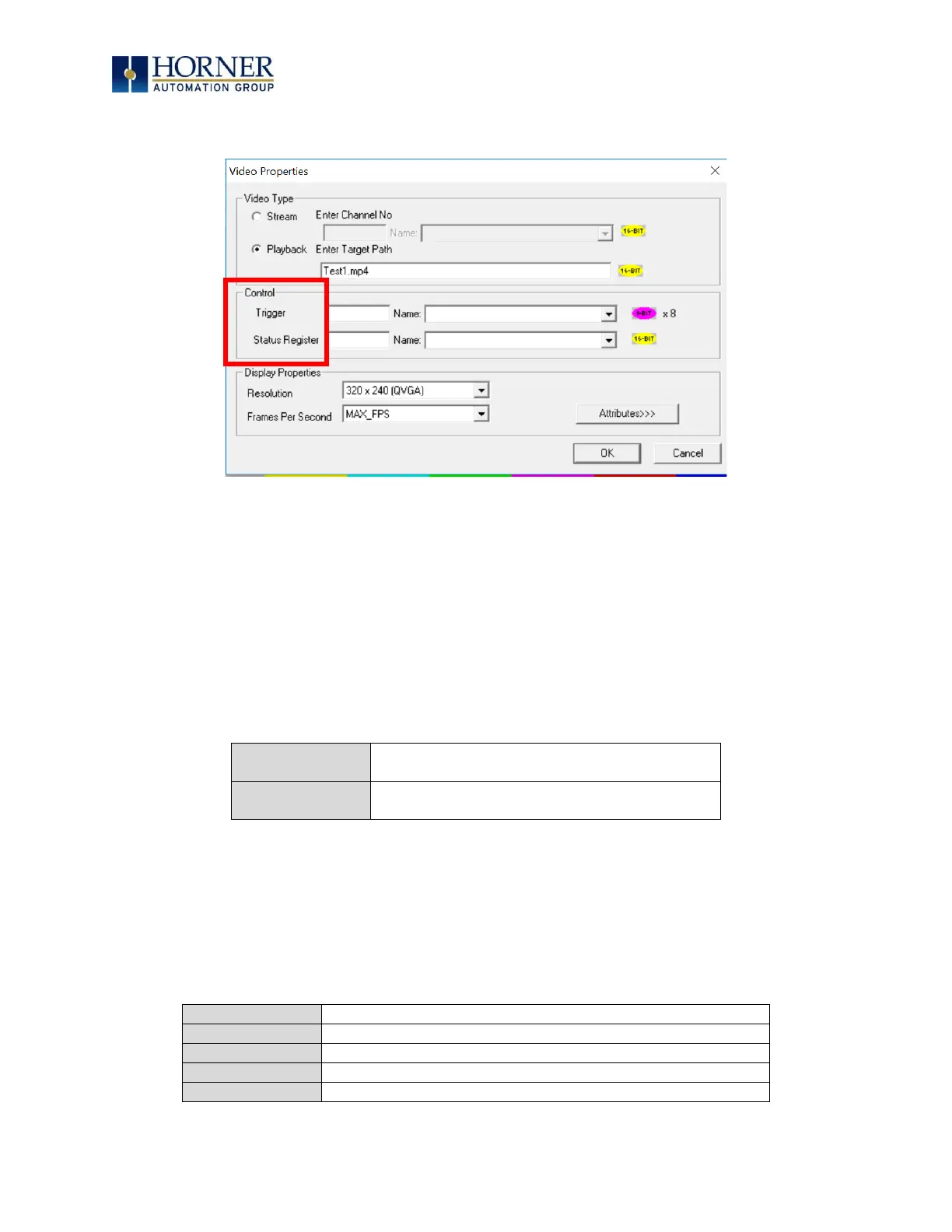
16.4 Video Properties: Control
Figure 16.2 – Configuring Control
Trigger
The Video Properties: The video control trigger is used to start, stop and pause video.
Video trigger is done by bit level addressing. The trigger reserves eight (8) bits and uses the
first two (2) bits.
NOTE: The least significant bit is Bit 1.
Definitions are as follows:
System Register
The Video Control System Register provides the status of the Video Object. The status word is
16-bits and should be viewed in hexadecimal format.
The status definitions are as follows:


 To Next Page