MAN1032-10-EN_EXL6_UserManual
March 12, 2020 26 | 191
CHAPTER 5: SYSTEM SETTINGS AND ADJUSTMENTS
5.1 System Menu - Overview
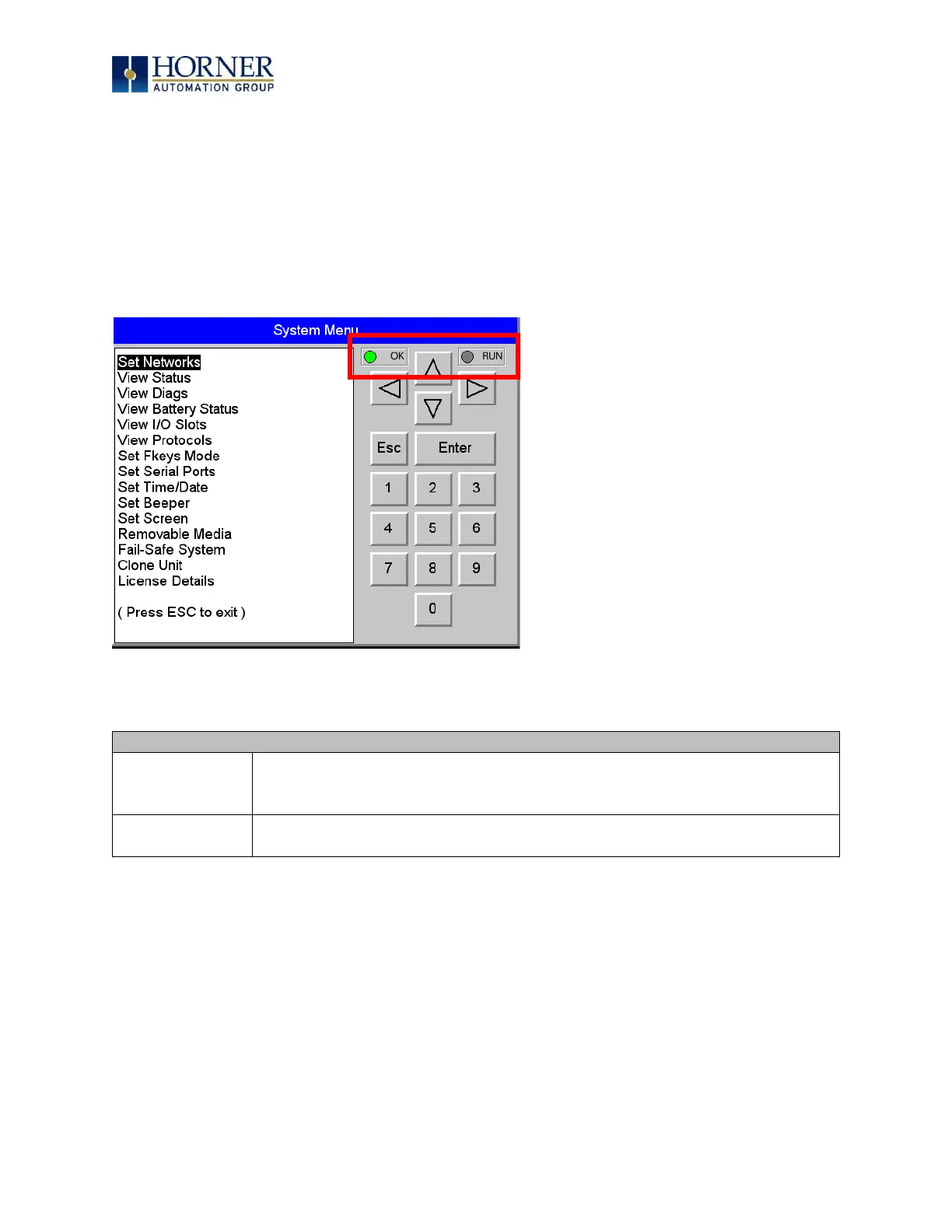
The EXL6 has a built-in System Menu, which lets the user view System Settings and make
adjustments. To start the System Menu, press the SYSTEM key (or set %SR3 to 1), which will
display the Main Menu. Then use the and (Up Arrow or Down Arrow) keys to select a Main
Menu item and press Enter (Return Arrow) to display the item’s Sub-Menu.
Figure 5.1 – System Menu
• OFF indicates OCS is in IDLE/STOP mode.
• Flashing indicates DO / IO mode or RUN with no ladder program.
• ON indicates ladder code running.



 To Next Page