MAN1032-10-EN_EXL6_UserManual
March 12, 2020 34 | 191
5.8 View Protocols
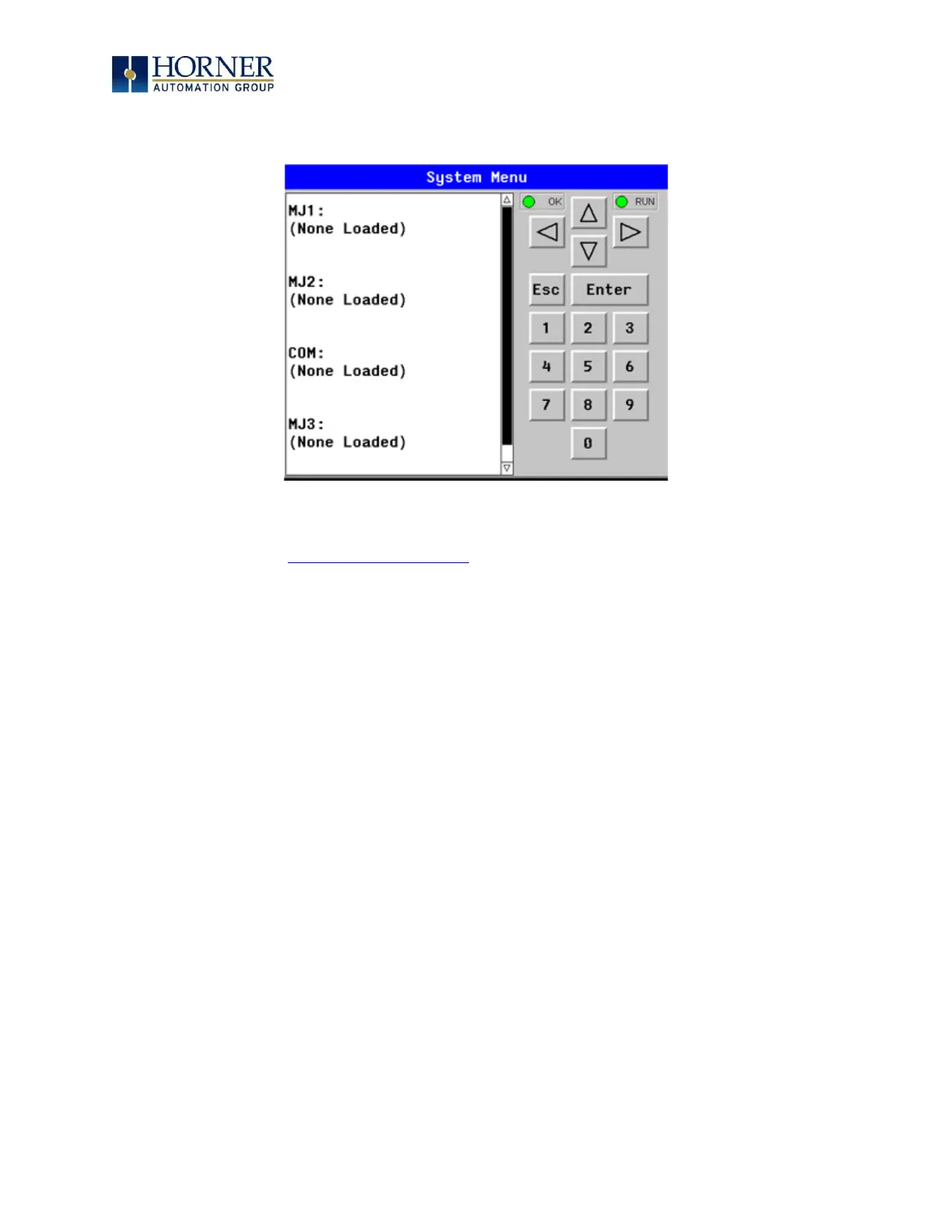
The View Protocols Sub-Menu displays two System Settings, neither of which may be edited.
As mentioned in the Serial Communications chapter, Downloadable Serial Communication
Protocols, both the MJ1/MJ2 (Port 1) and MJ3 (Port 2) serial ports support downloadable
protocols. To assign a downloadable protocol to an EXL6 OCS serial port, select the Protocol
Config item in Cscape’s Program menu and then set up a protocol for Port 1 or Port 2 (or both).
In the View Protocols Sub-Menu, the currently downloaded protocol, if any, and its version
number are displayed for each of MJ1, MJ2 COM board and MJ3.


 To Next Page