MAN1032-10-EN_EXL6_UserManual
March 12, 2020 154 | 191
CHAPTER 18: CLONE UNIT
18.1 Overview
‘Clone Unit’ feature allows the user to “clone” the OCS of the exact same model. This feature
“clones” application program and unit settings stored in battery- backed RAM of an OCS into
the RM (refer Removable Media, Chapter 9, for details in using RM). It can then be used to clone
a different OCS (exact same model).
This feature can be used for:
- Replacing an OCS by another unit of the same model.
- Duplicating or “clone” units without a PC.
18.2 Clone
User needs to perform the following to Clone:
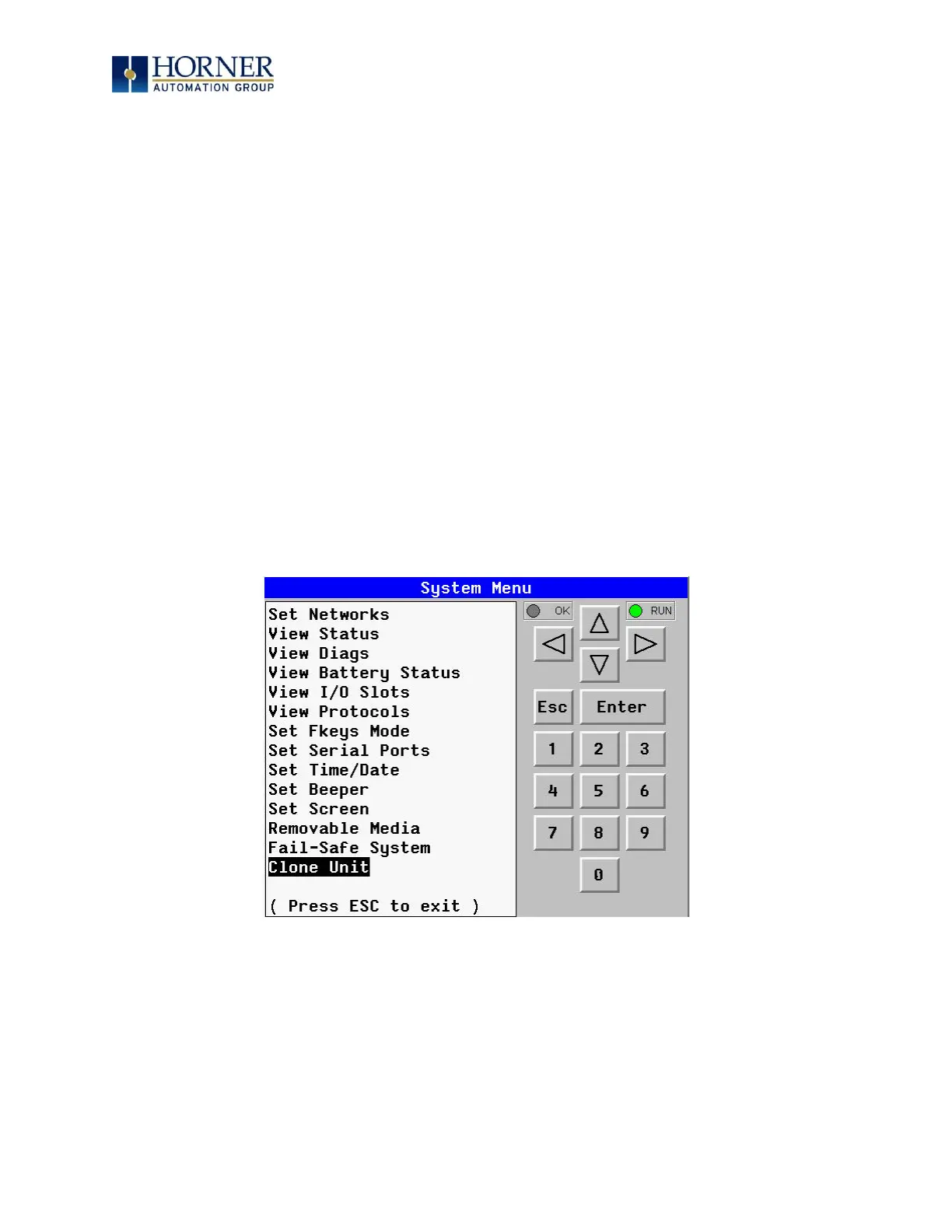
1. The ‘Clone Unit’ can be accessed by going to the ‘System Menu’ of the OCS. A new menu
“Clone Unit” has been added at the end of the main System Menu as shown below:
Figure 18.1 – System Menu


 To Next Page