Tape Drives: Monitoring and Recovery
HP Integrity NonStop NS-Series Operations Guide—529869-005
11- 4
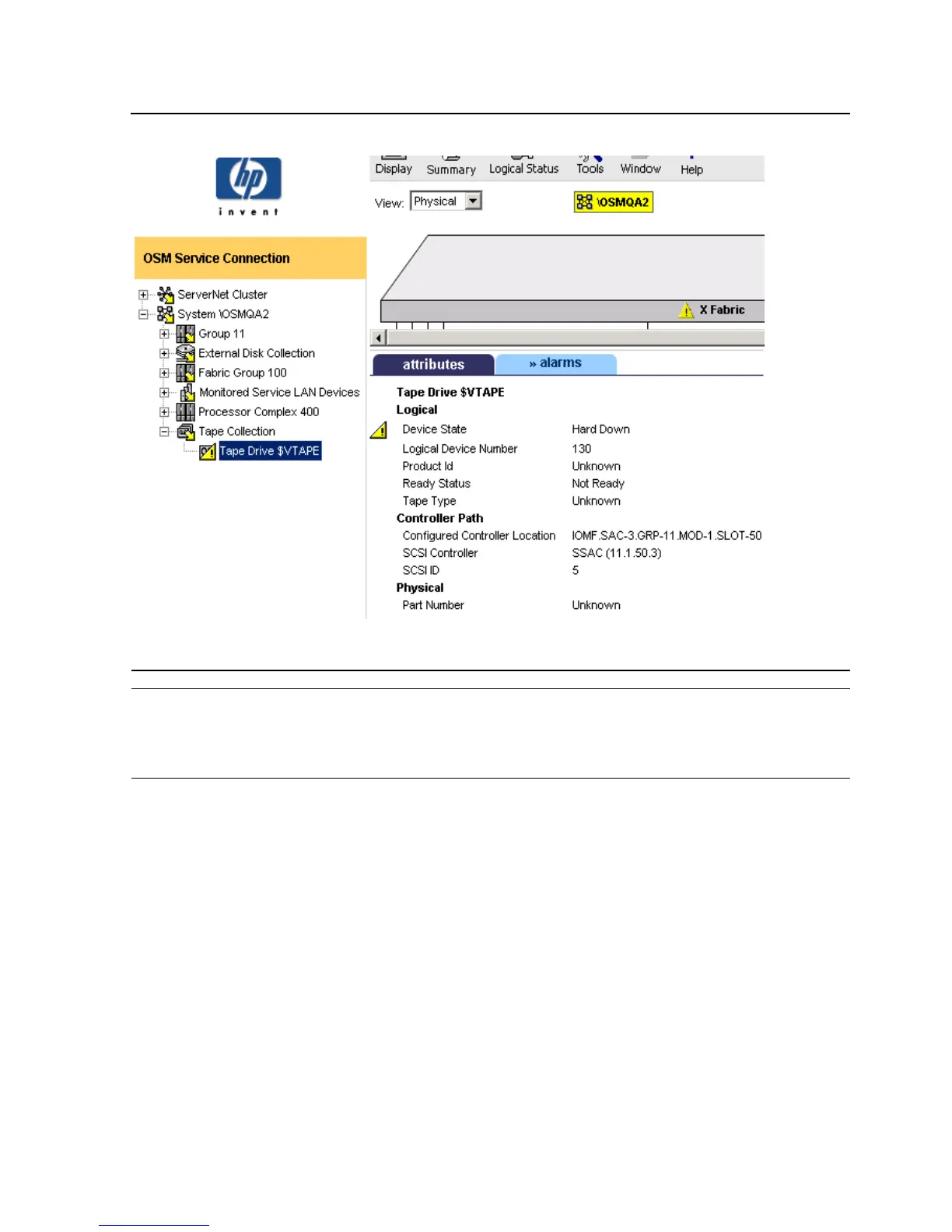
Monitoring Tape Drive Status With OSM
Figure 11-2. OSM: Monitoring Tape Drives Connected to an IOMF2
Note. All tape drives connected to a system appear under the Tape Collection object. When a
IOMF2-connected tape drive uses storage routers, those objects appear under that tape drive
object in the OSM tree pane hierarchy; however, fibre channel routers appear under the
Monitored Service LAN Devices object (after being configured in OSM).
VST317.vsd



 To Next Page
 Loading...