Removal and replacement procedures 57
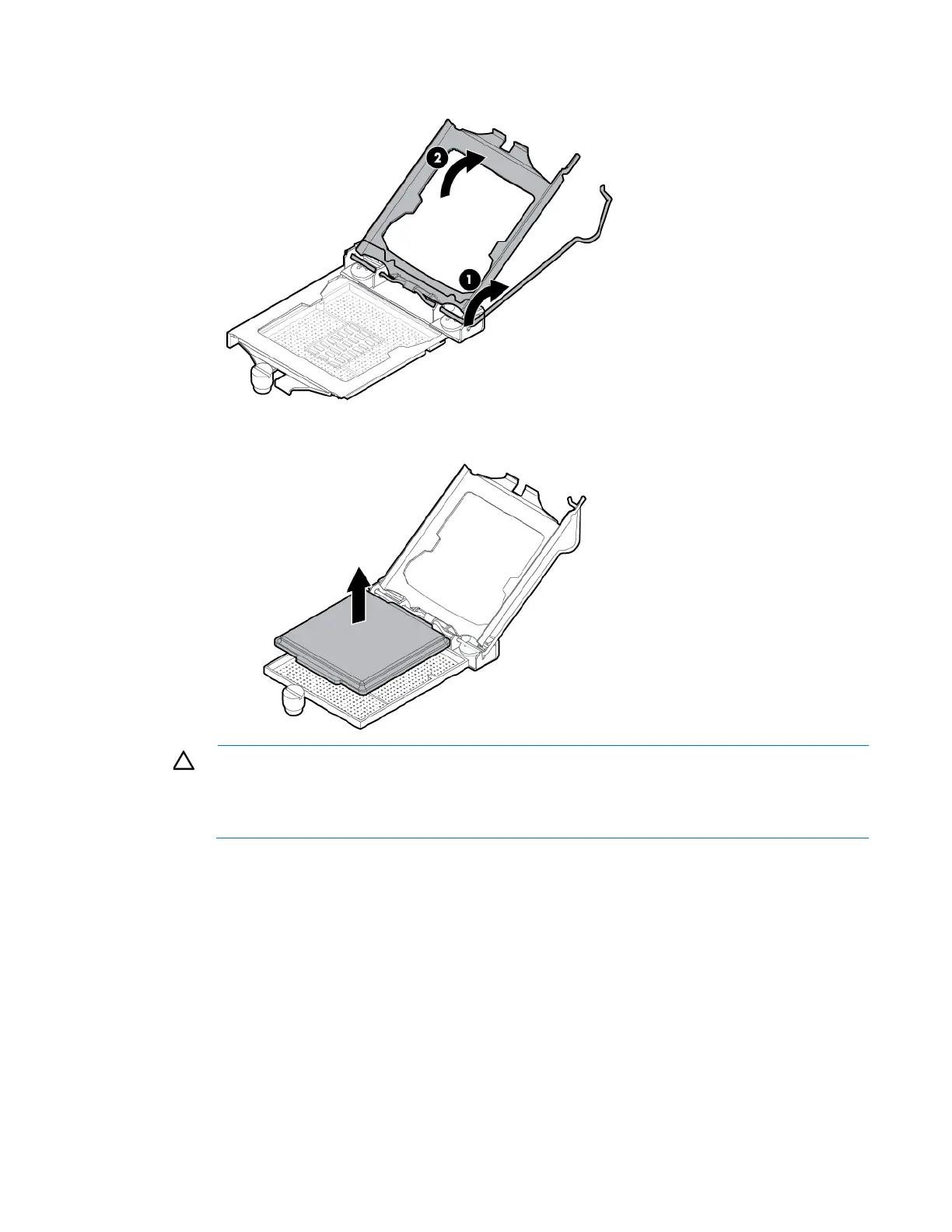
2. Open the processor locking lever, and then open the processor retaining bracket.
3. Remove the processor socket cover.
CAUTION: THE PINS ON THE SYSTEM BOARD ARE VERY FRAGILE AND EASILY DAMAGED. To
avoid damage to the system board:
• Do not touch the processor socket contacts.
• Do not tilt or slide the processor when lowering the processor into the socket.



 To Next Page
 Loading...