Removal and replacement procedures 58
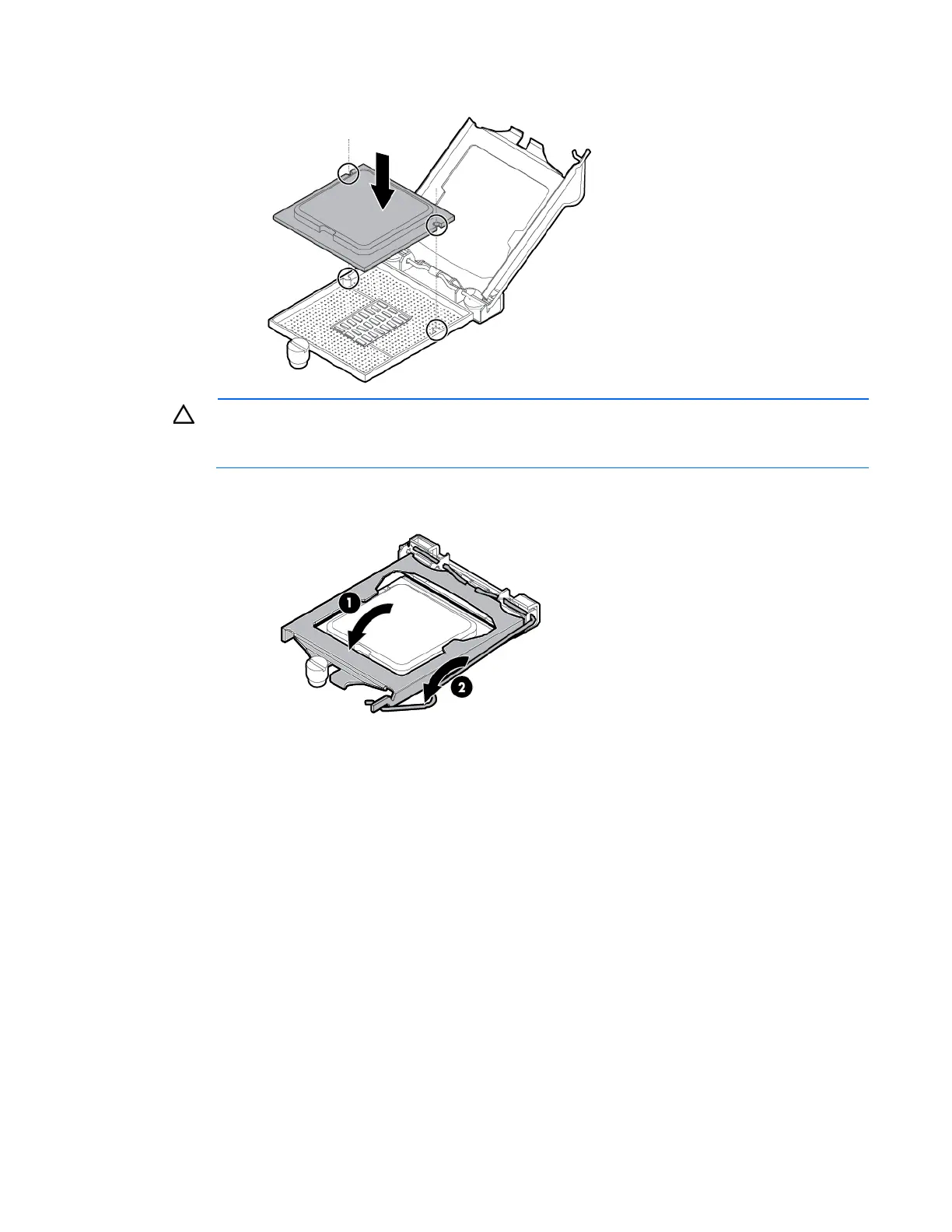
4. Install the processor. Use the notches on both sides of the processor to properly align it into the socket.
CAUTION:
Be sure to close the processor socket retaining bracket before closing the processor
locking lever. The lever should close without resistance. Forcing the lever closed can damage the
processor and socket, requiring system board replacement.
5. Close the processor retaining bracket, and then secure the processor locking lever.
6. Clean the old thermal grease from the heatsink and the top of the processor with the alcohol swab.
Allow the alcohol to evaporate before continuing.



 To Next Page
 Loading...