Settings 234
1.
Withtwofingers,swipedownfromthestatusbar,andthentouch >Sound.
2. TouchtheDo not disturb.
3.
TouchDo not disturb exceptionsandthentouch .
4. Choosewhethertoselectcontactsorgroupstoaddtotheexceptionslist,ortomanuallyadda
phonenumberthat’snotavailableinyourcontactinfo.
Tip:Toremovecontactsornumbersfromtheexceptionslist,touch >Remove contact.
5. Selectthecheckboxtoallowincomingcallsfromcontactsontheexceptionslist.
SetaDoNotDisturbSchedule
YoucanschedulewhenyouwantDonotdisturbtoturnon.Forexample,youcansetittoturnon
duringaweeklymeeting.
1.
Withtwofingers,swipedownfromthestatusbar,andthentouch >Sound.
2. TouchDo not disturb.
3.
TouchDo not disturb scheduleandthentouch .
4. Setthestartandendtimesfortheschedule.
5. Tohavetheschedulerepeatonspecificdays,touchRepeatandselectwhichdaysyouwantitto
occur.
6. ToselectwhichcontactswillbeallowedtoreachyouwhentheDonotdisturbscheduleisactive,
touchContactstoallowcalls.
7. TouchDONE.
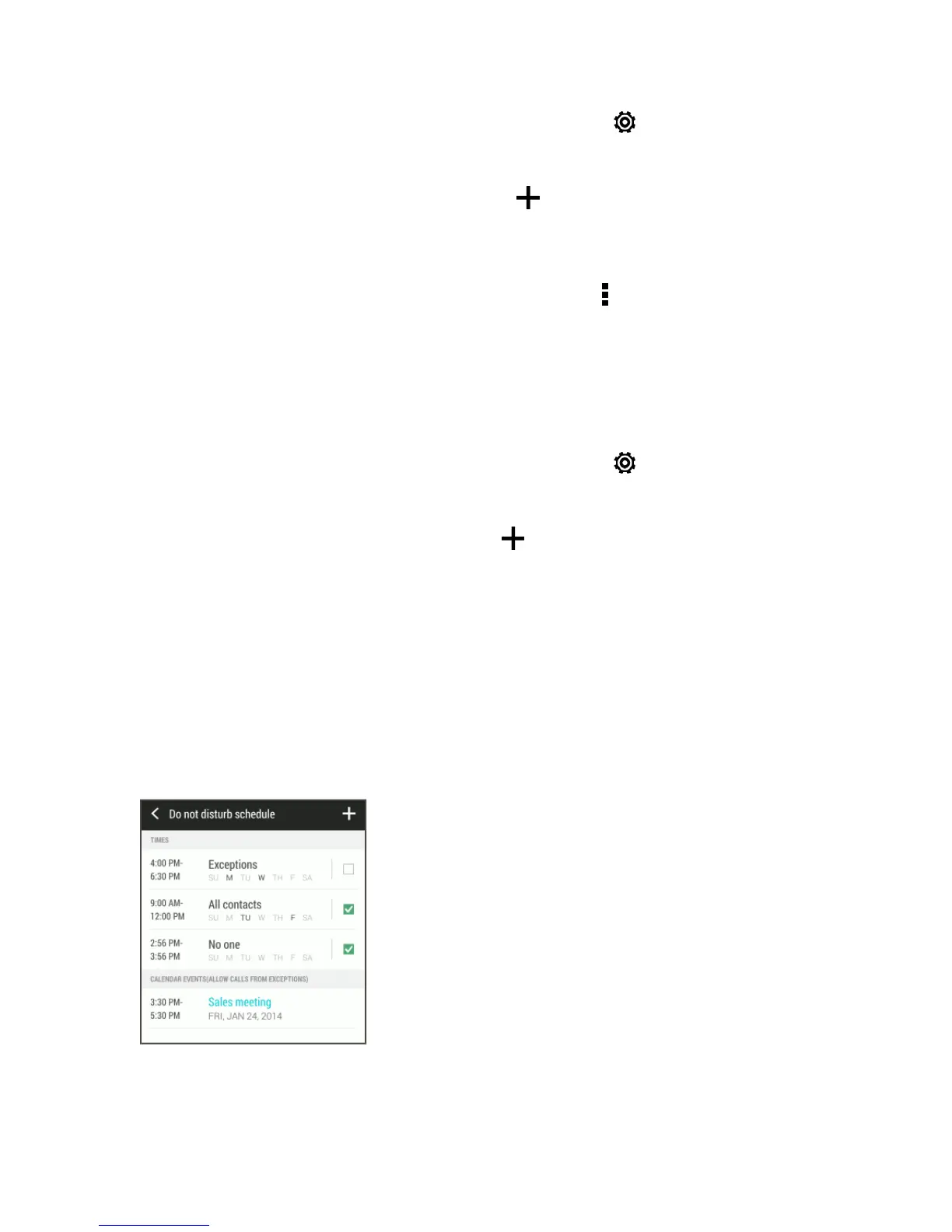
TheschedulewillbelistedontheDonotdisturbschedulescreen.
Note:CalendareventsthathaveDonotdisturbenabledwillalsobelistedontheDonotdisturb
schedulescreen.


 To Next Page