Phone Basics 34
Formoreinformation,seeSettings.
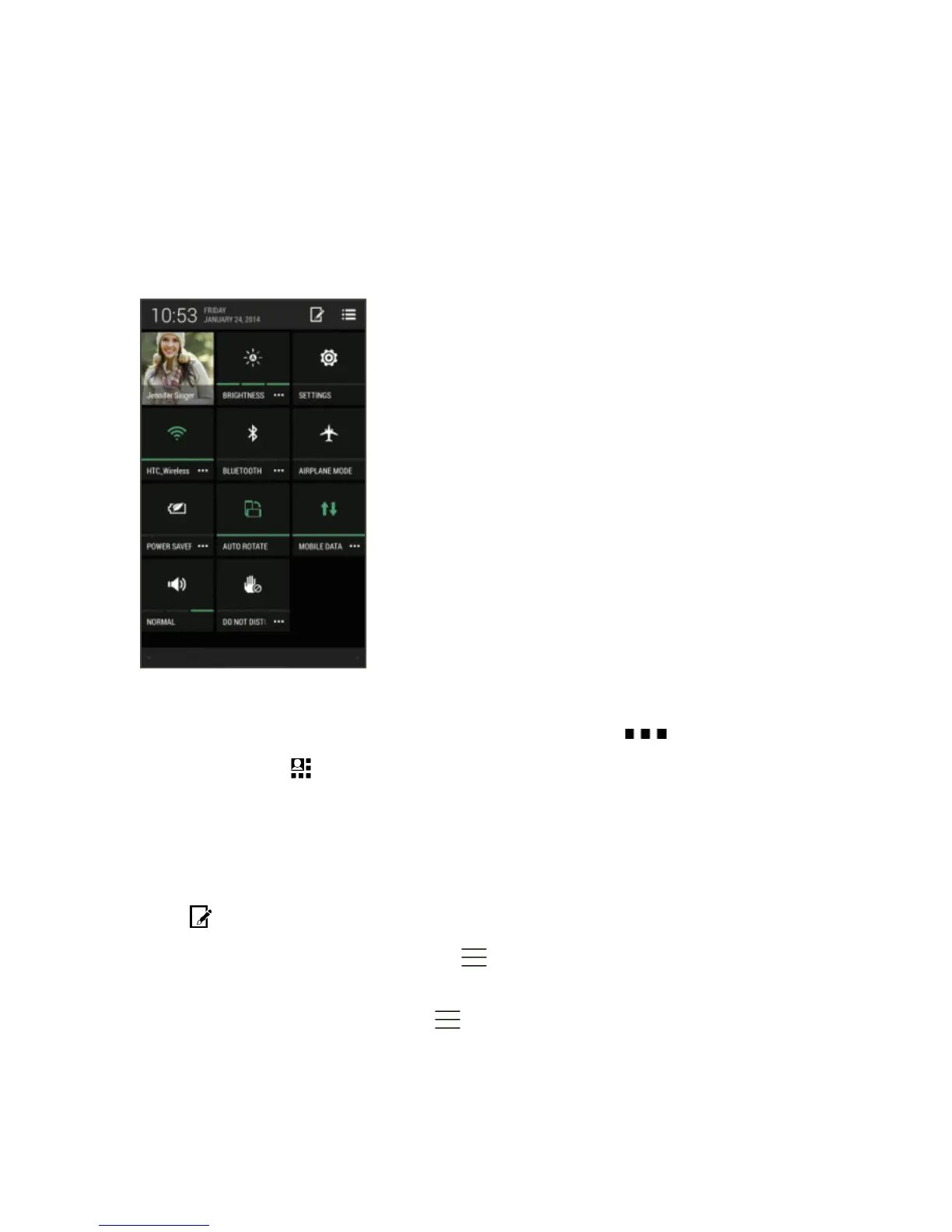
Using Quick Settings
IntheQuickSettingspanel,easilyturnsettingssuchasWi-FiandBluetoothonoroff.
1. Withtwofingers,swipedownfromthestatusbartoopenQuickSettings.
2. Toturnasettingonoroff,justtouchitstile.
3. Tochangetheoptionsforasetting,touchandholditstile.Ortouch .
Tip:Youcanalsotouch toswitchtoQuickSettingsfromtheNotificationspanel.
CustomizeQuickSettings
Asidefromthedefaulttiles,thereareseveralothertilesavailableinQuickSettings.
1. Withtwofingers,swipedownfromthestatusbartoopenQuickSettings.
2.
Touch anddooneofthefollowing:
l
IntheQuickSettingslist,touchandhold nexttotheitemyouwanttomoveanddragitto
rearrangethelist.
l
UnderHiddenitems,touchandhold anddragituptomakeitavailableinQuickSettings.



 To Next Page