Phone Calls 62
Note:Dependingonyourplan,youmaybechargedahigherrateforcallsyouhaveforwarded.
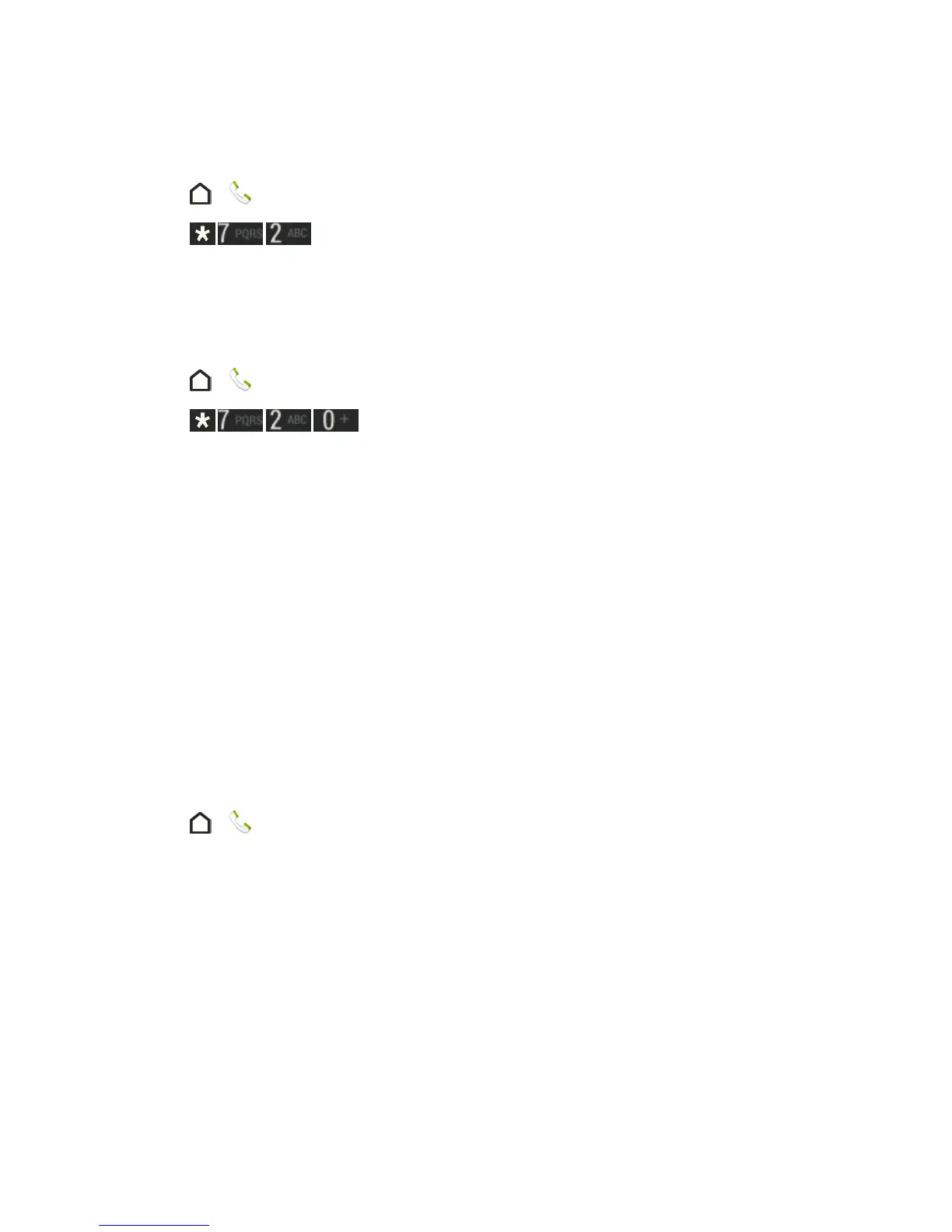
ToactivateCallForwarding:
1.
Touch > .
2.
Touch .
3. Entertheareacodeandphonenumbertowhichyouwantyourcallsforwarded.
4. TouchCALL.(YouwillhearatonetoconfirmtheactivationofCallForwarding.)
TodeactivateCallForwarding:
1.
Touch > .
2.
Touch .
3. TouchCALL.(Youwillseeamessageandhearatonetoconfirmthedeactivation.)
Call History
Callhistorylistsallrecentincoming,outgoing,andmissedcalls.Callhistorymakesredialinga
numberfastandeasy.Itiscontinuallyupdatedasyourphoneautomaticallyaddsnewnumbersto
thebeginningofthelist.
Note:Callhistoryrecordsonlycallsthatoccurwhilethephoneisturnedon.Ifacallisreceivedwhile
yourphoneisturnedoff,itwillnotbeincludedinHistory.
Open Call History
AccessyourCallhistorytoquicklycallsomeonebackorseewhoyouhavetalkedtorecently.
1.
Touch > .
2. SwipetoviewtheCALL HISTORYtab.Eachentrycontainsthephonenumber(ifitisavailable)
andthecontactname(ifthenumberisinPeople).



 To Next Page