Phone Calls 66
l Recordyournameannouncement.
l Recordyourgreeting.
3. Whenpromptedtoenterinformation,usetheonscreendialpadtoenteryournumericresponses.
Important:Voicemail Password–Sprintstronglyrecommendsthatyoucreateapasswordwhen
settingupyourvoicemailtohelpprotectagainstunauthorizedaccess.Withoutapassword,anyone
whohasaccesstoyourphoneisabletoaccessyourvoicemailmessages.
4. Onceyouhavecompletedthesetupprocess,returntothevoicemailpage(seestep1).
5. TouchtheWelcome to Voicemailmessageonthescreentoplayabriefexplanationofthe
voicemailservices.
Review Visual Voicemail
VisualVoicemailletsyoueasilyaccessandselectwhichmessagesyouwanttoreview.
1.
Touch > >Voicemail.
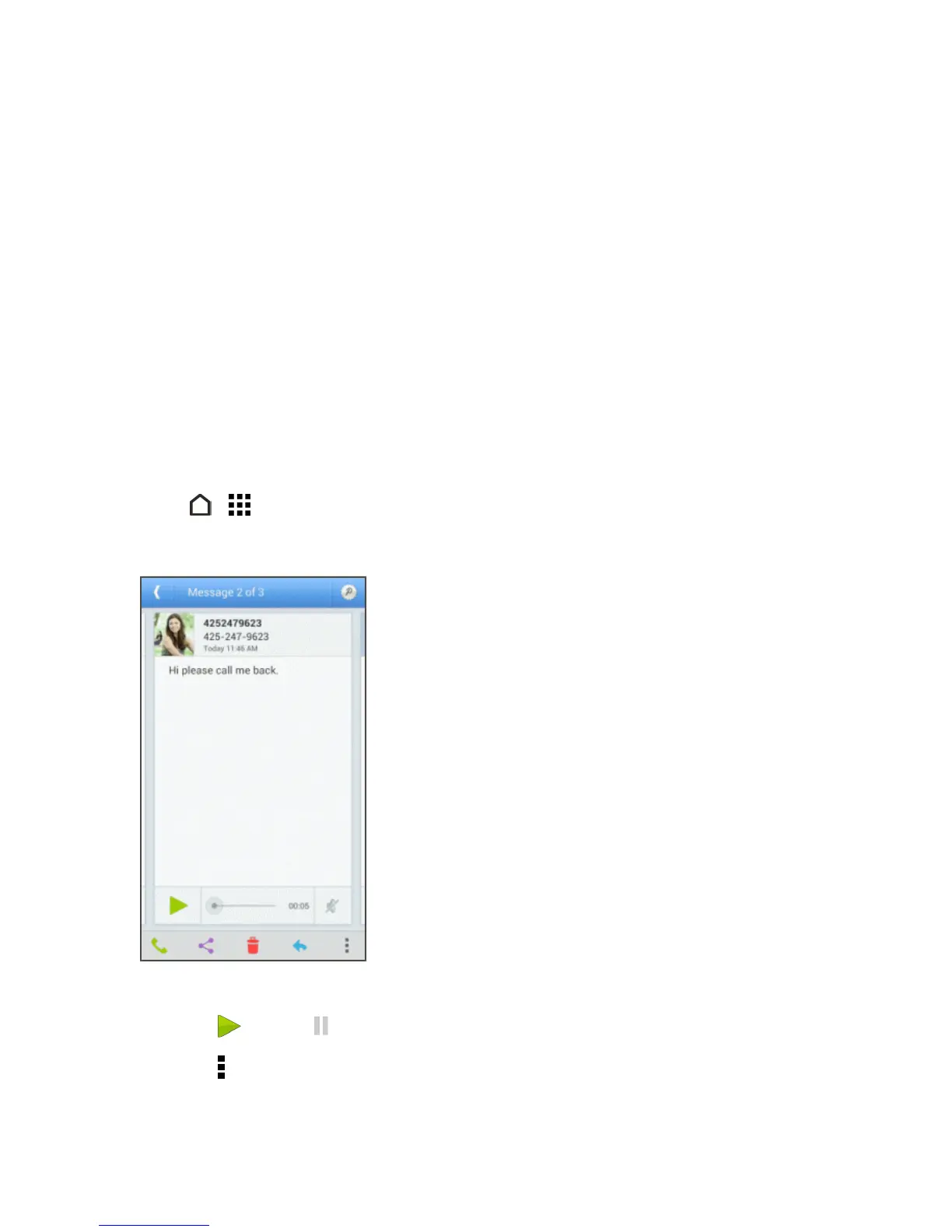
2. Touchamessage.
3. Whilereviewingavoicemailmessage,youcan:
l
Touch toplayor topausethevoicemail.
l
Touch >Archivetosavethemessage.
l Touchanddragthetimelinetoscrubthroughthemessagetodifferentpoints.



 To Next Page