Phone Basics 45
Ifyouhaveseveralnotifications,scrolldownthescreentoseethemall.
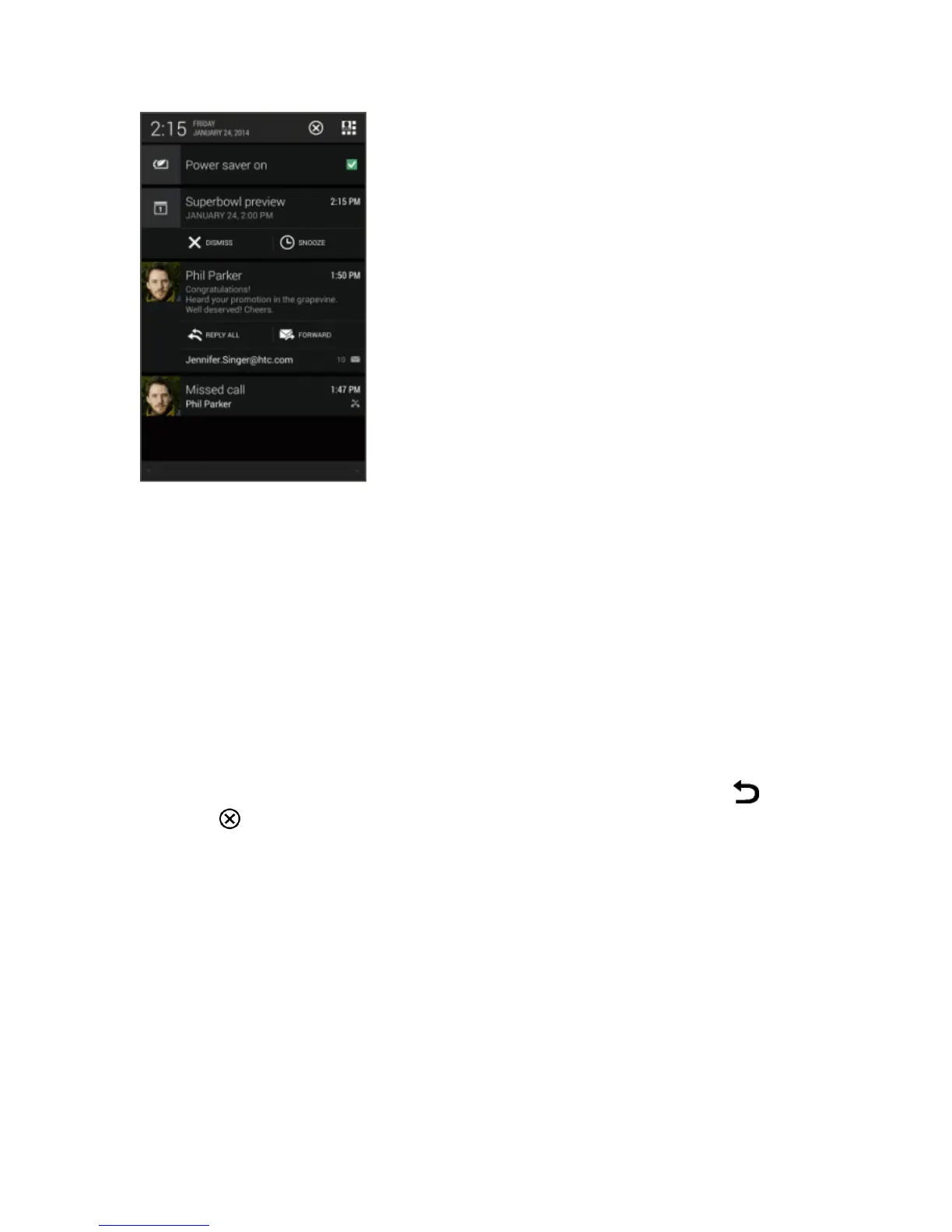
2. OntheNotificationspanel:
l Youcanexpandcertainnotificationstoseemoreinformation,suchasemailpreviewsand
calendarevents.Spreadwithyourtwofingerstoexpandanotification,orpinchtocollapseit.
l You’llseeiconsinsomenotificationsthatallowyoutotakeimmediateactions.Forexample,
whenyouhaveamissedcall,touchtheavailableiconstoreturnthecallorreplywithatext
message.
l Touchthenotificationicontoopenthecorrespondingapp.
l Todismissjustonenotificationinthelist,dragitleftorright.
3.
ToclosetheNotificationspanel,slideupfromthebottombarofthepanelortouch .Youcan
alsotouch todismissallnotificationsandclosetheNotificationspanel.
Notification LED
TheNotificationLEDprovidesphoneinformationataglance.Theindicatorshows:



 To Next Page