Phone Basics 47
n Wordpredictionalsosavestypingtime.Asyoutype,you’llseewordsuggestionsthatyoucan
choosefrom.Youcanevenaddwords,phrases,andshortcutstothewordpredictiondictionary.
Fordetails,seeEnterTextwithWordPredictionontheHTCSenseKeyboard.
n Youcantypewordsbyjustspeaking.Fordetails,seeEnterTextbySpeakingontheHTCSense
Keyboard.
n TurnontheTrace keyboardsoyoucantypewordsbyjustslidingyourfingerfromoneletterto
another.Fordetails,seeEnterTextwiththeHTCSenseKeyboardUsingtheTraceKeyboard.
n Justswiperighttoaccessthenumericandsymbolkeyboard.Orswipelefttoswitchbetween
languages.
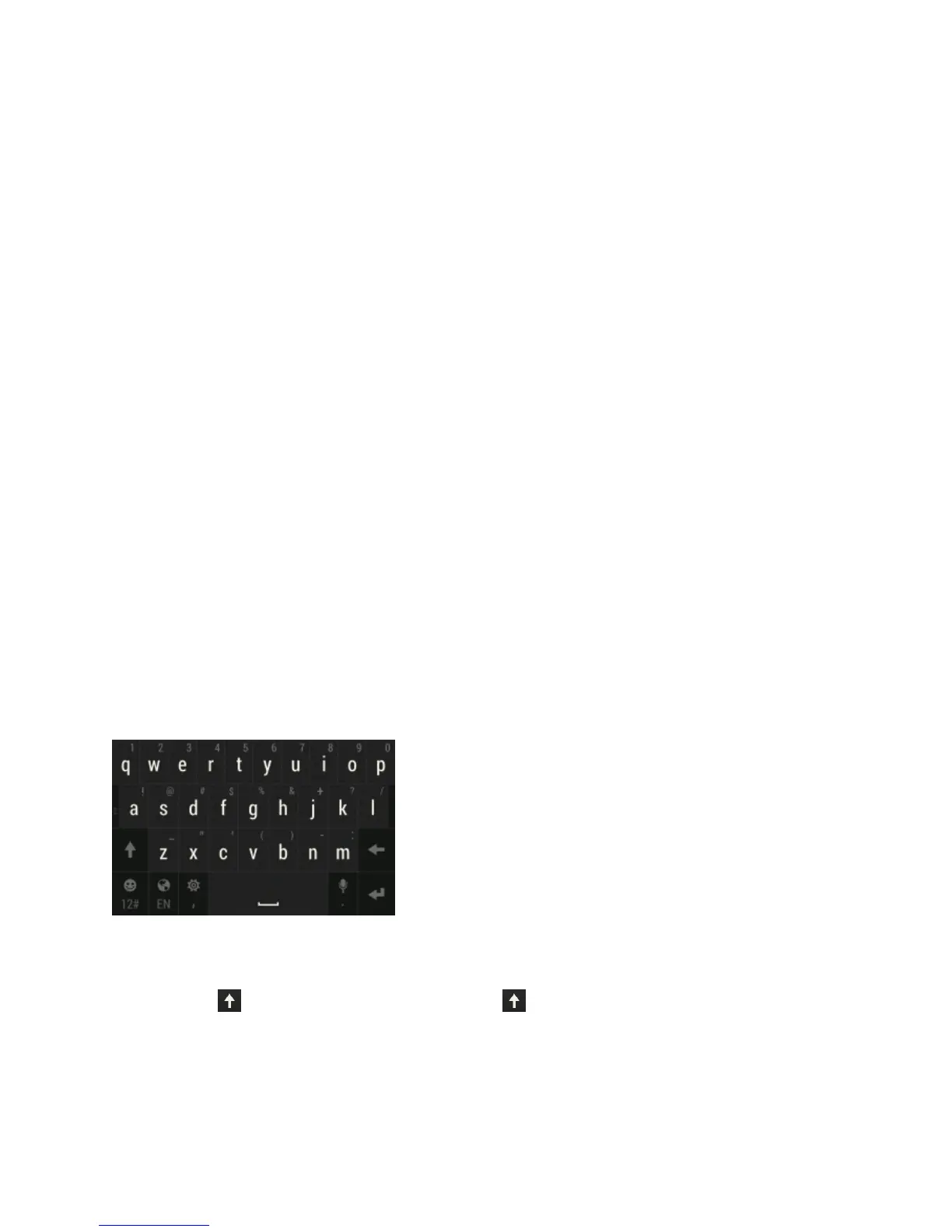
n Thekeyshavesecondarynumbers,punctuationsymbols,orothercharactersthatyoucan
quicklyinsertwithouthavingtoswitchtothenumericandsymbolkeyboard.Forexample,just
touchandholdakeyonthefirstrowtoinsertanumber.
n Choosefromawideselectionofemojis.
n Showorhidenavigationalarrowkeysonthekeyboard.IfyouenablethearrowkeysinSettings,
they’llonlyappearontheportraitkeyboard.
Andsinceeveryonehastheirowntypingstyle,youcancalibratethekeyboardinSettings>
Language & keyboard>HTC Sense Input>Advanced>Calibration toolsoitlearnshowyou
type.
Enter Text by Typing on the HTC Sense Keyboard
Theonscreenkeyboardbecomesavailablewhenyoutouchatextfieldinanapp.Enterlettersand
numbers,changethekeyboardlayoutorlanguage,andmore.
n Touchthekeysontheonscreenkeyboardtoenterlettersandnumbers,aswellaspunctuation
marksandsymbols.
l
Touch toenteranuppercaseletter.Touch twicetoturnoncapslock.
l Touchandholdkeyswithgraycharactersatthetoptoenternumbers,symbols,oraccented
letters.Somekeyshavemultiplecharactersoraccentsassociatedwiththem.
l Swiperighttoshownumberandsymbolkeys.Toreturntothemainkeyboard,swipeleft.



 To Next Page