Phone Basics 29
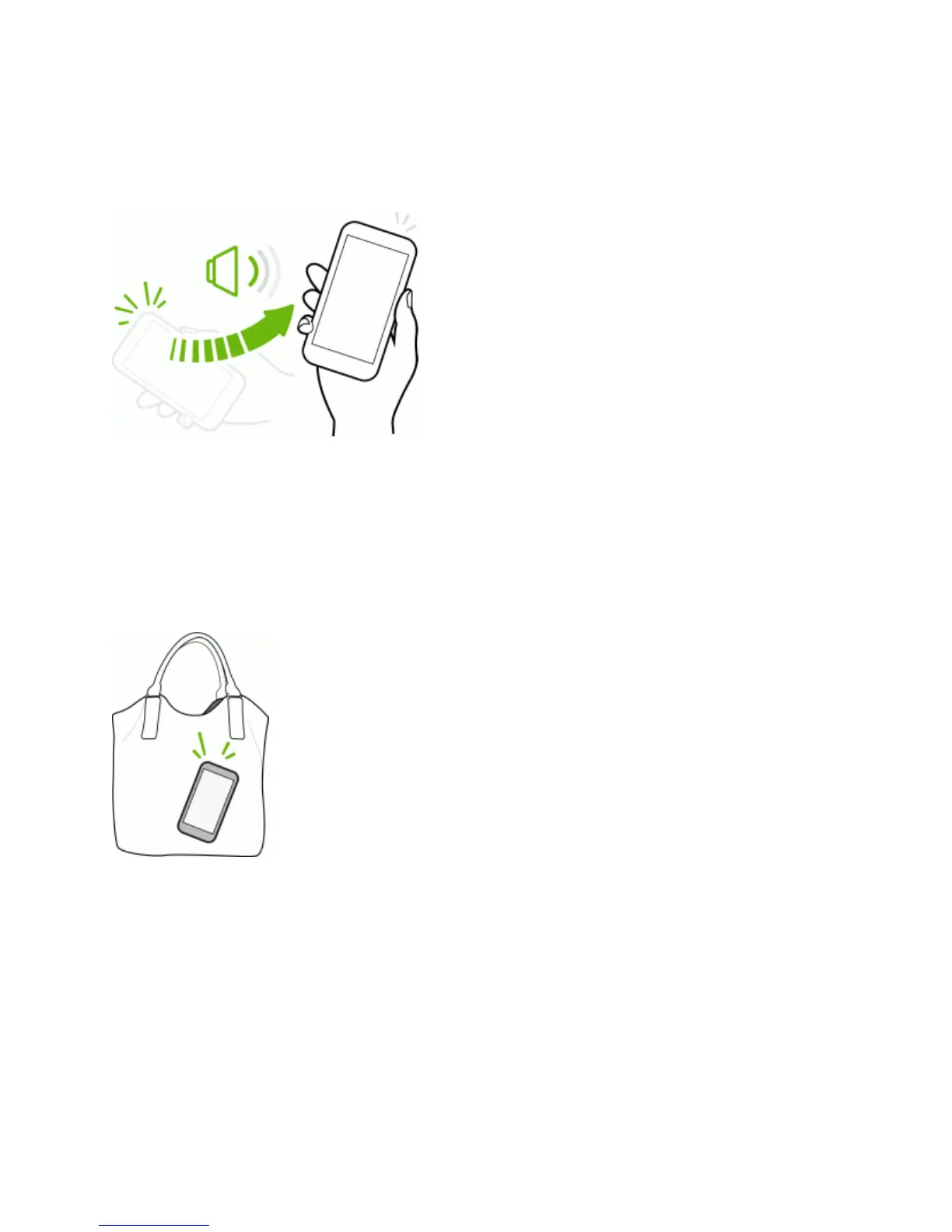
PickUptoLowerVolume
Inabusinessmeetingorrestaurant,pickyourphoneupwhenacallcomesintolowertheringtone
volume.
Youcanturnthisfeatureonoroff.InSettings,touchSound,andthenselectorclearQuiet ring on
pickup.
SetVolumetoAutomaticallyIncreaseWhileinYourPocketorBag
Youcansetyourphonetorecognizewhenit’sinyourbagorpocketandraisetheringtonevolume
sothatyoucanhearitinnoisyenvironments.
Youcanturnthisfeatureonoroff.InSettings,touchSound,andthenselectorclearPocket
mode.
RotateYourPhoneforaBetterView
Formostscreens,youcanautomaticallychangethescreenorientationfromportraittolandscapeby
turningthephonesideways.Whenenteringtext,youcanturnthephonesidewaystobringupa
biggerkeyboard.SeeHTCSenseKeyboardformoredetails.


 To Next Page