2.5.4 Monitoring Port for the Door Status Sensor
This describes the monitoring port for the door status sensor. This port is a dry contact point
Boolean signal monitoring port and suitable for a bare terminal of a cable (24 AWG - 12 AWG).
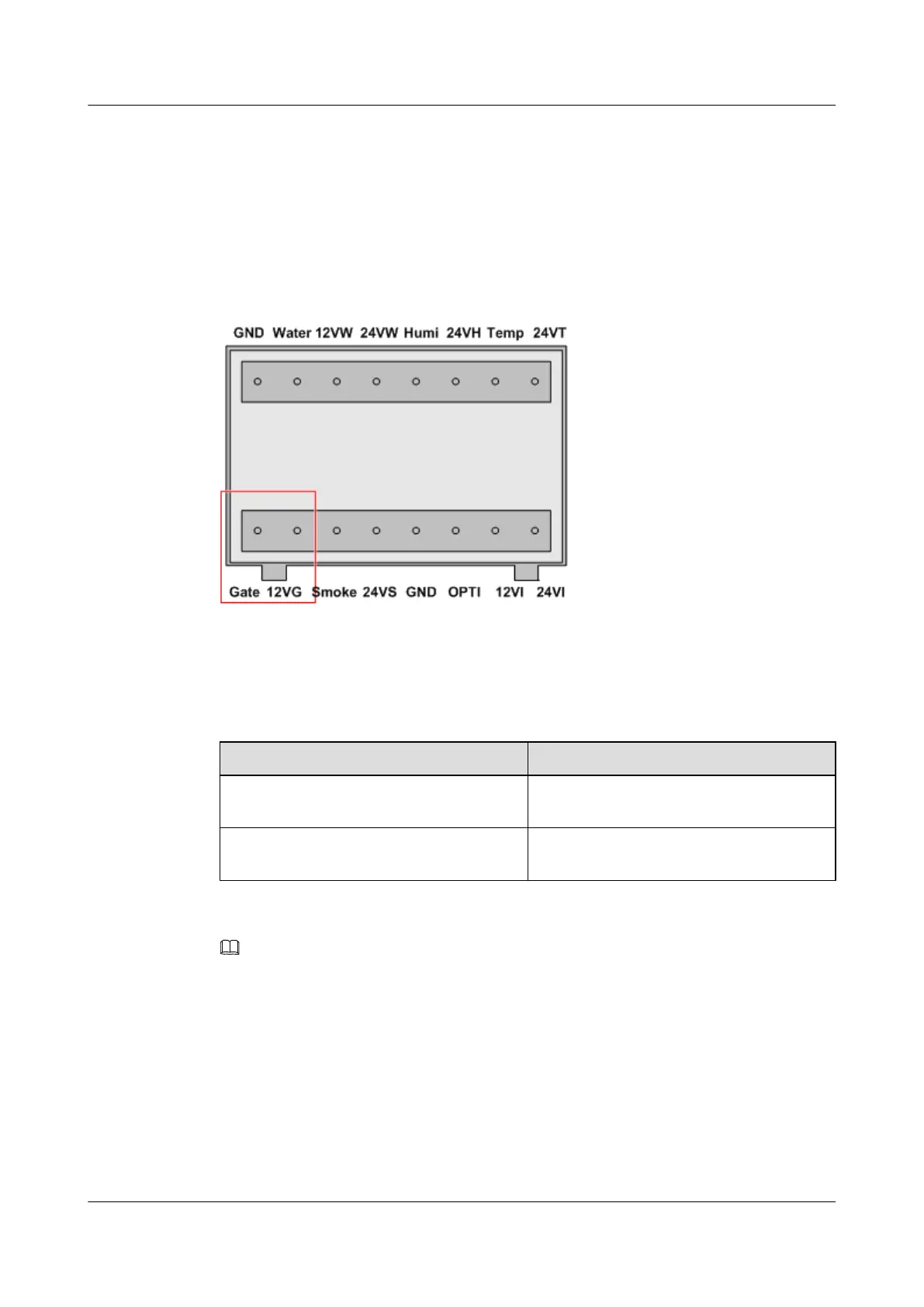
For the position of the monitoring port for the door status sensor, see 2.2 Exterior of the
EMU. Figure 2-11 shows this port.
Figure 2-11 Monitoring port for the door status sensor
Table 2-7 lists the meanings of the terminals of the monitoring port for the door status sensor.
Table 2-7 Meanings of the terminals of the monitoring port for the door status sensor
Silkscreen
Meaning
12VG Positive input terminal for door status
monitoring signals
Gate Negative input terminal for door status
monitoring signals
NOTE
You can set bit 4 of the DIP switch SW_BKE to choose whether to use the monitoring port for the door
status sensor. For details, see 2.3 Internal Structure of the EMU.
2.5.5 Monitoring Port for the Humidity/Temperature Sensor
This describes the monitoring port for the humidity/temperature sensor. This port is a current-
type analog signal monitoring port and suitable for a bare terminal of a cable (24 AWG - 12
AWG).
For the position of the monitoring port for the humidity/temperature sensor, see 2.2 Exterior of
the EMU. Figure 2-12 shows this port.
EMU
User Guide 2 Overview of the EMU
Issue 13 (2009-12-30) Huawei Proprietary and Confidential
Copyright © Huawei Technologies Co., Ltd.
2-13



 To Next Page