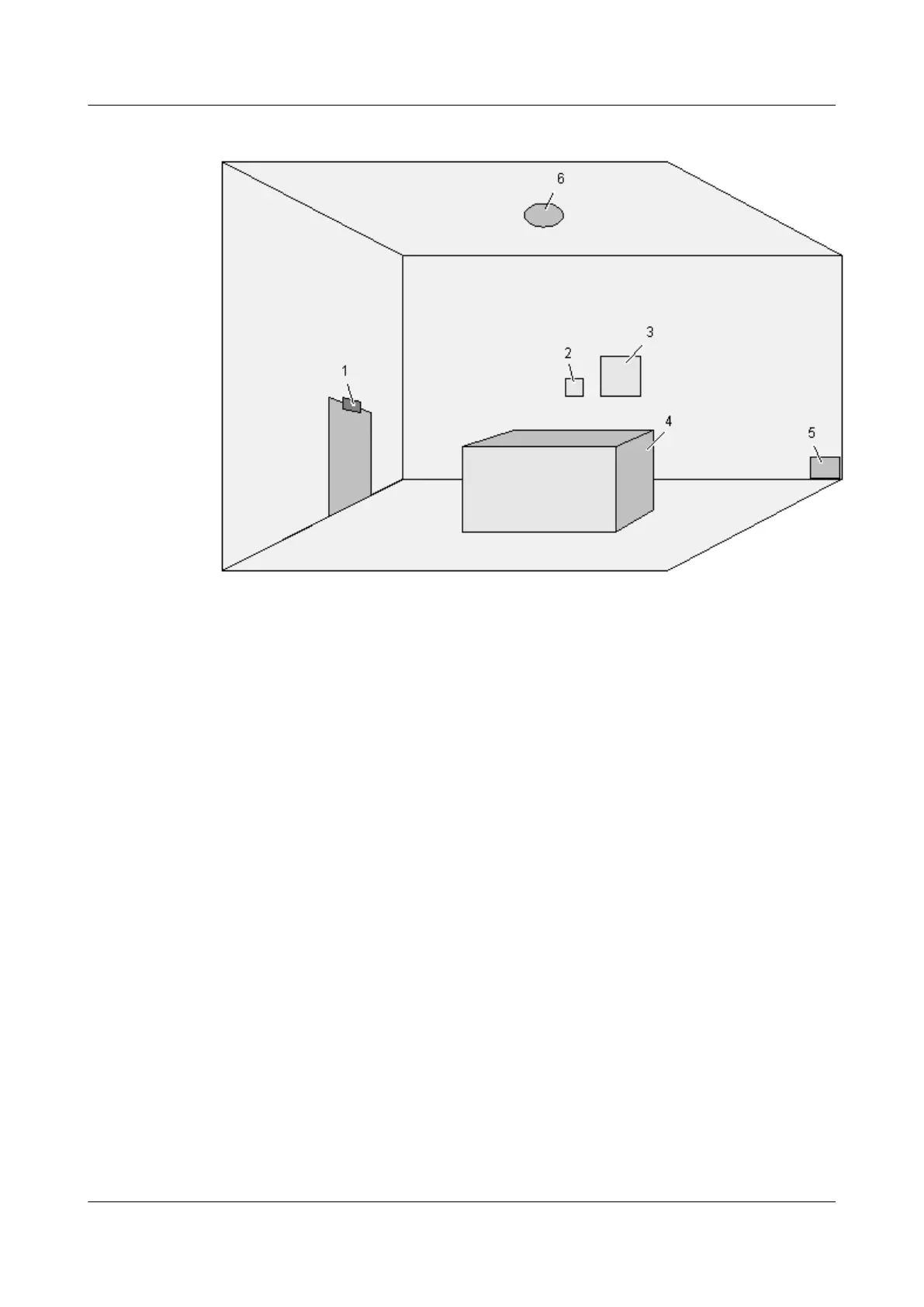
Figure 5-1 Installation positions of the EMU and sensors
(1) Door status sensor (2) Humidity/temperature sensor (3) EMU
(4) BTS/NodeB (5) Water sensor (6) Smoke sensor
5.1 Installing the Water Sensor
This describes how to install the water sensor.
5.2 Installing the Smoke Sensor
This describes how to install the smoke sensor.
5.3 Installing the Infrared Sensor
This describes how to install the infrared sensor.
5.4 Installing the Door Status Sensor
This describes how to install the door status sensor.
5.5 Installing the Humidity/Temperature Sensor
This describes how to install the humidity/temperature sensor.
5 Installing the Sensors
EMU
User Guide
5-2 Huawei Proprietary and Confidential
Copyright © Huawei Technologies Co., Ltd.
Issue 13 (2009-12-30)



 To Next Page