Context
NOTE
l The distance between the two fingers should be less than 5 mm [0.20 in.] when the door is closed.
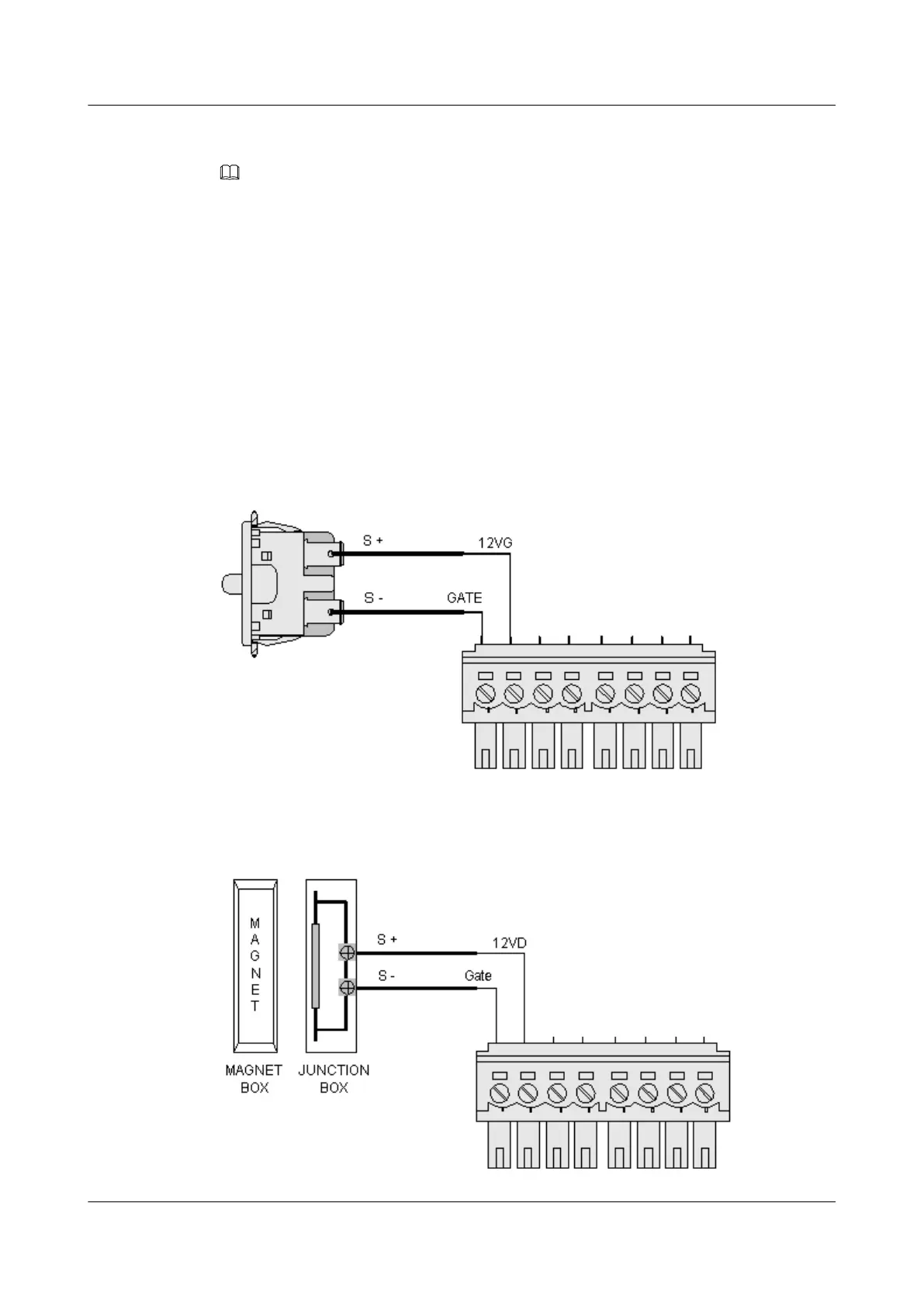
l The door status sensor can be connected only to the terminals marked "GATE&12VG".
l The alarms reported by the door status sensor can be cleared only through human intervention.
Procedure
Step 1 Mark the installation position of the door status sensor.
Step 2 Use the percussion drill to drill holes according to the marks.
Step 3 Install and fasten the door status sensor.
Step 4 Connect the door status sensor, as shown in Figure 5-7 and Figure 5-8.
Figure 5-7 Connecting the AGX105F door status sensor
Figure 5-8 Connecting the HO-03A door status sensor
EMU
User Guide 5 Installing the Sensors
Issue 13 (2009-12-30) Huawei Proprietary and Confidential
Copyright © Huawei Technologies Co., Ltd.
5-9



 To Next Page