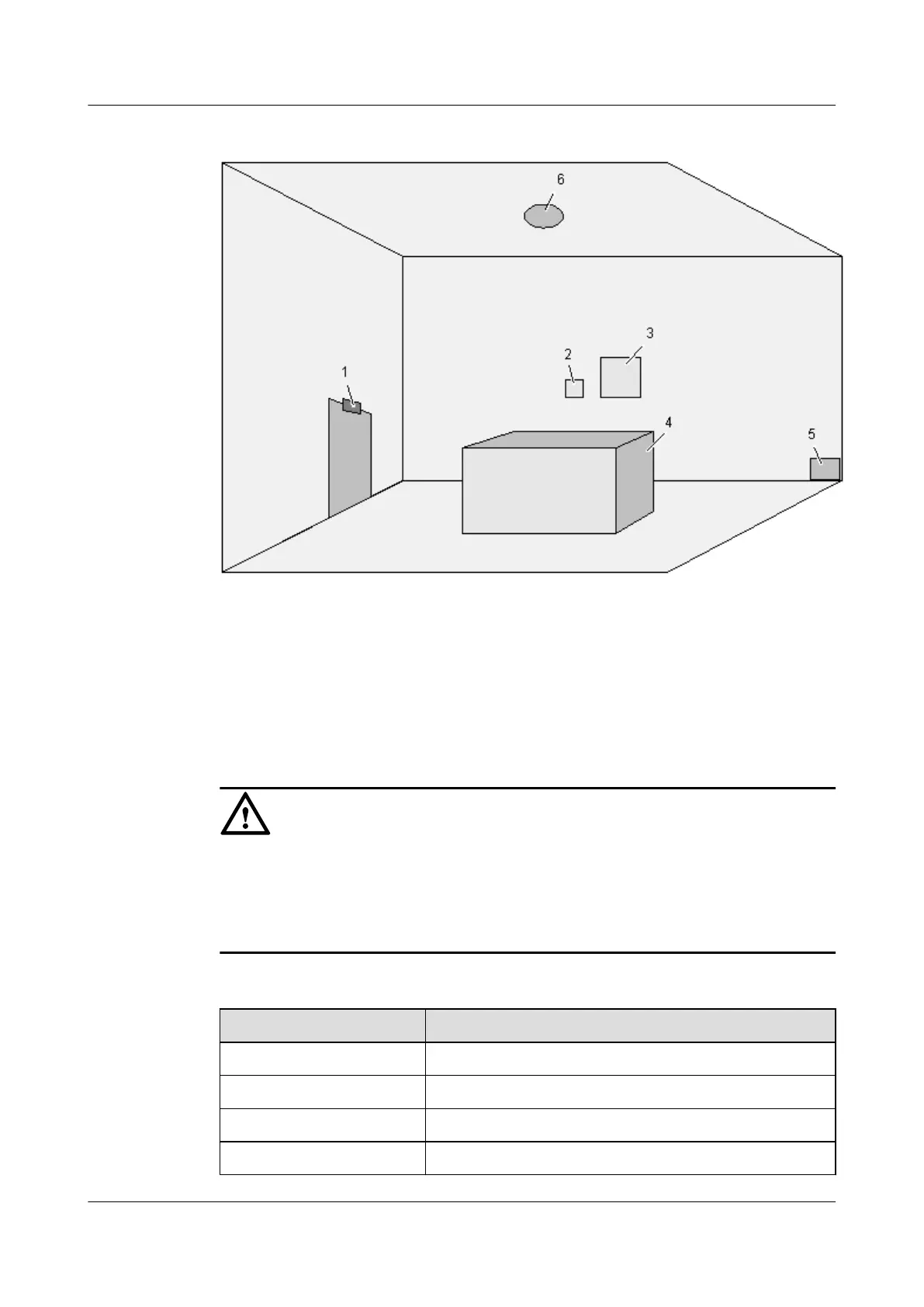
Figure 4-1 Installation positions of the EMU and sensors
(1) Door status sensor (2) Humidity/temperature sensor (3) EMU
(4) BTS/NodeB (5) Water sensor (6) Smoke sensor
Checks Before Installation
CAUTION
l Check that the environment meets the requirements described in 2.6 Technical
Specifications of the EMU.
l Check that the package is intact and that the items inside the package are consistent with
Table 4-1.
Table 4-1 List of items inside the package of the EMU
Item
Remarks
EMU One
Door status sensor One (optional)
Smoke sensor One (optional)
Water sensor One (optional)
4 Installing the EMU
EMU
User Guide
4-2 Huawei Proprietary and Confidential
Copyright © Huawei Technologies Co., Ltd.
Issue 13 (2009-12-30)



 To Next Page