Step 2 Use the φ12 drill bit to drill the four installation holes.
Step 3 Use four M8x60 expansion bolts to fix the EMU to the wall.
Step 4 Install the protection grounding cable of the EMU, and then connect the protection grounding
cable to the grounding bar in the equipment room.
Step 5 Install the RS-485 serial cable and power cable.
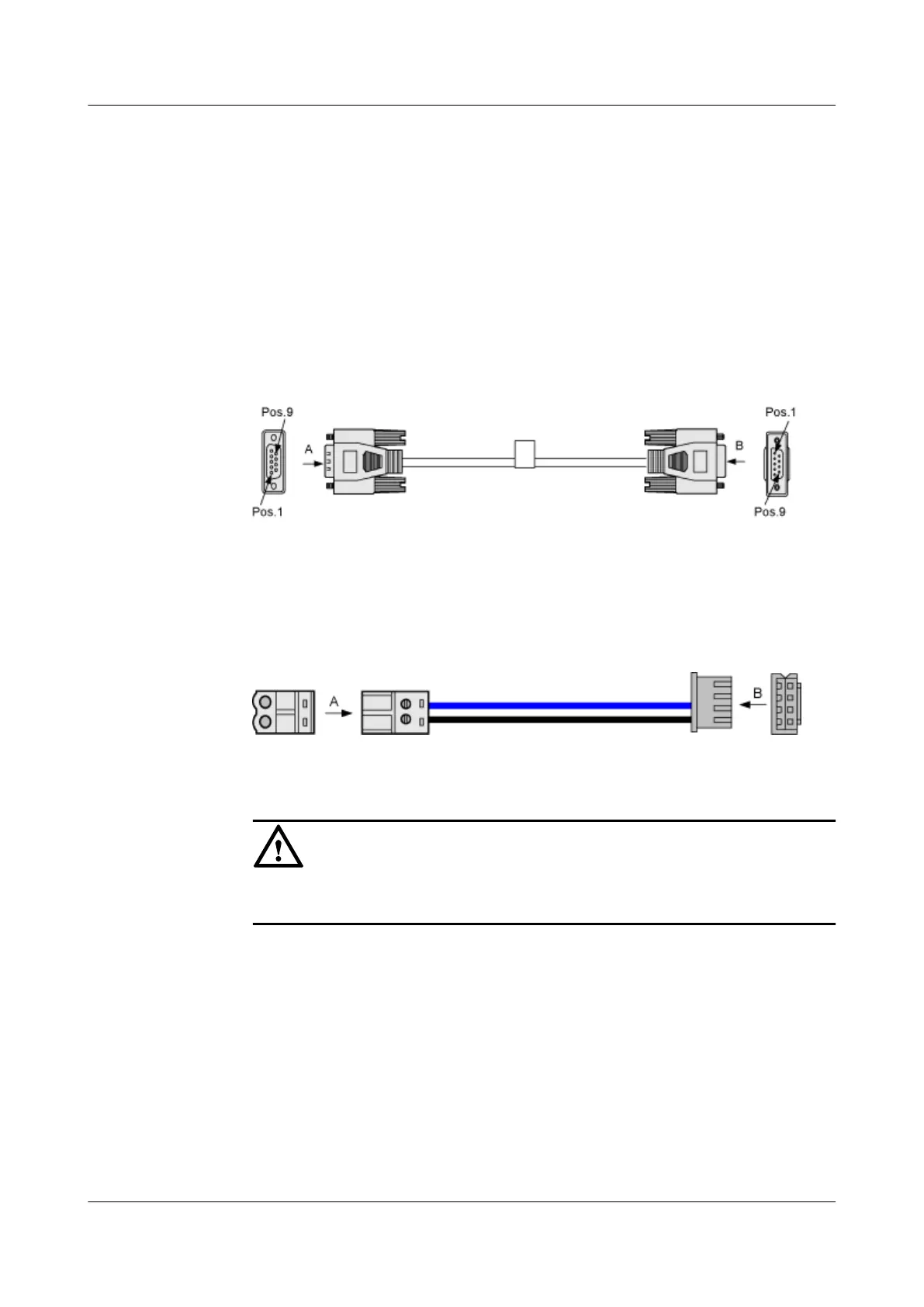
1. Connect one end of the RS485 serial cable to the RS485 port of the EMU and the other end
to the BTS/NodeB. Figure 4-3 shows the RS485 serial cable.
Figure 4-3 RS485 serial cable
2. Connect the A end of the EMU power cable to the PWR+/- port on the EMU and the other
end to the power distribution equipment. Figure 4-4 shows the power cable.
Figure 4-4 Power cable
CAUTION
If the B end of the EMU power cable does not match the port of the power distribution
equipment, replace the connector on the B end.
Step 6 Connect the sensors to the EMU.
----End
4.2 Installing EMU Model B
This describes how to install EMU model B on a wall of the equipment room.
Prerequisite
The following items are ready:
EMU
User Guide 4 Installing the EMU
Issue 13 (2009-12-30) Huawei Proprietary and Confidential
Copyright © Huawei Technologies Co., Ltd.
4-5



 To Next Page