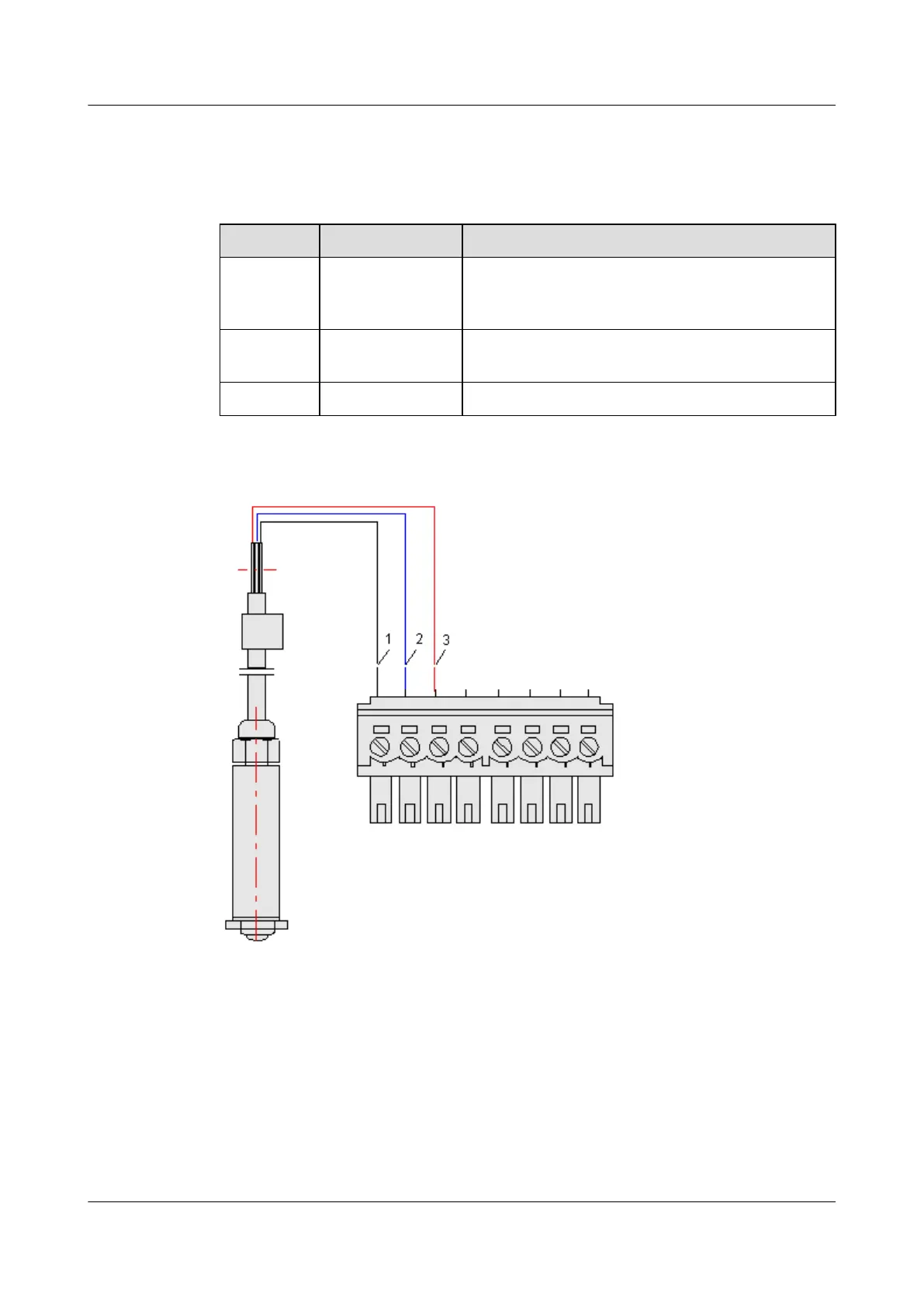
Table 5-1 describes the 3-core leading cable of the water sensor, and Figure 5-3 shows the
connection of the cable.
Table 5-1 3-core leading cable of the water sensor
Color Core Wire Function
Red Core wire for the
external power
supply
Connected to the terminal marked "12VW"
White Grounding core
wire
Connected to the terminal marked "GND"
Blue Signal core wire Connected to the terminal marked "Water"
Figure 5-3 Connecting the water sensor
(1) GND (white)
(2) Water (blue) (3) 12VW (red)
----End
5.2 Installing the Smoke Sensor
This describes how to install the smoke sensor.
5 Installing the Sensors
EMU
User Guide
5-4 Huawei Proprietary and Confidential
Copyright © Huawei Technologies Co., Ltd.
Issue 13 (2009-12-30)



 To Next Page