No. Description
3 Back button used to return to the previous screen
4 Navigation buttons
Includes four arrow buttons (up, down, left, and right) and one OK button
l Arrow buttons used to highlight an item on the screen
l OK button used to confirm selected operation or option
5 Sleep button used to enter the sleep mode
6
l Message Waiting Indicator (MWI), which blinks blue when there is a new voice
message.
l Sleep indicator, which is steady blue when the phone enters sleep state.
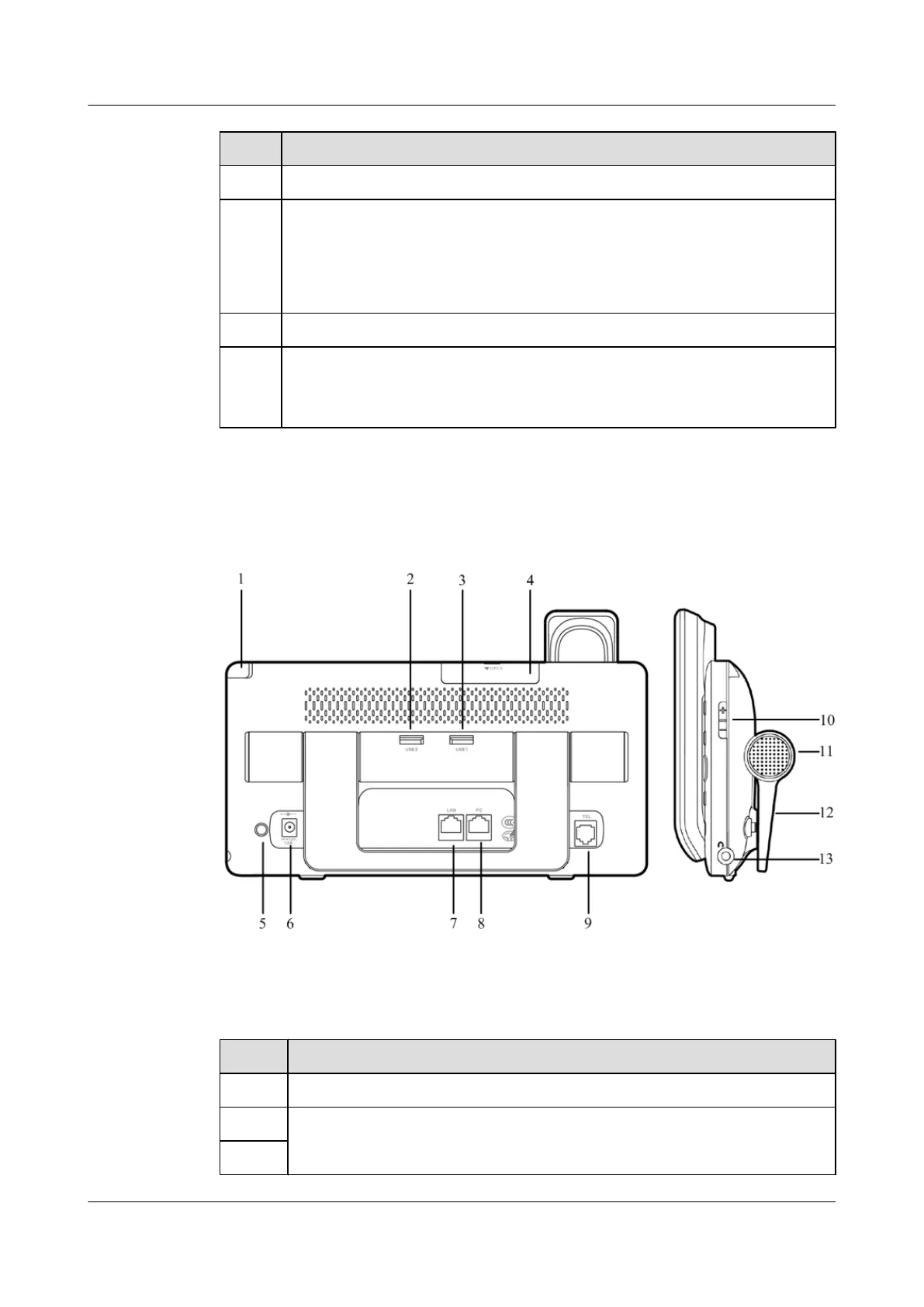
Rear and Side Panels
Figure 2-2 Rear and side panels
Table 2-2 Components on rear and side panels
No. Description
1 Stylus used to select elements on the screen and input information
2 USB ports used to connect to USB devices
3
eSpace 8850 Video Phone
User Guide 2 Product Description
Issue 08 (2014-08-25) Huawei Proprietary and Confidential
Copyright © Huawei Technologies Co., Ltd.
7



 To Next Page