l Tap , to answer the call in hands-free mode.
l Tap Reject to reject the call.
l Tap Ignore to ignore the call.
4.4.2 Answering a Video call
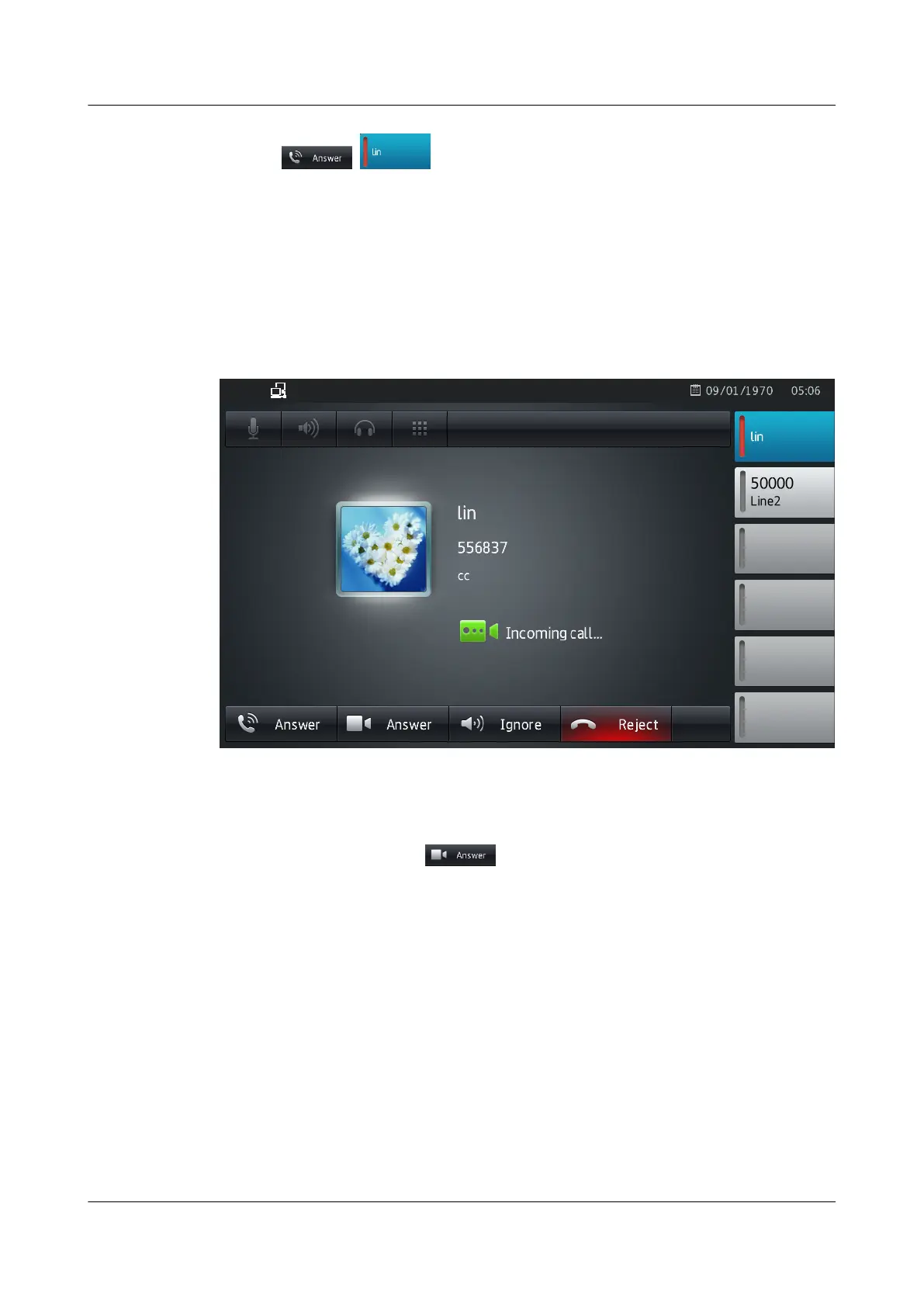
When there is an incoming video call, eSpace 8850 rings, the line button LED blinks in red and
displays the screen shown in Figure 4-4.
Figure 4-4 Incoming video call screen
You can perform the following operations:
l Pick up the handset or tap
to answer the call. The screen shown in Figure 4-5
is displayed.
eSpace 8850 Video Phone
User Guide 4 Phone Features
Issue 08 (2014-08-25) Huawei Proprietary and Confidential
Copyright © Huawei Technologies Co., Ltd.
35



 To Next Page