4. Select an import mode.
The options are as follows:
l Overwrite: Existing contacts are removed.
l Add: Existing contacts are retained.
5. Tap Select.
Exporting Contacts
1. From the Contacts screen, tap More.
2. Tap Export,
The screen for selecting a device is displayed.
3. Select an external storage device, and tap Select.
If a contact file already exists in the storage device, the system asks you whether to replace
the contact file. If you tap Yes, the contact file is replaced; if you tap No, the export operation
is canceled.
4.3 Making a Call
4.3.1 Making a Call Using the Dialer
1. From the home screen, pick up the handset, tap or .
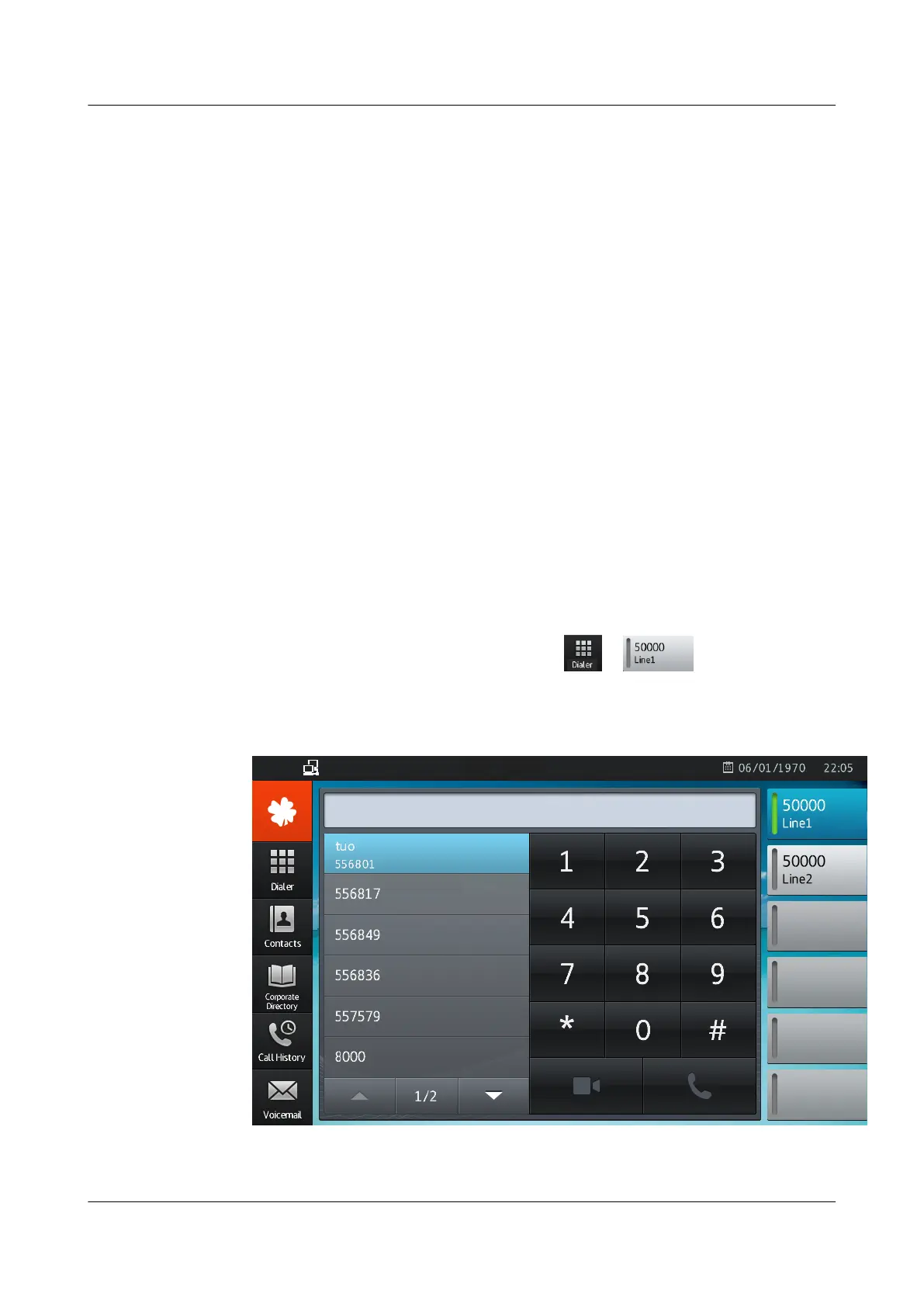
The dialer is displayed, as shown in Figure 4-2.
Figure 4-2 Dialer
eSpace 8850 Video Phone
User Guide
4 Phone Features
Issue 08 (2014-08-25) Huawei Proprietary and Confidential
Copyright © Huawei Technologies Co., Ltd.
32



 To Next Page