Changing the Group of a Contact
1. From the Contacts screen, tap a group that you want to edit.
2. Tap More and then Edit Group in the menu that is displayed.
3. Tap the Group drop-down list box and select another group.
4. Tap Save to save the settings.
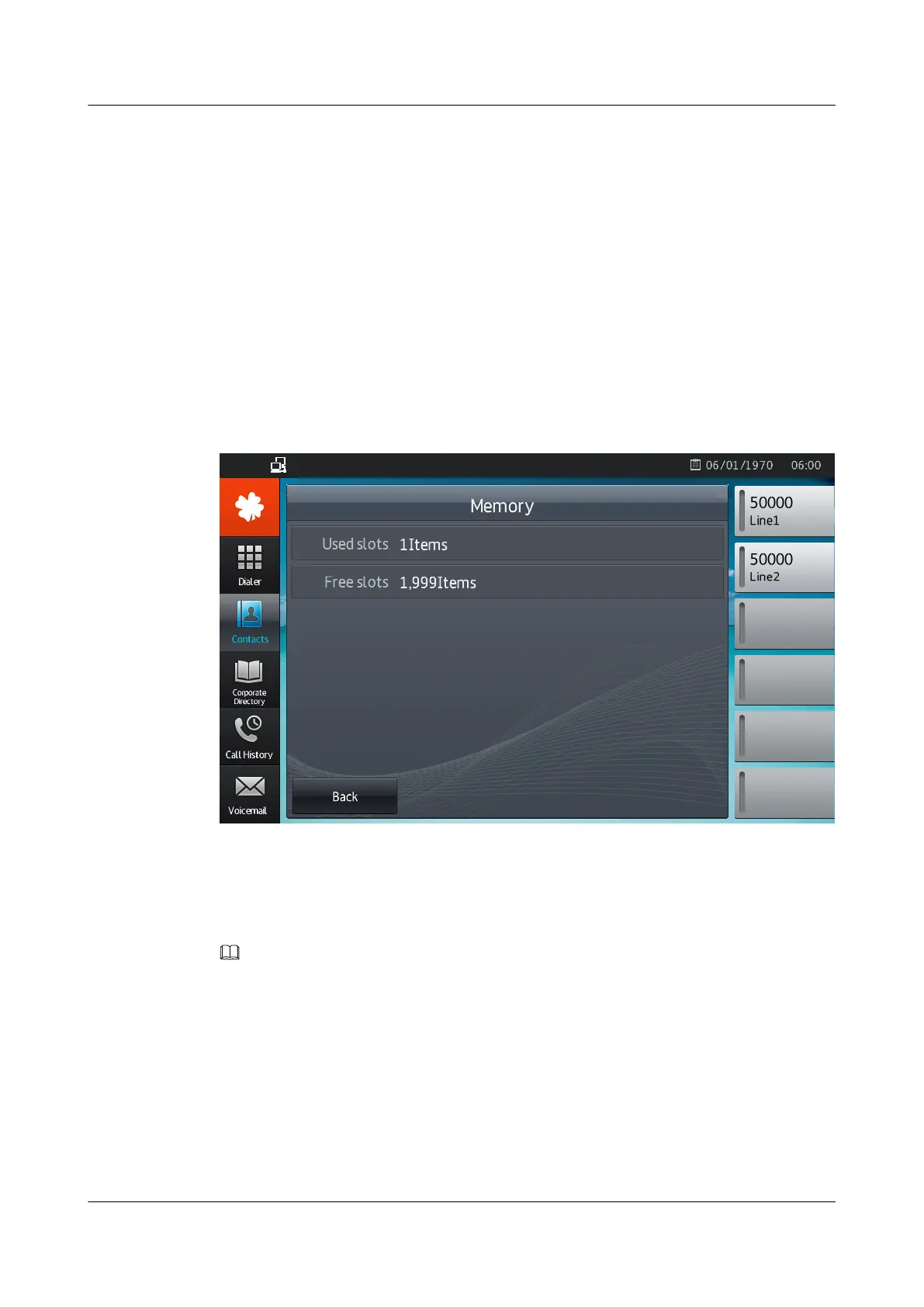
4.2.2.4 Viewing Storage Space
Tap More and then Memory in the menu that is displayed, to view storage space on the
Contacts screen.
The storage space is displayed, as shown in Figure 4-1.
Figure 4-1 Viewing storage space
4.2.2.5 Importing or Exporting Contacts
You can import or export contacts from or to an external storage device (such as a USB device
or SD card).
NOTE
Do not manually edit the contact file exported; otherwise, you may fail to import the contact file.
Importing Contacts
1. From the Contacts screen, tap More.
2. Tap Import.
The screen for selecting a device is displayed.
3. Select an external storage device, and tap Select.
The screen for selecting an import mode is displayed.
eSpace 8850 Video Phone
User Guide
4 Phone Features
Issue 08 (2014-08-25) Huawei Proprietary and Confidential
Copyright © Huawei Technologies Co., Ltd.
31



 To Next Page