Context
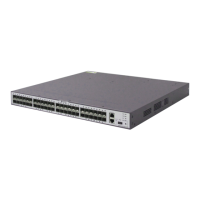
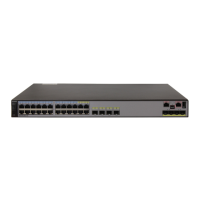
This installation method applies to the S5710-EI, S5720-SI (420 mm depth), S5730-SI,
S5730S-EI, S5720-C-EI, S5720-PC-EI, S5720-HI, S6720-EI, S6720-SI, and S6720S-SI.
Follow these precautions before or during the installation:
l Ensure that the cabinet is stable and meets the requirements specified in 3.3 Checking
the Cabinet or Rack.
l Leave sufficient vertical space in the cabinet or rack for the switch.
l To allow sufficient airflow around the switch, leave at least 50 mm (2.0 in.) clearance
behind and on both the left and right sides of the switch.
l To install multiple switches in one cabinet or rack, leave at least 1 U (1 U = 44.45 mm)
between switches that use natural heat dissipation. For switches that use forced or
intelligent air cooling, the recommended spacing between them is 1 U.
l Align the mounting brackets on the left and right mounting rails. If they are not on a
horizontal line, forcibly mounting the switch may distort the chassis.
l For an S5710-EI, S5720-SI (420 mm depth), S5730-SI, S5730S-EI, S5720-C-EI, 5720-
PC-EI, S5720-HI, S6720-EI, S6720-SI, or S6720S-SI switch, install front and rear
mounting brackets. If guide rails are installed in the cabinet, install only front mounting
brackets on the switch.
Tools and Accessories
l ESD wrist strap or ESD gloves
l Phillips screwdriver
l Flat-head screwdriver
l Measuring tape
l Floating nuts (eight per switch, purchased separately)
l M4 screws (eight per switch)
l M6 screws (eight per switch, purchased separately)
l Front mounting brackets (two per switch)
l Rear mounting brackets (two per switch)
l Rear mounting bracket guide rails (two per switch)
NOTE
The M4 screws, front and rear mounting brackets, and rear mounting bracket guide rails are included in
the installation accessory package.
Procedure
Step 1 Wear an ESD wrist strap or ESD gloves. When wearing an ESD wrist strap, ensure that it is in
close contact with your wrist and grounded properly.
Step 2 Use a measuring tape to measure the distance between the front and rear mounting rails in the
cabinet.
S2700&S3700&S5700&S6700 Switch
Hardware Installation and Maintenance Guide
5 Installing a Switch
Issue 13 (2017-11-20) Huawei Proprietary and Confidential
Copyright © Huawei Technologies Co., Ltd.
26





 To Next Page