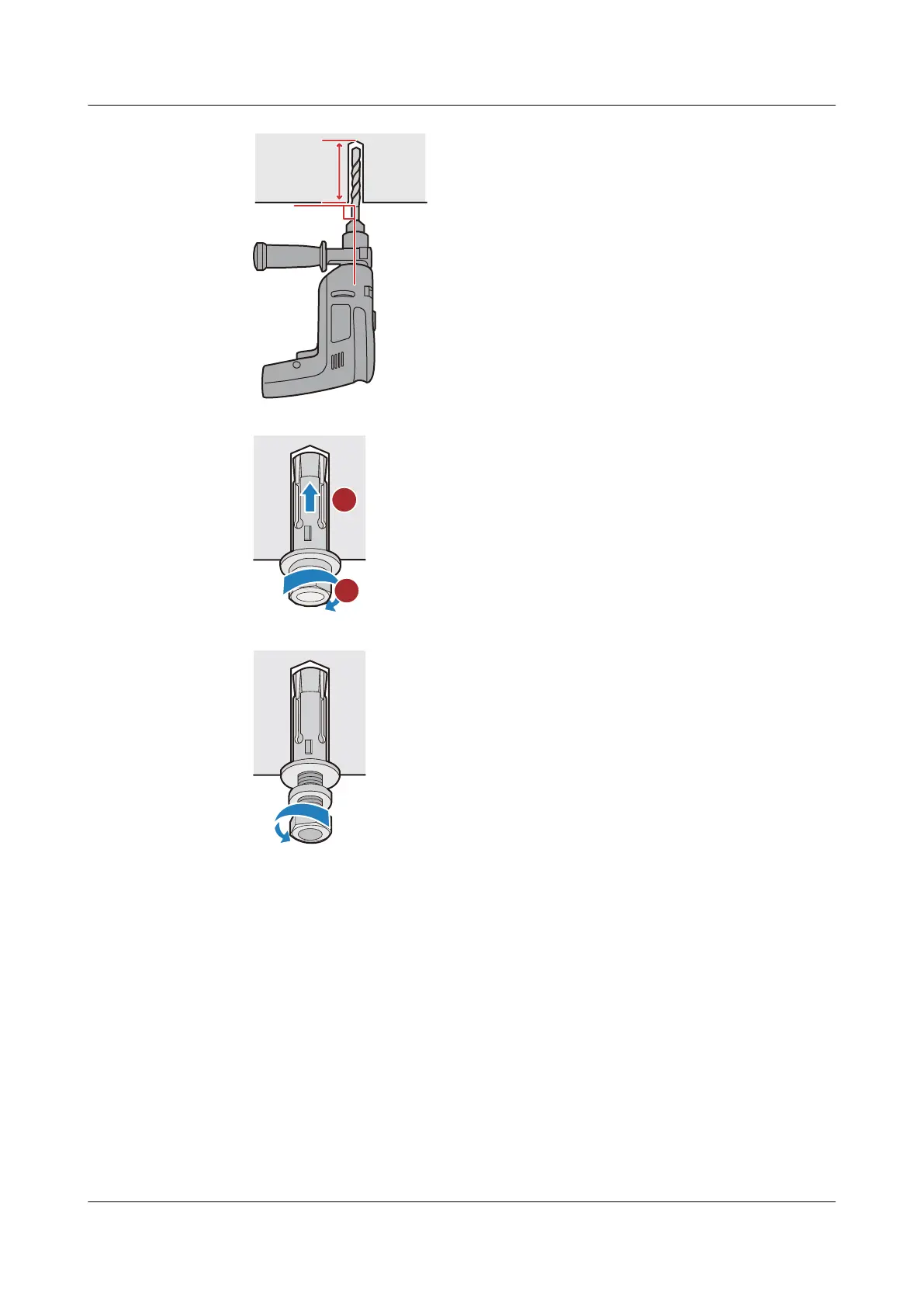
2. Insert M6 expansion bolts into the holes and tighten the nuts to secure the bolts in place.
3. Loosen and remove the nuts from M6 expansion bolts.
Step 5 Mount the switch on the top wall.
1. Align the holes on the top-mounting brackets with the M6 expansion bolts and push the
brackets onto the M6 expansion bolts.
2. Fasten the nuts on the M6 expansion bolts.
S2700&S3700&S5700&S6700 Switch
Hardware Installation and Maintenance Guide
5 Installing a Switch
Issue 13 (2017-11-20) Huawei Proprietary and Confidential
Copyright © Huawei Technologies Co., Ltd.
42





 To Next Page