Copyright © Huawei Technologies Co., Ltd.
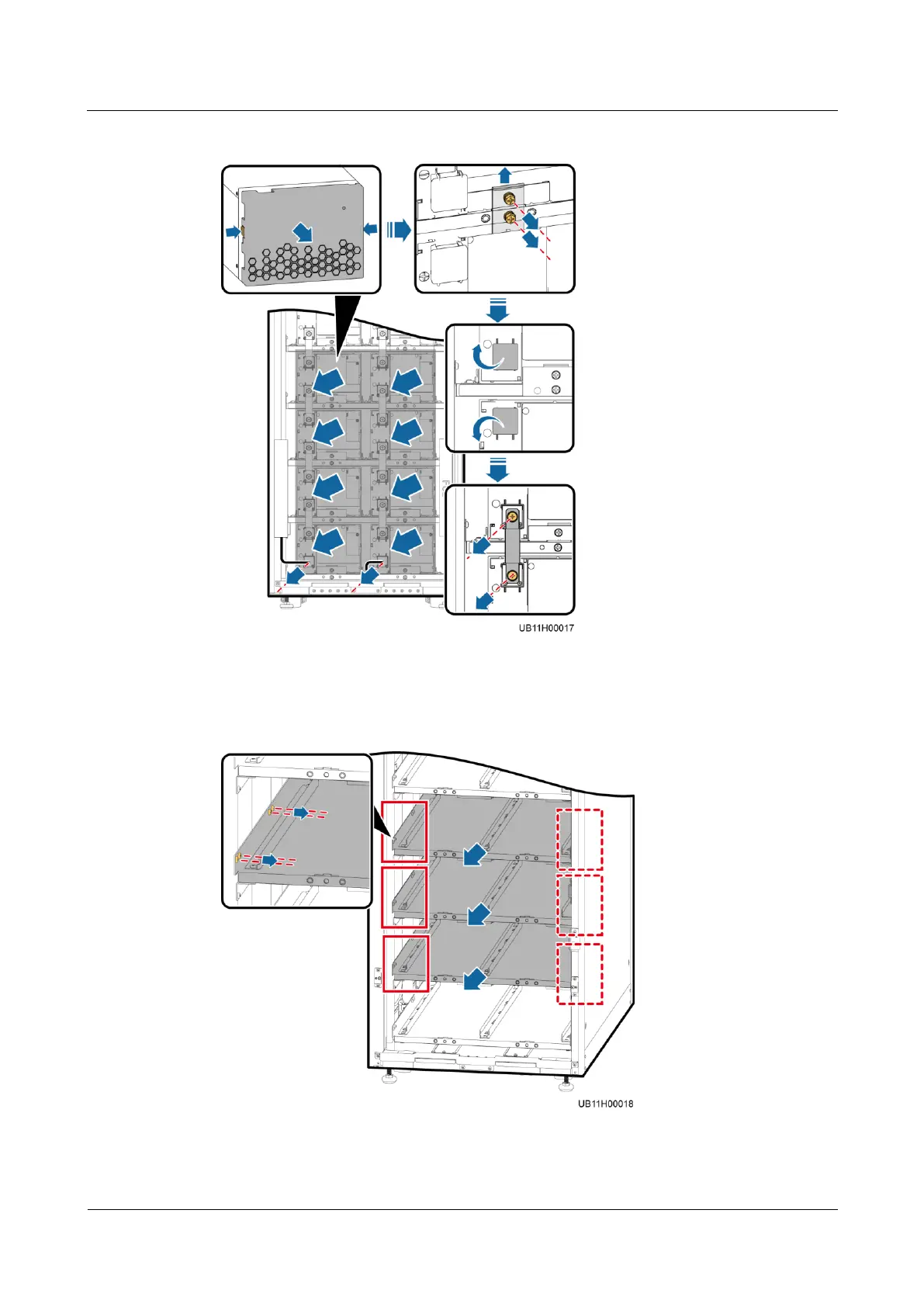
Figure 8-7 Removing the battery modules
Step 6 Remove the battery trays from the lower second, third, and fourth layers.
Figure 8-8 Removing the battery trays
Step 7 Remove the positioning kit, close the valve, reinstall the positioning kit, and secure it.











 To Next Page