INSTALLATION
9
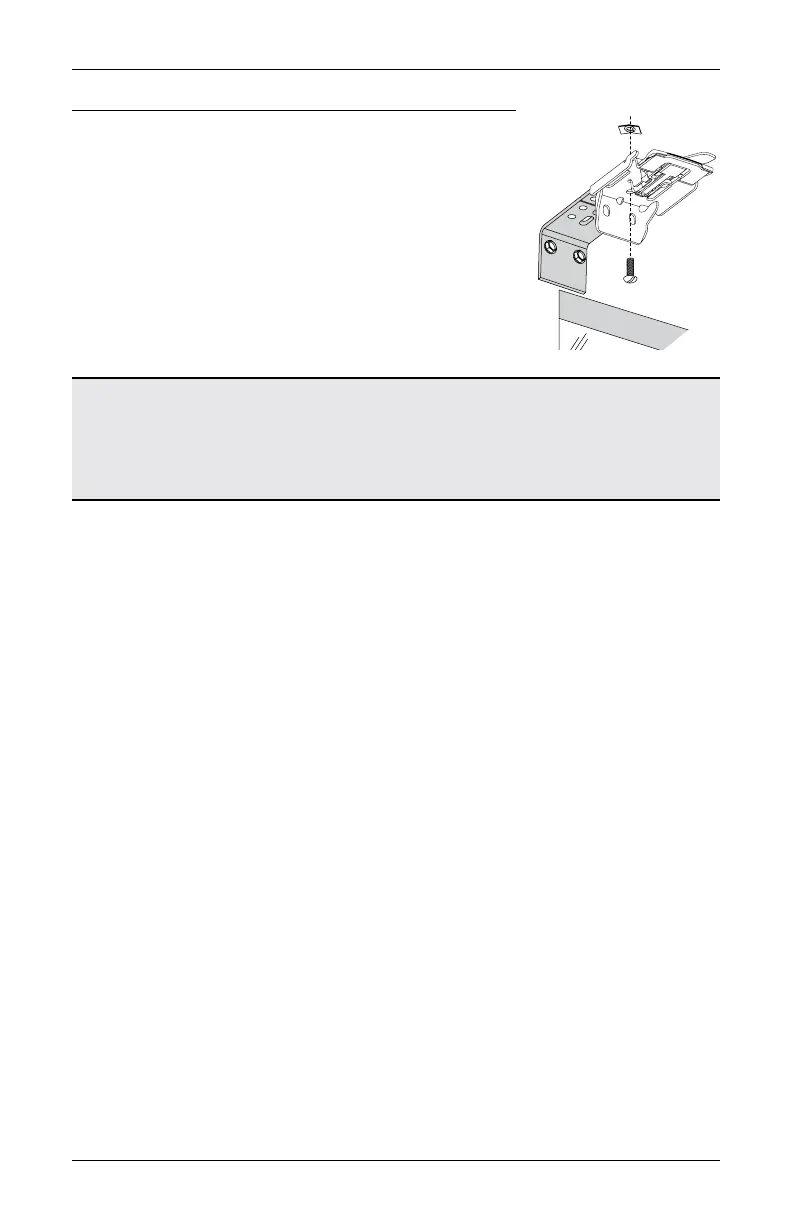
Additional Clearance with Extension Brackets
■
If using extension brackets, attach each extension
bracket to the mounting surface using the screws
provided.
■
Attach an installation bracket to the underside of each
extension bracket using the provided screws and
speed nuts.
NOTE: The maximum amount of added clearance using
extension brackets is 3".
UltraGlide
®
Shading: Proceed to
“STEP 3: Install the Shading” on page 12.
PowerView
®
Gen 3 Shading: Proceed to
“STEP 2: Mount the Battery Wand (PowerView® Gen 3)” on page 10.
Screw
Bracket
Speed Nut








 To Next Page