2.5
All key functions are explained in detail on the following pages.
PLC CONTROL DESCRIPTION
ACTIVATING THE PLC
The PLC control will become active when all selector switches are in the neutral position and the HYDRAULIC START
button is depressed and “held in” momentarily. If the head is not in the 90
0
position, the display will prompt you to “SWING
THE HEAD TO 90 DEGREES.” Press and hold the 90
0
key until the display returns to “MANUAL MODE”. When the head
is at 90
0
, the AUTO/MAN indicator light will be green, all MANUAL controls as described previously are enabled, and the
“MANUAL MODE STATUS” screen will appear as shown below. The PLC controls are described on the following pages.
The length value (shuttle vise position) will display the previous positions. To reset or clear the length value, press the
F8 key.
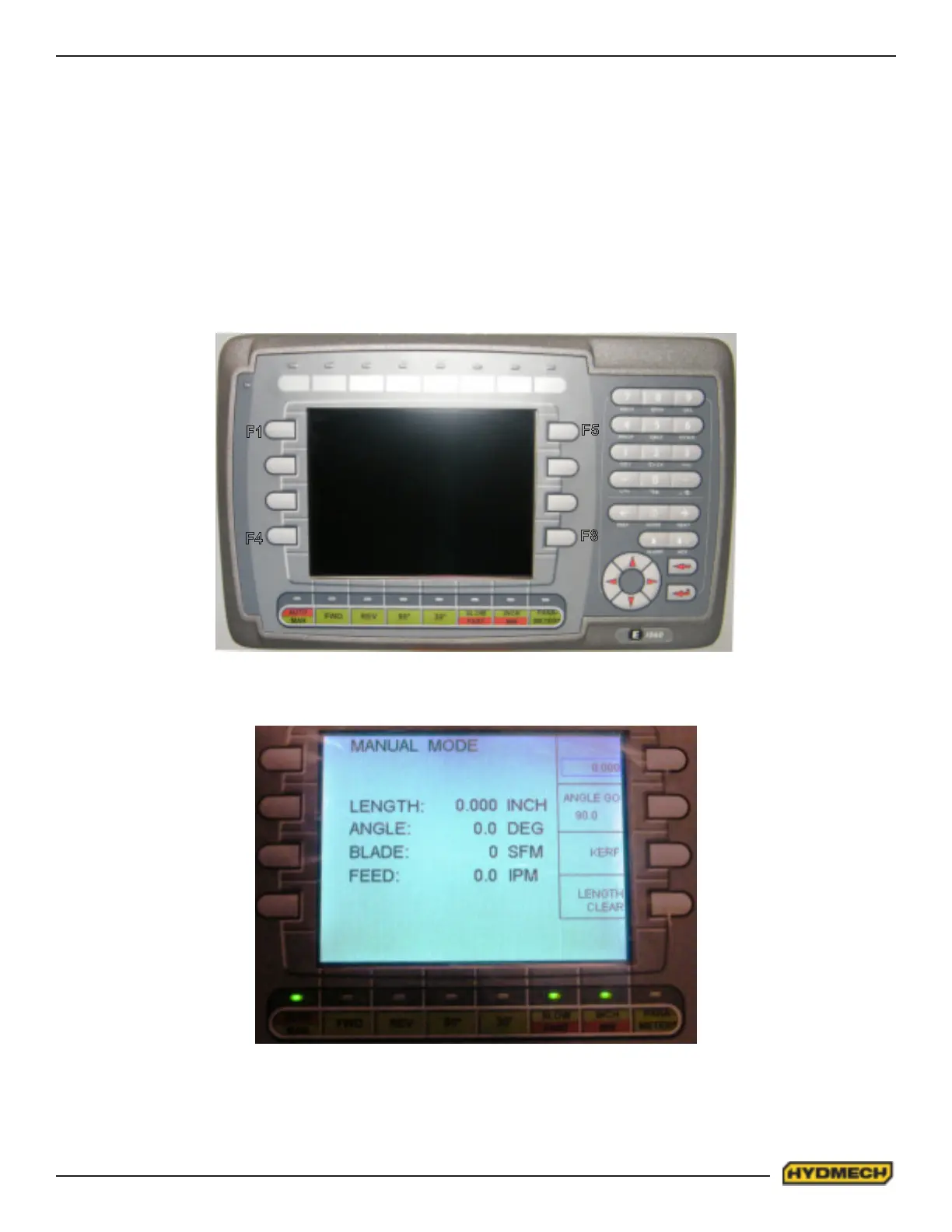
PLC 500 CONTROL PANEL
F1
F4
F5
F8


 To Next Page