2.11
WORKING WITH A QUEUE
The purpose of a QUEUE is to allow the operator to run several jobs (max of 5) in series if they are of like material. To
run a QUEUE, it is necessary to program in all job values as is done with programming a single job. After the jobs are
programmed in, scroll the cursor to the QUEUE, press F8 to clear the QUEUE and enter the desired JOB #’s in desired
sequence. To run the QUEUE, press F5, CYCLE START and start the blade.
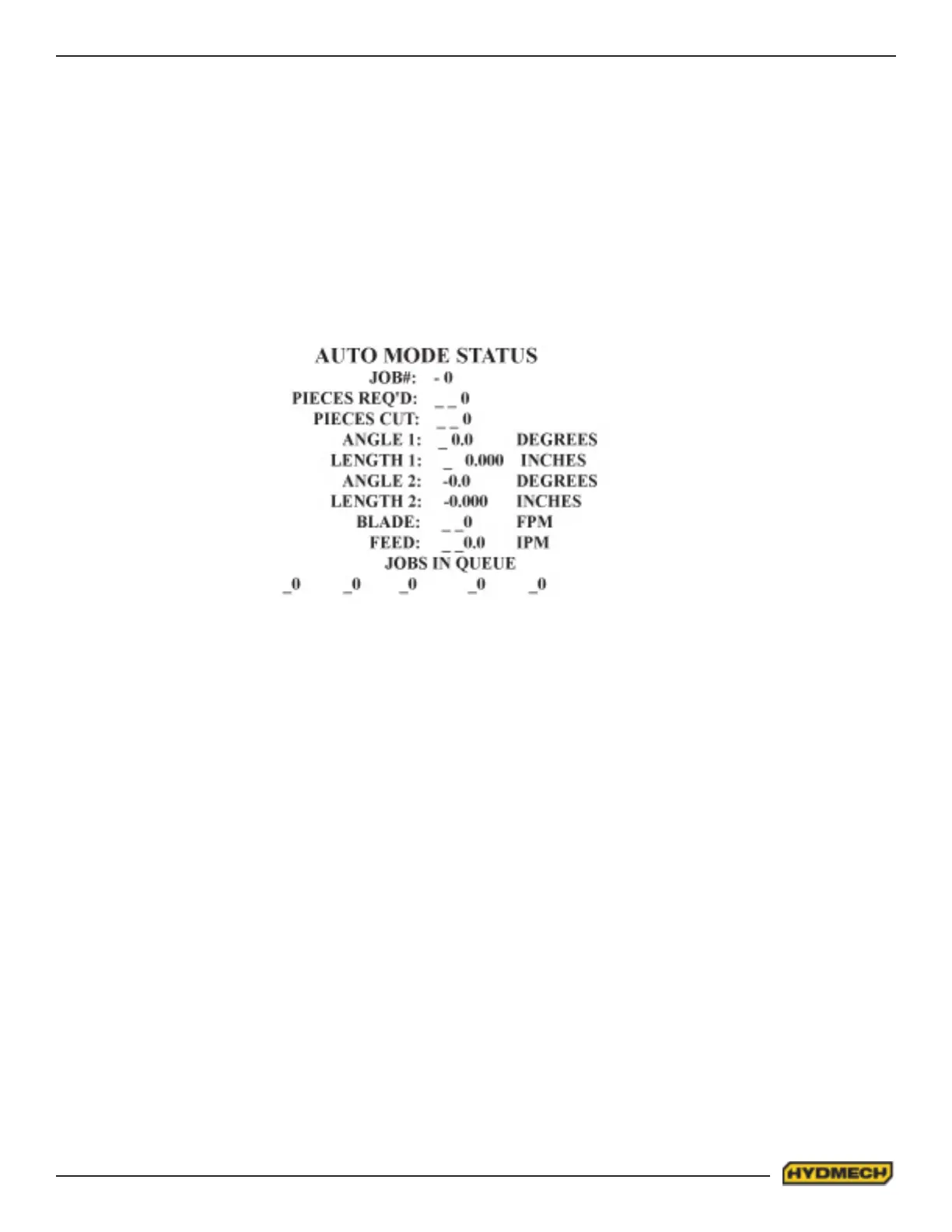
The AUTO MODE STATUS screen will appear and display each individual JOB as it is being run. The STOP and PAUSE
functions are as above and at completion of the last JOB in the QUEUE, the machine will shut off. The machine will auto-
matically advance the stock between jobs for trim cuts as needed.
NOTES:
1. The CYCLE START button is used to PAUSE a job in progress. When a job is PAUSED the PICK LIST will appear
and the operator can make eventual alterations to the job values which will take place on the next piece to be cut
or to edit a new job. To resume a job, press the CYCLE START key and the screen will change back to the AUTO
MODE STATUS screen and the AUTO CYCLE will resume.
2. If “QTY RQ’D” equals or exceeds “QTY CUT”, the AUTO CYCLE will not start.


 To Next Page