d) Exit the ASMI.
e) This ends the procedure.
5. If you chose to complete this repair with the power off, using your labels, reconnect the UPIC cables to
the system control unit.
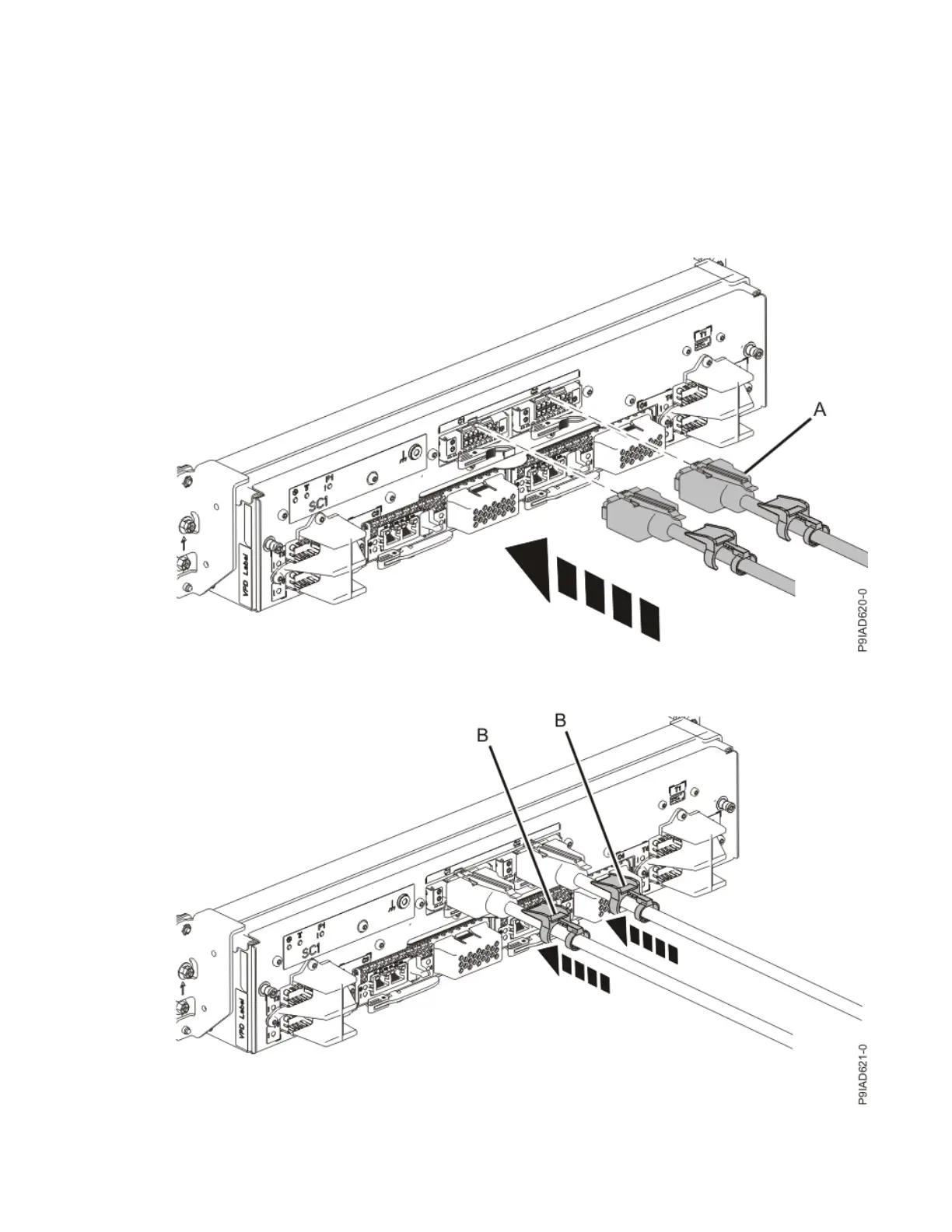
UPIC cable locations are P1-C1-T1 and P1-C2-T1.
a. Ensure that the white plastic lock is pulled back from the plug housing.
b. Plug the UPIC cable (A) into the previously identied location in the system control unit by inserting
the cable into the connector until it locks into place.
Figure 358. Replacing the UPIC cable into the system control unit
c. Push the white plastic lock (B) onto the plug housing.
Figure 359. Replacing the UPIC cable into the system control unit
416
Power Systems: Removing and replacing parts in the 9080-M9S system


 To Next Page
 Loading...