47
7
DV MODE OPERATION
1
2
3
4
5
6
7
8
9
10
11
12
13
14
15
16
17
18
19
N Digital mode operation
The IC-80AD can be operated in digital voice mode and low-
speed data operation for both transmit and receive. It can
also be connected to a GPS receiver
(compatible with an RS-
232 output/NMEA format/4800 bps/9600 bps) to transmit/receive
position data.
N Current call sign setting
Set the current call sign for DV operation as follows.
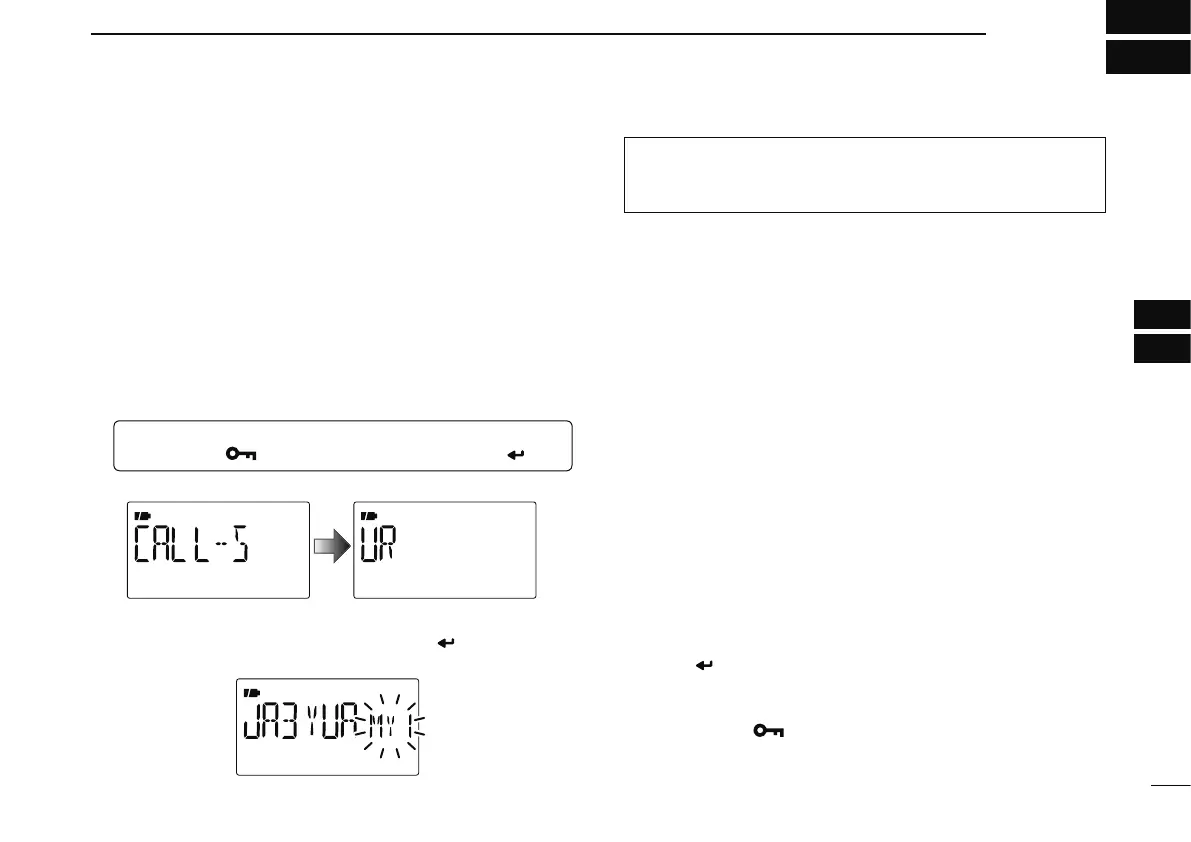
q Enter “CALL-S” in MENU screen.
MENU ¶ CALL-S
(Push [MENU ]), (Push [](2)/[](8), then push [ ](5).)
• Call sign screen is displayed.
w Push [](2) or [](8) to select the desired call sign group,
“UR,” “RPT1,” “RPT2” or “MY,” then push [
](5).
• Current call sign is displayed.
Quick entry
Push and hold [CS](9) for 1 sec. to enter the current call
sign mode. See next page for details.
• Call sign group
UR : Station call signs (U01–U60), “CQCQCQ” (U--) or
repeater CQ* (R-L) can be selected.
* ‘/’ plus repeater call sign (R-L), ‘/’ stands for “CQCQCQ”
RPT1 : “NOTUSE”* (R--) or repeater call signs (R-L) can be
selected.
* Direct communication (NOT USE repeater)
RPT2 : “NOTUSE”* (R--) or repeater call signs (R-L) can be
selected.
* Direct communication or using area repeater only (NOT
USE link repeater)
MY : My call signs (MY1–MY6) can be selected.
e Push [](2) or [](8) to select the desired call sign.
Or push [](6) to enter the current call sign programming
state (pgs. 36–38).
• When “UR,” “RPT1” or “RPT2” is selected at step w, push
[BAND] several times to select the repeater call sign groups.
• When repeater call sign is selected, push and hold [CS](9) for 1
sec. to toggle the call sign and repeater name indications.
r Push [ ](5) to set the selected call sign to the current call
sign and exit the state.
t Repeat steps w to r to set the other current call sign.
y Push [MENU
] to return to frequency indication.


 To Next Page