
EasyManua.ls Logo

Icom IC-80AD - User Manual

Icom IC-80AD
188 pages
Print Icon
To Next Page IconTo Next Page
Loading...
This device complies with Part 15 of the FCC Rules. Operation is
subject to the following two conditions: (1) this device may not cause
harmful interference, and (2) this device must accept any interference
received, including interference that may cause undesired operation.
WARNING: MODIFICATION OF THIS DEVICE TO RECEIVE CEL-
LULAR RADIOTELEPHONE SERVICE SIGNALS IS PROHIBITED
UNDER FCC RULES AND FEDERAL LAW.
INSTRUCTION MANUAL
i80AD
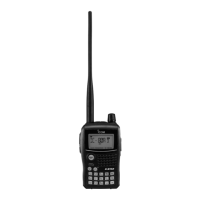
VHF/UHF DIGITAL TRANSCEIVER

Table of Contents

Other manuals for Icom IC-80AD

Questions and Answers

  • Y
    yfosterJul 31, 2025
    What to do if no sound comes from the Icom Transceiver speaker?
    • V
      vargaskimberlyJul 31, 2025
      If no sound is coming from the speaker of your Icom Transceiver, ensure that the volume level isn't too low by pressing the [?] or [?] buttons to adjust it to a suitable level. Also, check if an external speaker is connected or a cloning cable is inserted, and disconnect them if they are.
  • T
    tiffanydavisAug 6, 2025
    How to fix an Icom Transceiver that will not power ON?
    • F
      ffreemanAug 6, 2025
      If your Icom Transceiver won't power ON, you should first replace the batteries or charge the battery pack. Check for loose connections of the battery pack (case) and clean the battery terminals. Also, verify that the battery polarity is correct.
  • B
    Bruce LeeAug 11, 2025
    Why is transmitting impossible on my Icom Transceiver?
    • C
      cgonzalezAug 11, 2025
      If transmitting is impossible with your Icom Transceiver, first, replace the exhausted batteries or charge the battery pack. Then, ensure that the frequency is set within the 144/440 MHz amateur bands; if it is outside, reset it.
  • G
    Gary LewisAug 18, 2025
    What to do if Icom Transceiver memory scan function cannot start?
    • B
      baileyvalerieAug 18, 2025
      If the memory scan function on your Icom Transceiver cannot start and the displayed frequency is erroneous, push [M/CALL] to set memory mode if VFO mode or call channel is selected. Ensure that you have programmed 2 or more memory channels. If the issue persists, try resetting the transceiver, or removing and re-attaching the battery pack or battery case.
  • W
    wdeanAug 23, 2025
    Why is no contact possible with another station on my Icom Transceiver?
    • K
      Kelly EvansAug 23, 2025
      If no contact is possible with another station using your Icom Transceiver, check the tone/DTCS using tone scan because a different tone may be selected with tone/DTCS squelch.

Summary

PRECAUTIONS

BASIC OPERATION

Transmitting

Procedures for transmitting, including microphone usage and PTT operation.

REPEATER AND DUPLEX OPERATIONS

Repeater operation

Guide on using repeaters, including setting frequencies and shift directions.

Duplex operation

Details on setting offset frequencies and duplex directions for repeater communication.

Auto repeater function

Explanation of automatic repeater settings for specific frequency ranges.

DV MODE PROGRAMMING

Call sign programming

Instructions for programming personal and repeater call signs.

Repeater list programming

Steps for adding, editing, and managing repeater information.

DV MODE OPERATION

Digital mode operation

Basic principles of digital voice and data communication modes.

Receiving a D-STAR repeater

How the transceiver receives signals from a D-STAR repeater.

DR (D-STAR Repeater) mode operation

Guide to operating in DR mode for D-STAR repeater access.

Calling CQ

Steps for initiating a call in the D-STAR system.

Calling a specific station

Procedure for establishing communication with a specific station.

Simplex operation in VFO

Operating in simplex mode using the VFO frequency.

Message operation

How to program and transmit text messages.

Low-speed data communication

Connecting and operating the transceiver for low-speed data transfer.

GPS;GPS-A OPERATION

GPS operation

How to display and transmit GPS data using connected microphones or receivers.

MEMORY;CALL CHANNELS

SCAN OPERATION

PRIORITY WATCH

MENU SCREEN OPERATION

OTHER FUNCTIONS

TROUBLESHOOTING

SPECIFICATIONS

Icom IC-80AD Specifications

General IconGeneral
Frequency Range144-148 MHz, 430-450 MHz
Channels1000
Display TypeLCD
Output Power5W
ModulationFM
RF Power Output5 W
Weight300g (With BP-256)
Battery Life10 hours
Operating Voltage7.4 V
Voltage7.4 V
Dimensions58(W) x 105(H) x 26.4(D) mm (w/o projections)

Related product manuals








