23
5
BASIC OPERATION
1
2
3
4
5
6
7
8
9
10
11
12
13
14
15
16
17
18
19
■ Band scope
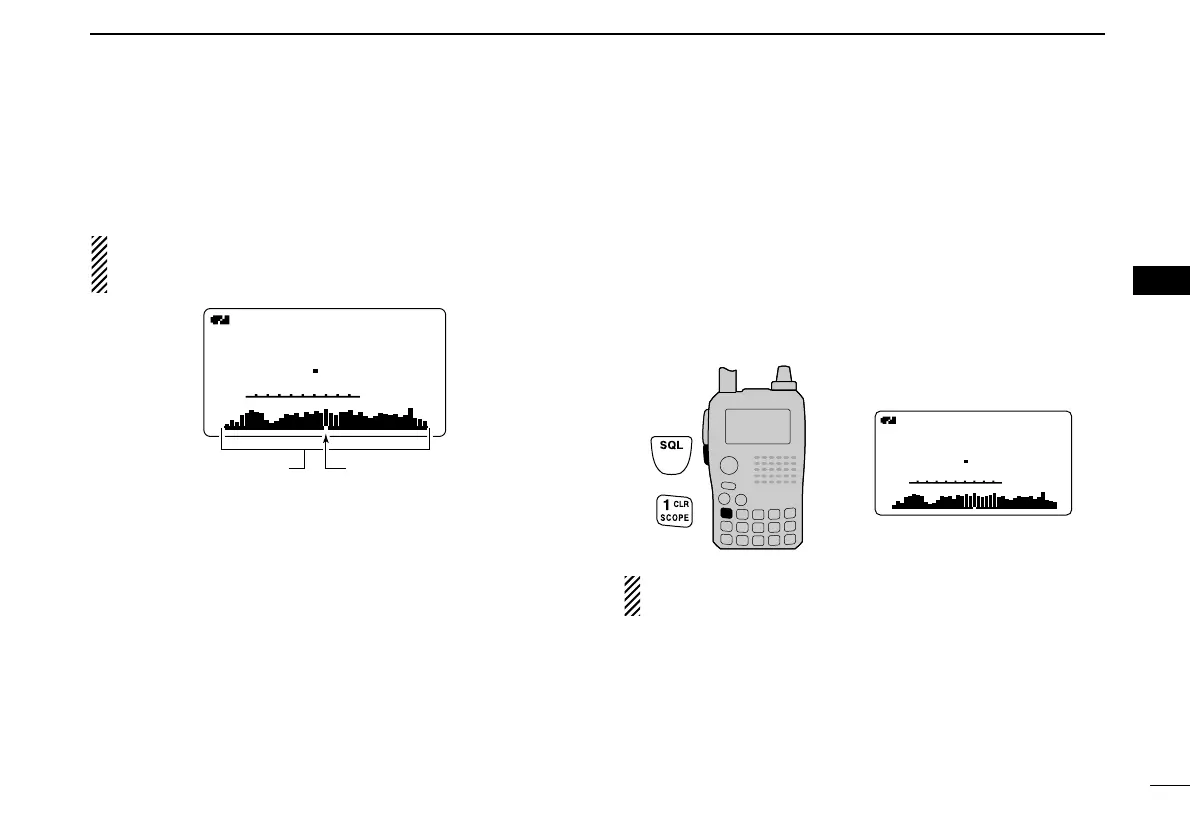
The band scope function allows you to visually check a spec-
ified frequency range around the center frequency.
About the sweeping steps: The specified tuning step in
each frequency band (in VFO mode) is used during
sweep.
DD
Single sweeping
q Set the desired frequency as band scope center frequency.
w Push and hold [1/SCOPE] for 1 sec. to start single sweep-
ing.
• 1 short and 1 long beeps sound.
• Signal conditions (strengths) appear starting from the center of
the range.
e Rotate [DIAL] to set the highlighted cursor to the desired
waveform and set the frequency of the signal.
r Push [VFO/MHz] to return to normal condition.
DD
Continuous sweeping
q Set the desired frequency as band scope center frequency.
w Push and hold [1/SCOPE] for 3 sec. to start continuous
sweeping.
• 2 short beeps sound after 1 short and 1 long beeps.
• Signal conditions (strengths) appear starting from the center of
the range.
e Push and hold [1/SCOPE] for 1 sec. to cancel sweeping.
• Pushing [SQL] also cancels sweeping.
The receive audio during sweeping can be muted in
sounds set mode. See page 102 for details.



 To Next Page